Free download (7 MB) Previous versions
- Version
- 2026.8.1 fix EDiSO
- Developer
- Pilotmoon Software
- Languages
- Russian, English, German, Spanish, Italian, Chinese (Simplified), Korean, Dutch, Portuguese, French, Japanese
- License type
- Included
| macOS range | macOS 13.5 or later |
|---|---|
| Chip | Apple Silicon, Intel 64-bit |
| Download | 7 MB |
| Previous versions | 6 on file |
Screenshots
Scroll the row, it snaps to each screenshot. Click one to see it wider.
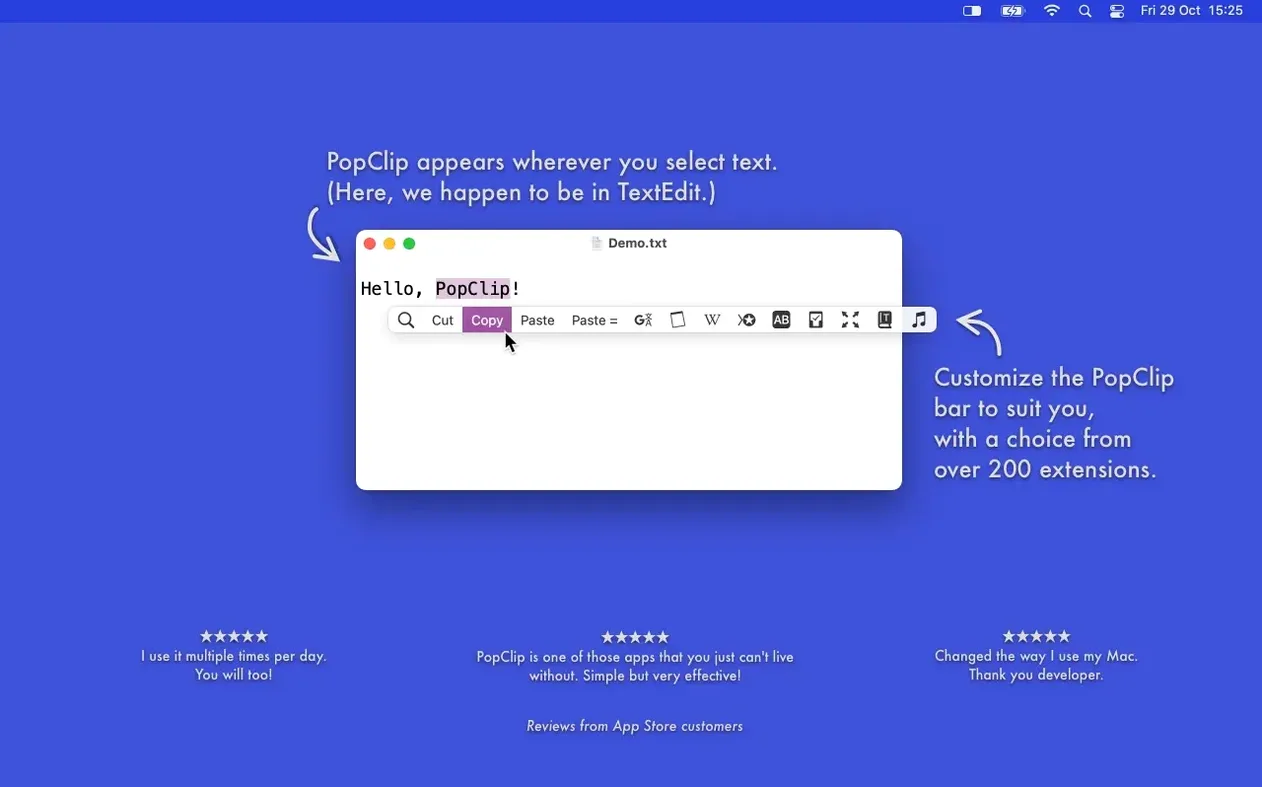
Selecting text on a Mac usually means reaching for the menu bar or memorizing shortcuts. PopClip puts the actions where your mouse already is. Highlight a word, a URL, or a file path and a small toolbar appears with the relevant options.
Tools for Power Users
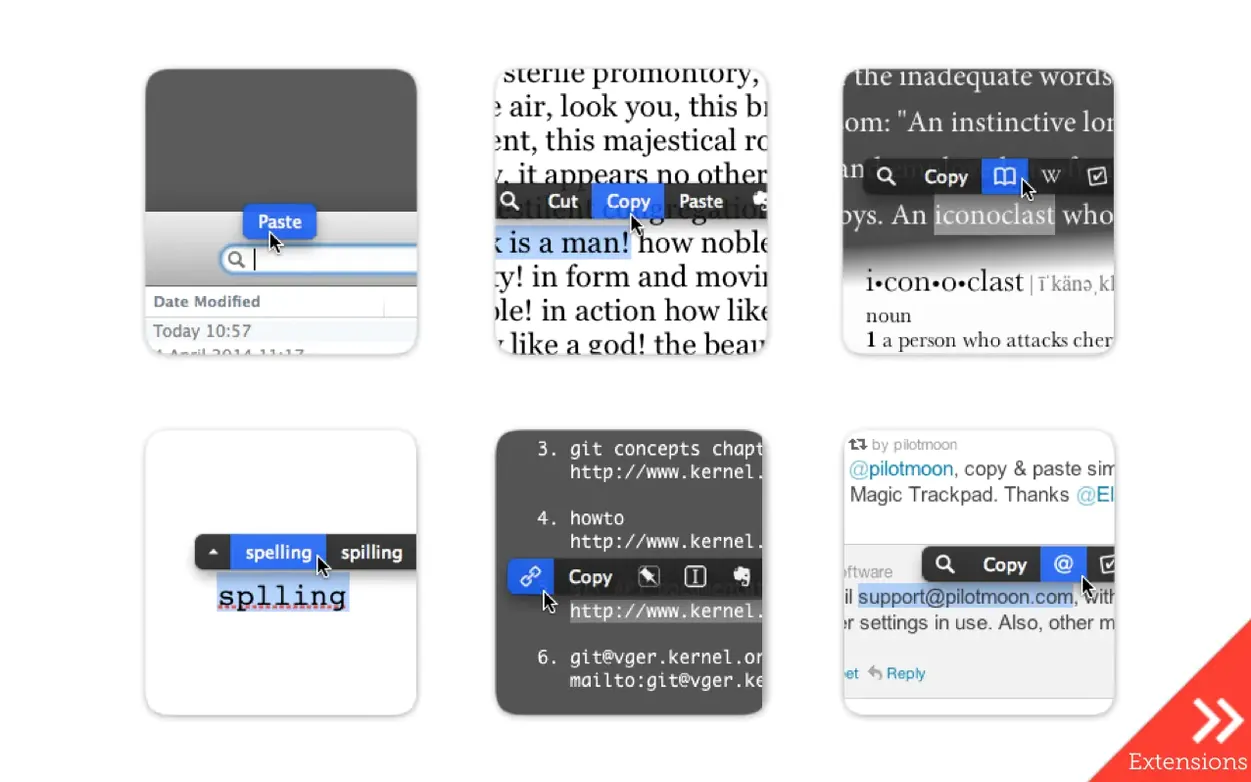
- Open selected URLs, email addresses, or file paths without copying them elsewhere
- Paste with style matching to keep formatting consistent across documents
- Translate text in place, count words, or convert case on the fly
- Send selections to Evernote when you are collecting research
- Search the web for the selected phrase without leaving the current app
The extension list covers the usual copy-and-paste basics plus deeper utilities. PopClip works in most Mac apps, though not every one supports it. This 2026.8.1 release is a maintenance pass following 2026.7, focused on cleanup and stability rather than new features. For an IT person managing multiple machines, the drag-and-drop install and Intel or Apple Silicon support keep deployment simple.
Spelling Corrections in the Popup
PopClip includes a spelling correction feature. Select a misspelled word and the popup shows suggested corrections. Click one to replace the text. Saves a trip to the right-click menu or a separate spell-check tool.
The dictionary lookup works for single words. Select a word and the popup offers a definition. No need to open a dictionary app or browser tab. It is a fast check when you are reading or editing.
Extensions sync through iCloud. Once you customize your action layout or install extensions on one Mac, the same setup appears on your other machines. No manual reconfiguration after a new install or a system refresh.
System Requirements and Installation
PopClip runs on macOS 13.5 Ventura and later. It supports both Apple Silicon (ARM) and Intel 64-bit (x86) machines. The download is a zip file. Unzip it and drag the app to your Applications folder. Launch from Launchpad. No installer wizard or background daemon to manage.
The app is a system-level utility, not a full-window program. It sits quietly and only appears when you select text with the mouse. Expect it to work across most apps you use daily, though compatibility is not universal. A few applications may not trigger the popup.
Writers, Editors, and IT Staff
Anyone who edits text frequently will find use for PopClip. Writers, editors, and researchers benefit from quick dictionary lookups, word counts, and web searches without switching contexts. People who handle links and file paths in their workflow — IT staff, support teams, content managers — save clicks by opening destinations directly from the selection.
Users who prefer mouse-driven work rather than keyboard shortcuts will appreciate the toolbar. It removes the need to remember modifier keys for common actions like paste with style matching or case conversion. For a multi-machine setup, the iCloud sync and simple drag-and-drop install make deployment across a small fleet manageable.
- Maintenance and cleanup release after PopClip 2026.7
- Version 2026.8.1, released 2026-09-07
- macOS 13.5 Ventura or later
- Apple Silicon or Intel (x86 64-bit)
- Interface languages: Russian, English, German, Spanish, Italian, Chinese (Simplified), Korean, Dutch, Portuguese, French, Japanese
The install order
- Open the downloaded disk image.
- Drag the app to the Applications folder alias.
- Once the copy finishes, launch PopClip from Launchpad.