Free download (7 MB) Previous versions
- Version
- 2.17.0
- Developer
- ViWizard Studio
- Languages
- English, German, French, Japanese
- License type
- K'ed by TNT team
| macOS range | OS X 10.10 or later |
|---|---|
| Chip | Intel 64-bit |
| Download | 7 MB |
| Previous versions | 1 on file |
Screenshots
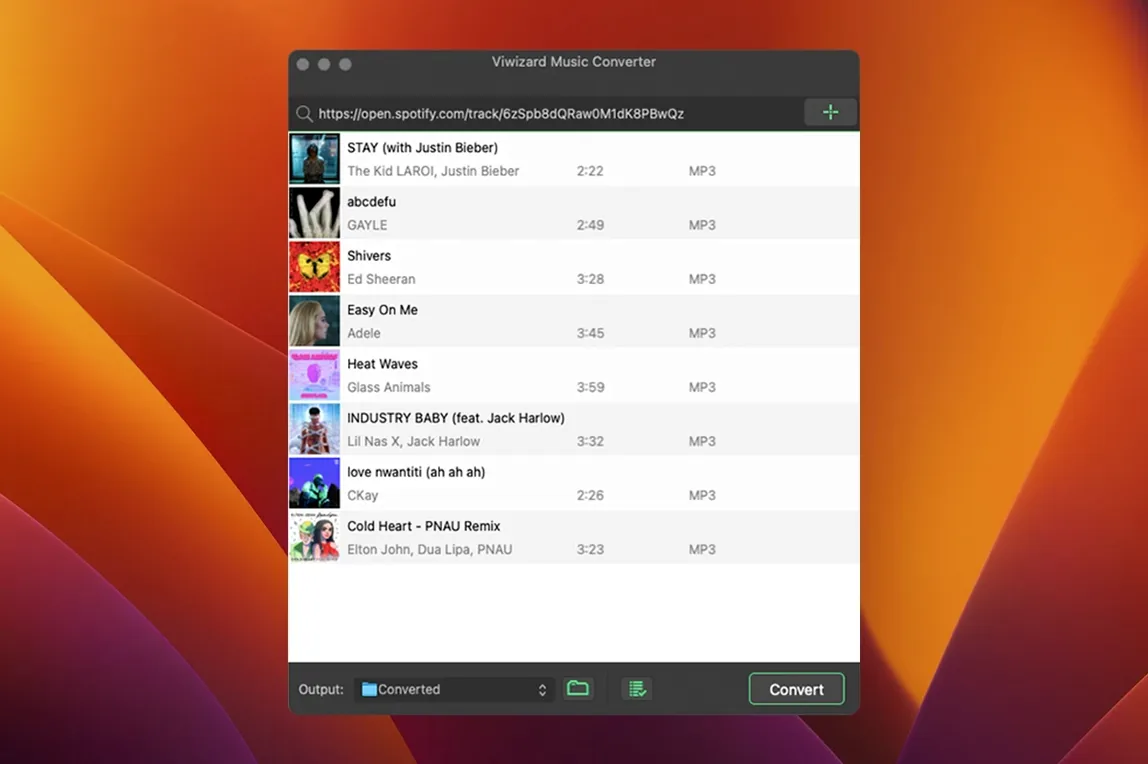
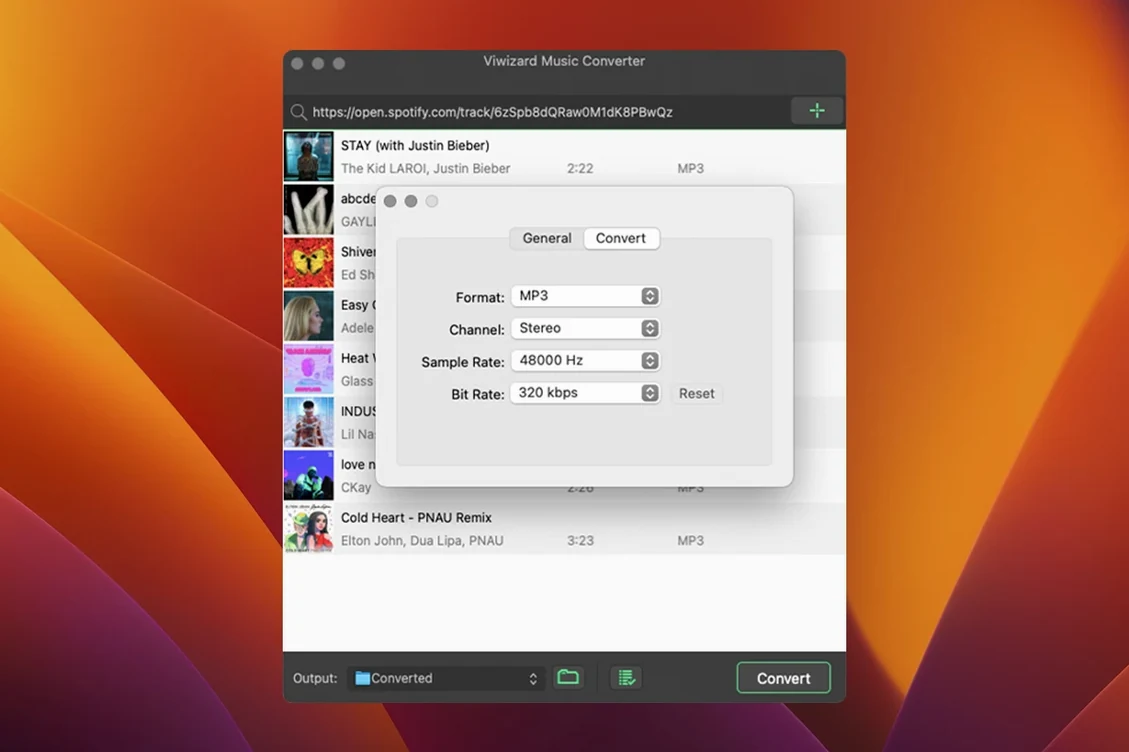
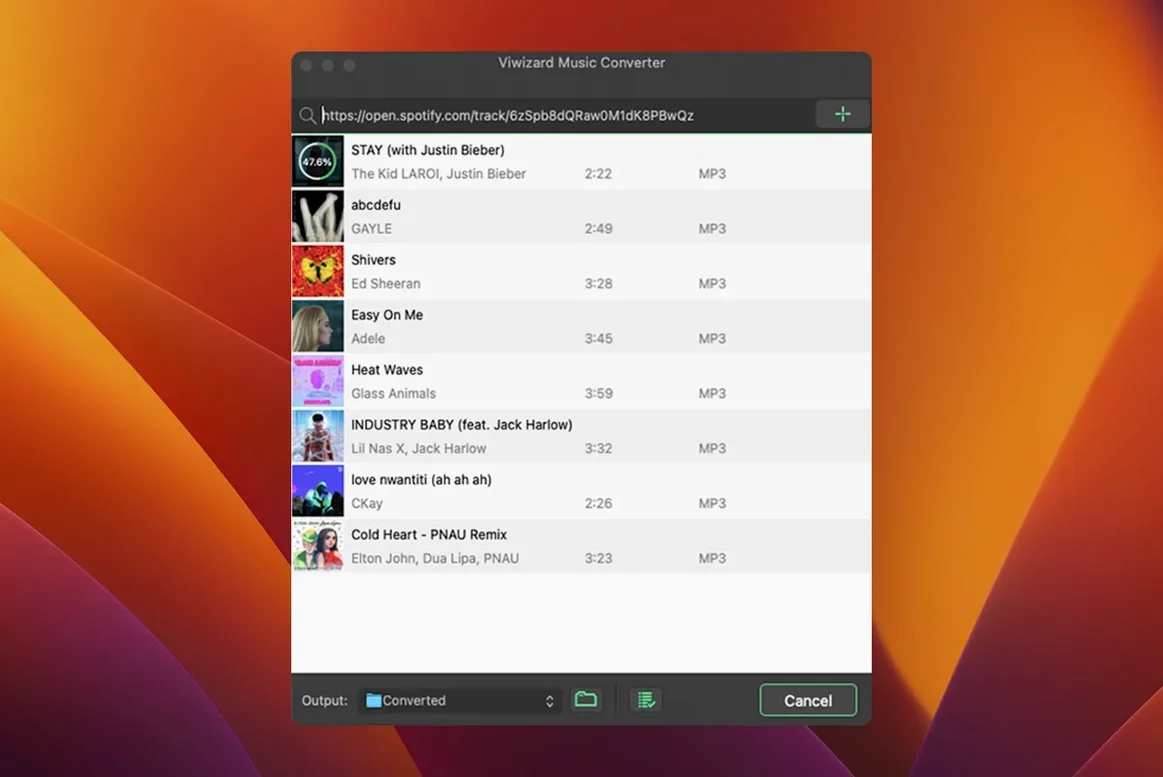
Scroll the row, it snaps to each screenshot. Click one to see it wider.
Spotify caps its audio at 320 kbps, and offline files stay locked in the app. ViWizard Spotify Music Converter 2.17.0 for Mac works around that by tapping the built-in Spotify Web Player and exporting to open formats like MP3, FLAC, WAV, AIFF, M4A, and M4B. Before you install the Mac build, here is what most people ask:
- Does it need a Spotify Premium account? No. It uses the Web Player, so even free accounts can convert.
- What can it convert? Individual songs, playlists, albums, artists, podcasts, and audiobooks.
- Can I control the output quality? Yes. Set channel, bitrate, and sample rate before converting.
- Which Macs are supported? Intel 64-bit Macs running OS X 10.10 or later. Apple Silicon works through Rosetta.
- What languages does it support? English, German, French, and Japanese.
- How does installation work? It uses a disk image and a Terminal command to bypass Gatekeeper.
Once installed, pick your output folder, adjust the audio settings, and drag in a playlist. The conversion runs in batch, so it handles a full library without babysitting.
Set MP3 320 kbps default
A few preferences in ViWizard are worth setting before you run your first batch. Open the app and go to the output settings panel:
- Format and bitrate. The default is often MP3 at 320 kbps. If you archive for long-term storage, FLAC keeps the most detail. For voice-heavy podcasts or audiobooks, 128 kbps M4A saves space without much noticeable loss.
- Channel and sample rate. Stereo at 44100 Hz is the standard for music. Mono at 22050 Hz is fine for speech content. Set these before large batches — changing them later means re-converting.
- Auto-save by artist or album. Toggle this on if you plan to convert entire playlists or artist pages. It organizes output files into folders automatically, which saves cleanup time later.
Those settings are one-time. After that, the workflow is drag-and-go.
Gatekeeper bypass on macOS
ViWizard runs on Intel 64-bit Macs with OS X 10.10 or later. On a recent macOS version, the install process requires a Gatekeeper bypass via Terminal — standard for unsigned third-party tools. The app itself is a single windowed interface. The Spotify Web Player runs inside the app, so you log into your Spotify account there, not through the desktop client. The conversion uses local processing, not cloud servers. Expect the fan to spin during a large batch because audio decoding and encoding are CPU-heavy. There is no native Apple Silicon build, so Rosetta 2 handles the translation on M-series Macs. That works fine, but it adds a small overhead.
Cleaner interface than NoteBurner
- NoteBurner Spotify Music Converter. Same basic principle — converts via the Web Player — and comparable output format support. NoteBurner offers a slightly different interface and sometimes a different layout for managing playlists. ViWizard uses a cleaner, more stripped-down conversion window.
- AudFree Spotify Music Converter. Another direct competitor. AudFree also handles batch conversion and metadata retention. ViWizard supports a wider range of audio books and podcasts natively, while AudFree focuses more on music playlists.
- Allavsoft Video Downloader. Not a Spotify-only tool. It handles many streaming sites, so the interface is more crowded. ViWizard is purpose-built for Spotify and has fewer options cluttering the workflow.
For a dedicated, single-purpose tool on an Intel Mac, ViWizard is straightforward. It does not try to be a video ripper or a format swiss army knife — it converts Spotify audio and stops there.
- macOS OS X 10.10 or later
- Intel 64-bit processor
- Interface languages: English, German, French, Japanese
Questions I get about this line
Yes.
It exports to MP3, FLAC, WAV, AIFF, M4A, and M4B. You can also adjust channel, bitrate, and sample rate.
The app is built for Intel 64-bit Macs, but it runs on Apple Silicon through Rosetta 2.
The install order
- Mount the disk image and run Open Gatekeeper Friendly.
- Open Terminal and press Enter to bypass Gatekeeper.
- Drag the app to the Applications folder.
- Launch the app when the copy finishes.