- Version
- 22.4.1
- Developer
- Movavi
- Languages
- English, German, Spanish, Italian, Chinese (Traditional), Chinese (Simplified), Korean, Dutch, Polish, Portuguese, Turkish, French, Japanese
- License type
- K'ed by TEAM HCiSO
| macOS range | macOS 10.13 or later |
|---|---|
| Chip | Intel 64-bit |
| Download | 126 MB |
Screenshots
Scroll the row, it snaps to each screenshot. Click one to see it wider.
Seven tracks, 160+ effects, and a chroma key that swaps backgrounds in a click. Movavi Video Editor 22.4.1 for macOS is built for speed, not complexity.
Workflow: From Clips to Export
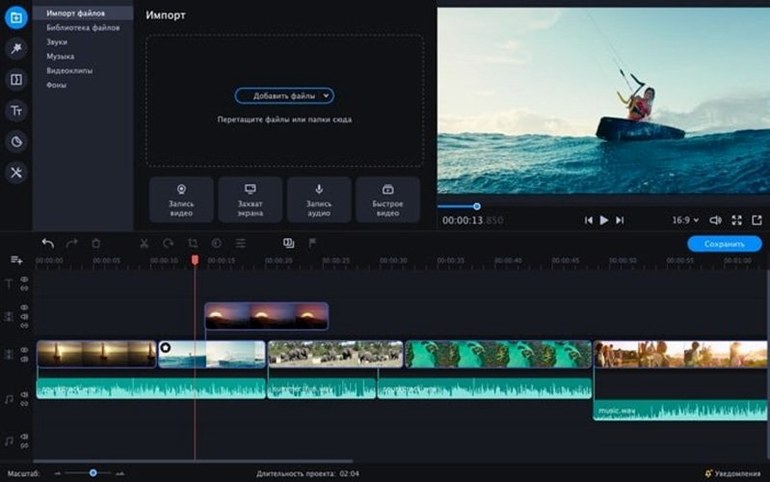
- Import footage from your library or camera. Drag clips onto the timeline.
- Cut with the razor tool. Trim edges by dragging handles. No precision-timeline fuss.
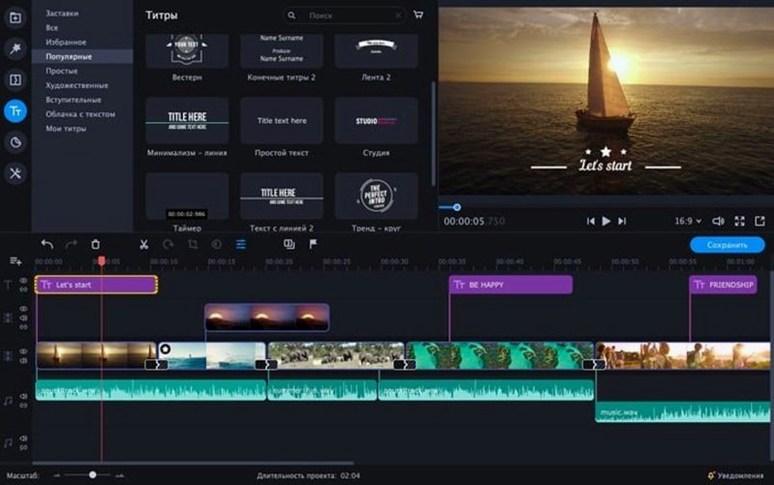
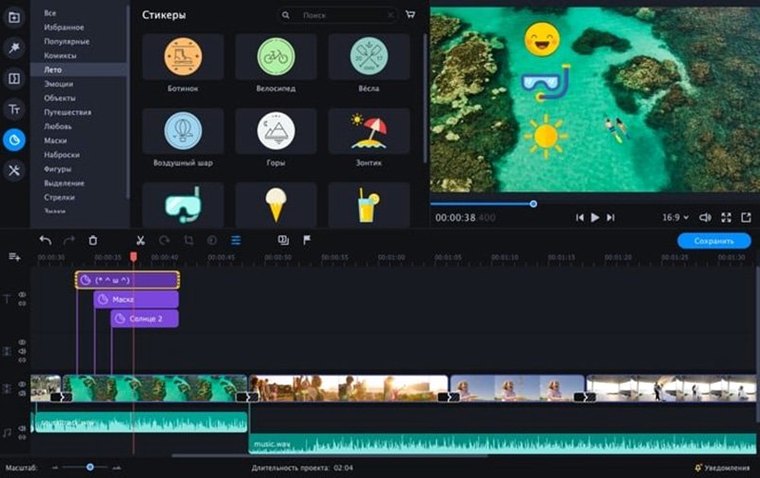
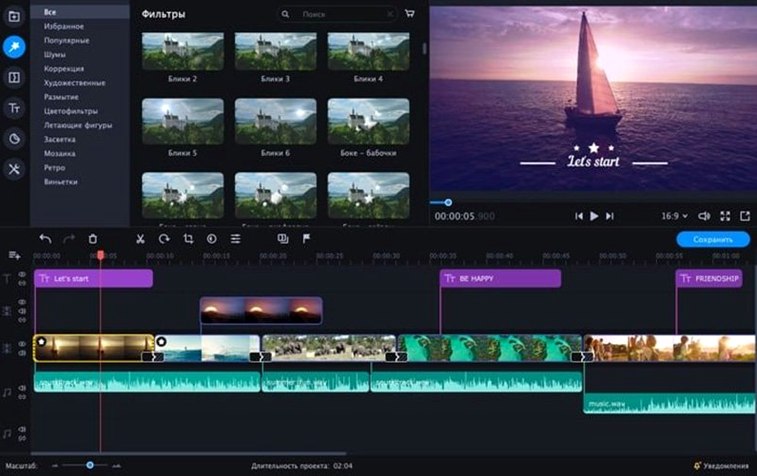
- Add transitions, stickers, or animated text overlays. Built-in effects cover social clips, business videos, and family movies.
- Enhance with AI tools — background removal, motion tracking, or chroma key for replacing a green screen.
- Export in a format that fits the platform. The interface stays clean and stylish throughout.
When you need a quick video with effects, this editor delivers. Copy the app from the disk image to Applications, launch from Launchpad, and start cutting.
Intel Macs from 2012 Onward
This is a 64-bit Intel app, so it runs on any Mac with macOS 10.13 or later that has an Intel processor. That covers most machines from 2012 onward, including iMacs, MacBook Pros, and Mac minis of that era. Apple Silicon Macs (M1, M2, M3) will need Rosetta 2 translation, since there is no native Apple Silicon build in this version.
The installer is a standard disk image. You open it, drag the app to Applications, and launch it from Launchpad. No installer wizard, no background services. The whole copy takes a minute or two. After that, the app is ready to go.
The interface comes in 13 languages, including English, Spanish, German, French, Japanese, and both simplified and traditional Chinese. If the language menu shows a different default, you can switch it in the preferences before starting your first project.
Working Session: Afternoon Vlog Edit
You shot a 15-minute vlog at a local coffee shop. The raw footage has a few boring pauses, some shaky handheld seconds, and a green-screen intro you recorded later. Here is how a typical session might go.
Setup and Import
You open Movavi Video Editor from Launchpad. The main window shows a media bin on the left and a timeline across the bottom. You drag the coffee-shop clips into the bin, then drag them down to the timeline in sequence. The timeline shows waveforms for audio, which helps later.
Cutting and Removing Dead Air
You play through the timeline. Where you paused between sentences, you click the razor tool to split the clip. Then you select the segment you do not want and delete it. The remaining clips snap together. You trim the start of one clip by dragging its left edge inward, trimming a half-second of fumbling with the camera.
Adding Reverse and Slow Motion
There is a funny moment when you walk backward out of the shot. You want that reversed. You right-click the clip in the timeline and choose reverse playback. It flips instantly. The app renders the slow-motion effect in real time on the preview.
Chroma Key and Overlays
You recorded a 10-second intro against a green wall. You drag that clip to a new track above the main timeline. Then you open the chroma key tool, click on the green color in the preview window, and adjust the tolerance slider until the background disappears. Behind it, you place a still image of the coffee shop sign. The effect looks clean in the preview.
You add a few stickers — a steaming coffee cup icon near the bottom corner of the intro — and an animated text overlay for your channel name. The text fades in and slides left. You adjust the duration by dragging the overlay's edge on the timeline.
Sound Polish
The audio has some room echo. You open the audio tools, find the noise reduction filter, and apply it to the main track. The echo dials back noticeably. You also lower the volume of a loud background clip by a few decibels using the volume slider on the timeline.
Export
You click Export, pick a preset for YouTube, name the file, and let it process. The app shows a progress bar. When done, the file lands on the desktop. The whole edit takes about 20 minutes from import to export.
- macOS 10.13 or later
- Intel processor
Questions I get about this line
You can replace the video background by selecting a color range, typically green or blue, and overlaying a new image or video.
The current version requires macOS 10.13 or later and runs on Intel architecture. No Apple Silicon support is listed.
English, German, Spanish, Italian, Chinese (Traditional and Simplified), Korean, Dutch, Polish, Portuguese, Turkish, French, and Japanese.
The install order
- Open the downloaded disk image.
- Drag the app to the Applications folder.
- After copying finishes, open the app from Launchpad.