Free download (924 MB) Previous versions
- Version
- 14.8.17
- Developer
- Wondershare Technology
- Languages
- Russian, English, German, Arabic, Indonesian, Spanish, Italian, Chinese (Traditional), Chinese (Simplified), Korean, Dutch, Portuguese, Romanian, Turkish, French, Japanese
- License type
- K'ed by Antibiotics
| macOS range | macOS 10.14 or later |
|---|---|
| Chip | Apple Silicon, Intel 64-bit |
| Download | 924 MB |
| Previous versions | 7 on file |
Screenshots
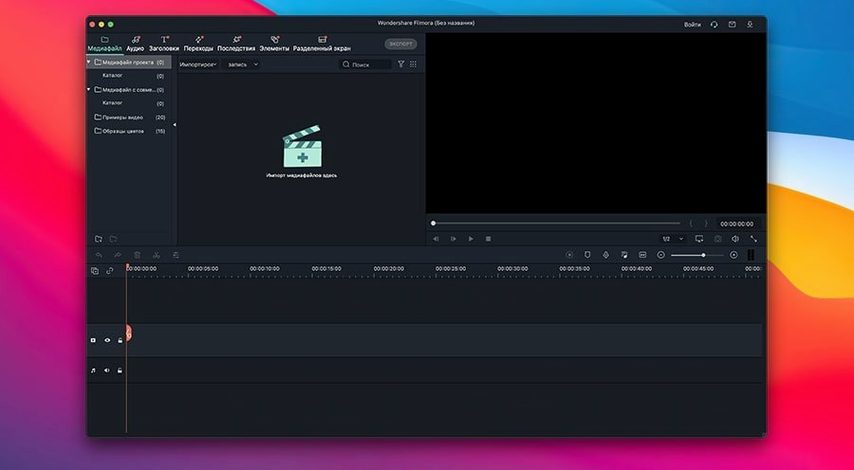
Scroll the row, it snaps to each screenshot. Click one to see it wider.
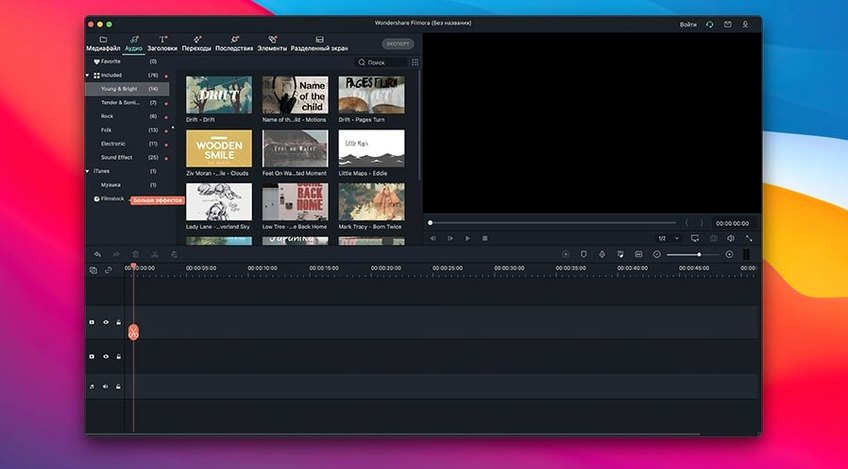
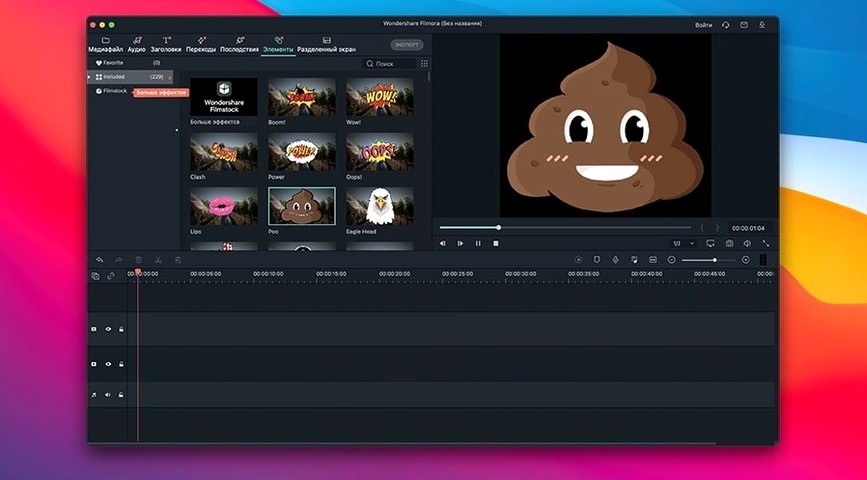
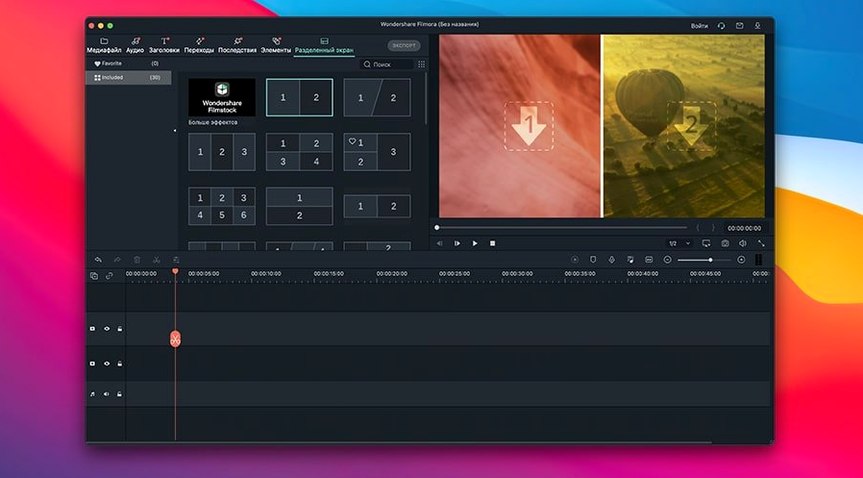
Filmora is for anyone who edits video on a Mac without wanting a steep learning curve. It handles the essentials: cutting clips, arranging a timeline, and polishing the result with transitions, filters, overlays, and other effects. You can drop in titles and subtitles, then export the finished piece in several formats. Projects save and reopen, so you can pause mid-edit and pick up later.
| Detail | Value |
|---|---|
| Developer | Wondershare Technology |
| Version | 14.8.17 |
| macOS | 10.14 or later |
| Architecture | Intel and Apple Silicon |
| Interface | Multiple languages, including English, Russian, German, and Spanish |
The interface stays straightforward, which matters when you’re working against a deadline. What you get is a dependable editor that covers the common jobs without burying you in options.
Pulls from iMovie Exports and Photos Library
Filmora sits well in a typical Mac workflow. You can pull in video clips from iMovie exports, Photos library, or any folder you keep your footage in. It reads standard media formats without extra conversion, so you are not stuck reformatting files before you start.
The export menu includes presets for popular internet services. If you finish a cut and want to send it straight to YouTube or Vimeo, the built-in export handles that. You can also save a local file in multiple formats and bring it into HandBrake, Compressor, or another tool if you need further compression.
macOS file management works as you expect. You can open a Filmora project from Finder, or drag a media file onto the Filmora icon to start a new edit. The app respects standard macOS keyboard shortcuts for copy, paste, undo, and save. It does not fight the system.
If you use a second monitor, the timeline and preview panel can be arranged across screens. The interface does not lock you into a fixed layout. You can resize panels to suit your display setup.
Project Files Remember Your Cuts and Timeline
- Project saving. Filmora saves a project file that keeps all your cuts, effects, and timeline state. Close the app, reopen later, and you are exactly where you left off. No need to re-import or reset anything.
- Split and rotate. The cut tool lets you split a longer clip into separate pieces. You can rotate footage too, which helps with phone video shot sideways or flipped originals.
- HD support. The editor works with HD footage without downscaling. You see the actual resolution in the preview, not a proxy.
- Language switching. The interface comes in over a dozen languages including Russian, Turkish, Korean, and Arabic. If English is not your first language, you can switch without a separate language pack download.
- No account required. Filmora does not force you to sign in or create an online profile to edit. You open the app and work.
Runs on Intel Macs and Apple Silicon M1–M4
The app runs on macOS 10.14 through macOS 26, covering a wide range of hardware. It supports both Intel Macs and Apple Silicon models from M1 up to M4. That means it works on older iMacs, MacBook Pros from 2018 onward, and the latest MacBook Air or Mac mini with an M4 chip.
The installation is simple. You mount the disk image, drag Filmora into the Applications folder, open it once, let it finish launching, and quit. After that, it is ready to use with no further setup.
The interface loads in your chosen language from the list. You do not need to download extra assets for the basic transitions, filters, or overlays — they are included in the build. The export menu shows several common formats, so you can pick one that matches your delivery platform.
No background services, no constant internet checks, no extra helper apps. Filmora is a single application that lives in Applications and runs when you need it.
Works on Macs from Late 2012 Onward
Will it work on my older Mac?
If your Mac runs macOS 10.14 or newer, Filmora will install and run. That covers most Intel Macs from late 2012 onward and all Apple Silicon Macs. The official compatibility extends through macOS 26, so you have room to upgrade your operating system later.
Does it support Apple Silicon natively?
Yes. The build runs on both Intel (x86) and Apple Silicon (ARM) chips. M1, M2, M3, and M4 Macs are all supported without emulation.
Can I use it in a language other than English?
The interface is available in 16 languages, including Russian, German, Spanish, French, Japanese, Korean, Arabic, and Chinese. You can switch at any time in the settings.
Do I need to sign up for an account?
No online account is required to open the app and start editing. You work locally on your machine.
What if I want to send my video to YouTube or Vimeo?
The export menu includes direct upload options for popular internet services. You can also export a local file and upload manually if you prefer.
Can I reopen a project I started yesterday?
Yes. Filmora saves project files that keep all your cuts, effects, and timeline state. Close the app, reopen the project file later, and everything is exactly where you left it.
- macOS 10.14 or later
- Intel or Apple Silicon Mac
The install order
- Mount the disk image and drag the app into the Applications folder.
- Open the app and quit it once it finishes launching.
- The app is ready to use.