
- Home
- VST Plugins
- Slate Digital Submerge

- Version
- 1.0.5
- Developer
- Slate Digital
- Languages
- English
- License type
- k'ed by GUISEPPE
| macOS range | macOS 11 or later |
|---|---|
| Chip | Apple Silicon |
| Download | 38 MB |
Screenshots
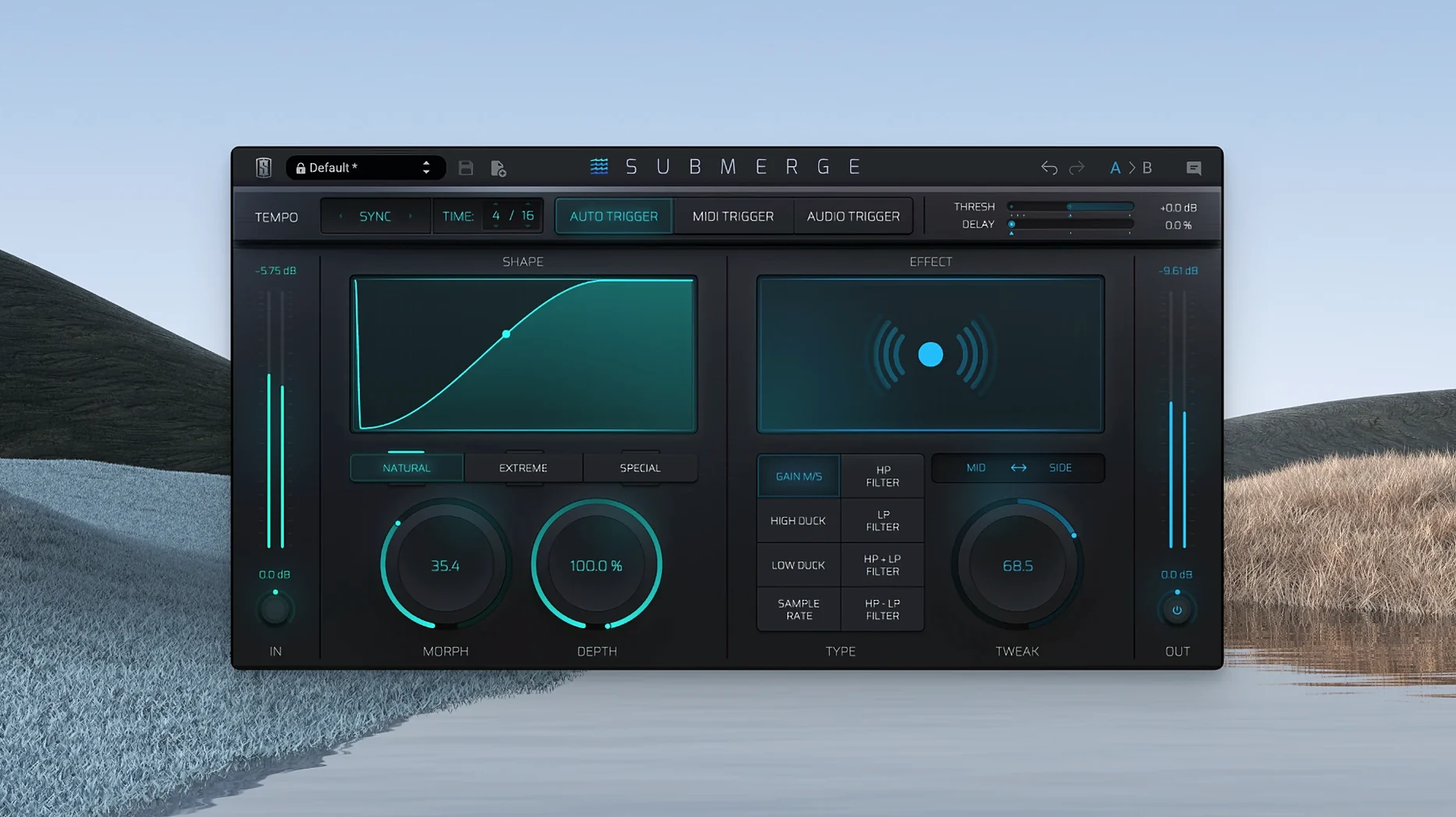
Slate Digital Submerge is for producers and mixers who want sidechain-style ducking and pumping without patching a compressor. It works as a creative effect, not just a utility, and its controls shape the groove as much as the level.
Trigger and Curve Controls
Submerge offers three trigger modes: auto, MIDI, and audio. In auto mode it follows the project tempo; MIDI lets you fire the duck from a note; audio sidechain inputs give you a live signal to duck against. The three curve types — natural, extreme, and custom — change how fast and hard the volume moves. Holding Shift inverts the curve, turning ducking into a push that swells the signal instead of cutting it.
Shaping the Pump
Threshold sets the point where ducking kicks in, and Speed controls how quickly it reacts. Morph blends between curve shapes, Depth sets how much gain is removed, and Tweak adjusts high-pass and low-pass filtering so the sidechain eats only the frequencies you want. Mid/Side processing adds another layer of control for stereo material. If you need rhythmic movement that sits in the mix, this plugin gets it done.
Sidechain Setup in Any DAW
Does Submerge work in any DAW? Yes. It loads as a standard AUX or instrument plug-in. Most users drop it on a bus or track and route sidechain input from a kick, snare, or vocal. No special routing is needed beyond what your DAW already provides.
Can I use it without sidechain hardware or a second audio interface? Absolutely. The auto trigger mode generates ducking from tempo alone, so you get pumping effects without an external signal. MIDI trigger works with a simple note pattern drawn into your sequence. Audio trigger expects a sidechain input, but many use it only for the built-in effects and skip the external source entirely.
Do I need Slate Digital Complete Access? The plug-in is installed through the Complete Access Hub or via the installer from the installers page. Just perform the standard installation procedure.
Is the interface language locked? The plug-in interface is English only. There is no language selector.
Auto Mode for Rhythmic Pump
Electronic music producers working with four-on-the-floor patterns benefit from auto mode's tempo sync. Set the curve to extreme and Submerge creates a hard, rhythmic pump that follows the bar without manual editing. Sound designers and post-production engineers use the audio trigger mode to duck a pad under dialogue or to duck a noise bed under sound effects. MIDI trigger suits composers who play live sequences into their DAW and want the plug-in to respond like an instrument.
Mix engineers who want faster sidechain routing than a standard compressor setup will appreciate the three trigger modes and the built-in filters. Instead of chaining multiple plug-ins, Submerge handles the full ducking chain in one instance. The invert curve (hold Shift) works particularly well for swelling pads and risers in electronic and cinematic work.
Anyone searching for a slate digital mac torrent, slate digital torrent, or slate digital crack mac will find that this k'ed build (version 1.0.5, macOS 11 or later, Apple Silicon) installs without the Complete Access Hub login. It runs on any ARM Mac that meets the minimum requirements.
- macOS 11 or later
- Apple Silicon (ARM)
- English interface
Questions I get about this line
Submerge has three trigger modes: auto, MIDI, and audio. Auto syncs to the project, MIDI responds to notes, and audio uses a sidechain input.
Yes. Holding Shift inverts the curve, turning ducking into a pushing effect that boosts the signal instead of cutting it.
Yes, Submerge supports Mid/Side processing, so you can duck or pump the mid and side channels independently.
The install order
- Run the standard installation procedure.