- Home
- VST Plugins
- Sonible smart:comp 2

Free download (63 MB) Previous versions
- Version
- 1.0.4
- Developer
- Sonible
- Languages
- English
- License type
- K'ed by MORiA
| macOS range | macOS 10.12 or later |
|---|---|
| Chip | Apple Silicon, Intel 64-bit |
| Download | 63 MB |
| Previous versions | 1 on file |
Screenshots
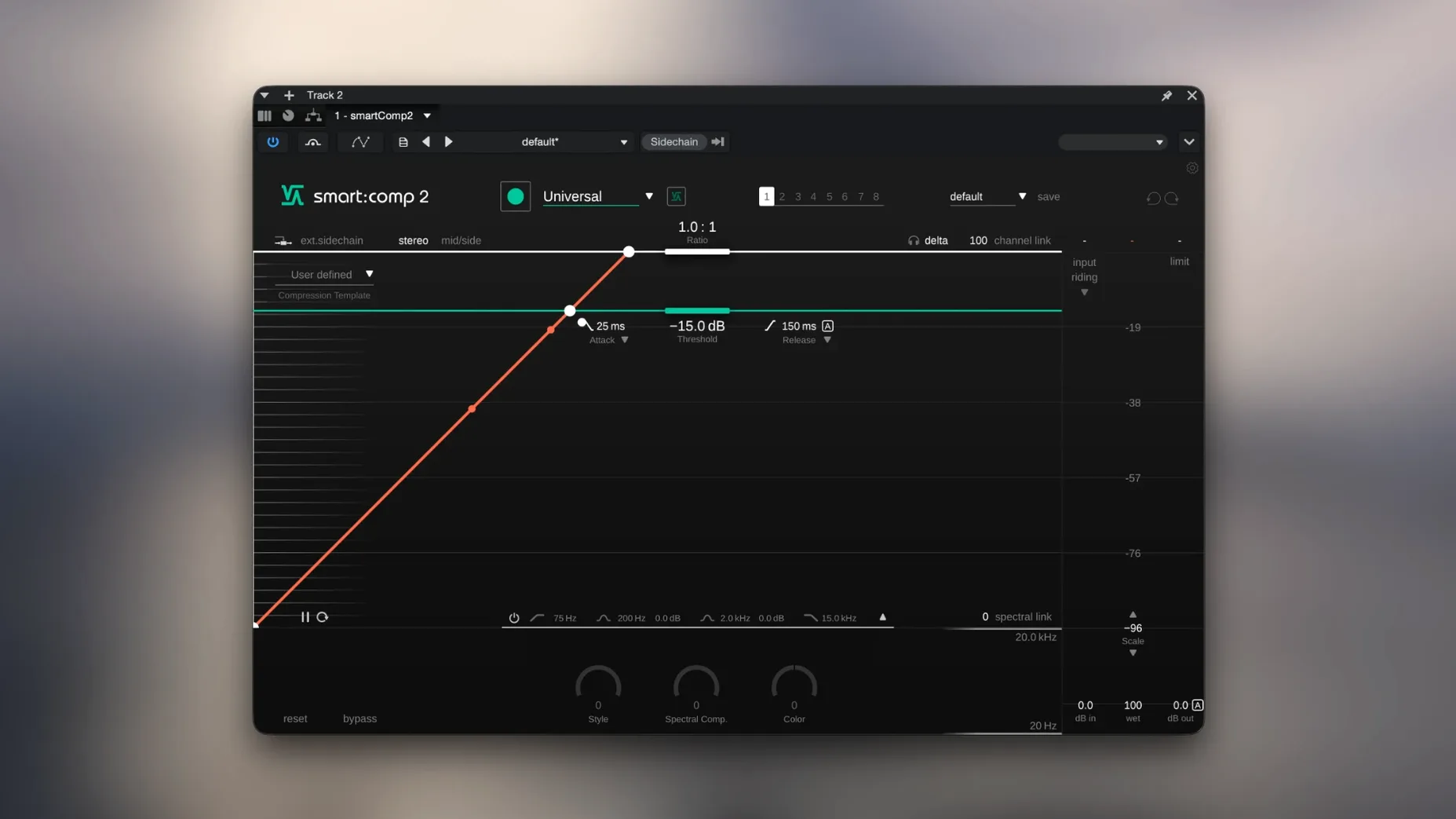
If you already work with smart:comp, the second version keeps the same idea: it listens to your audio, figures out what it needs, and sets the compressor for you. The current 1.0.4 build is the one to grab for a Mac running macOS 10.12 or later, and it runs on both Intel and Apple Silicon.
Spectral compression without pumping
smart:comp 2 still leans on AI to analyze the input and auto-parameterize. The spectral compression handles dynamics without the pumping you get from a simple broadband box. Sidechain attenuation is built in, and the color scale lets you dial in a darker or brighter tone. When you change a parameter, the impact prediction shows you what’s about to happen before you commit.
Same profiles for tracks, buses, mixes
The profiles for single tracks, buses, and full mixes are still there, which is what makes it useful across a session. The interface is English, and the workflow is the same: feed it audio, let it do the initial setup, then tweak to taste. Version 1.0.4 is mostly about compatibility, so the feature set hasn’t shifted.
A session with smart:comp 2
You drop it on a vocal track during mixing. The first thing you see is the real-time compression metering. The AI has already set the threshold, ratio, and knee. You hit play, and the gain reduction moves in a way that feels natural, no obvious ducking or pumping. The RMS histogram in the corner shows you the dynamic range of the take, a quick visual check before you decide if the vocal needs more or less control.
For the drum bus, you switch to a bus profile. The style scale slider lets you push from transparent toward more character. You turn the color scale up a notch, just enough to take the edge off the cymbals without dulling the snare. Every adjustment triggers the impact prediction, so you see the new compression curve before you even hear it. The whole process is quicker than dialing in a traditional compressor from scratch.
Test profiles on solo, submix, full mix
Run through the profiles on a few different sources: a solo instrument, a submix, a full mix. That tells you which profile fits which scenario in your workflow. The free-form transfer function with its level-mapping templates is worth testing early, especially on material that has wide dynamic swings. Try the sidechain attenuation with a kick drum feeding a bass bus; it keeps the low end tight without losing the bass's body. Leave the color scale at zero for the first few sessions to hear what the AI does on its own before you start shaping the tone.
If you download sonible smartcomp 2 for mac and run the installer from the disk image, the plug-in shows up in your DAW as usual. Start with a known reference track to confirm the auto-setup behaves the way you expect. Then trust your ears, not just the meters, and adjust from there.
- macOS 10.12 or later is listed as the compatibility target.
- 64-bit ARM and x86 architectures are supported.
- macOS 10.12 or later
- 64-bit ARM or x86 architecture
Questions I get about this line
Yes, the current version supports both 64-bit ARM and x86 architectures.
Yes, it includes profiles for single tracks, instrument buses, and complete mixes.
Yes, sidechain attenuation is included.
The install order
- Open the included installation instructions.
- Open the disk image.
- Run the installer package.
- Follow the installer steps.