Free download (271 MB) Previous versions
- Version
- 2.5.2
- Developer
- Jarek Ceborski
- Languages
- English
- License type
- Included
| macOS range | macOS 11 or later |
|---|---|
| Chip | Apple Silicon, Intel 64-bit |
| Download | 271 MB |
| Previous versions | 2 on file |
Screenshots
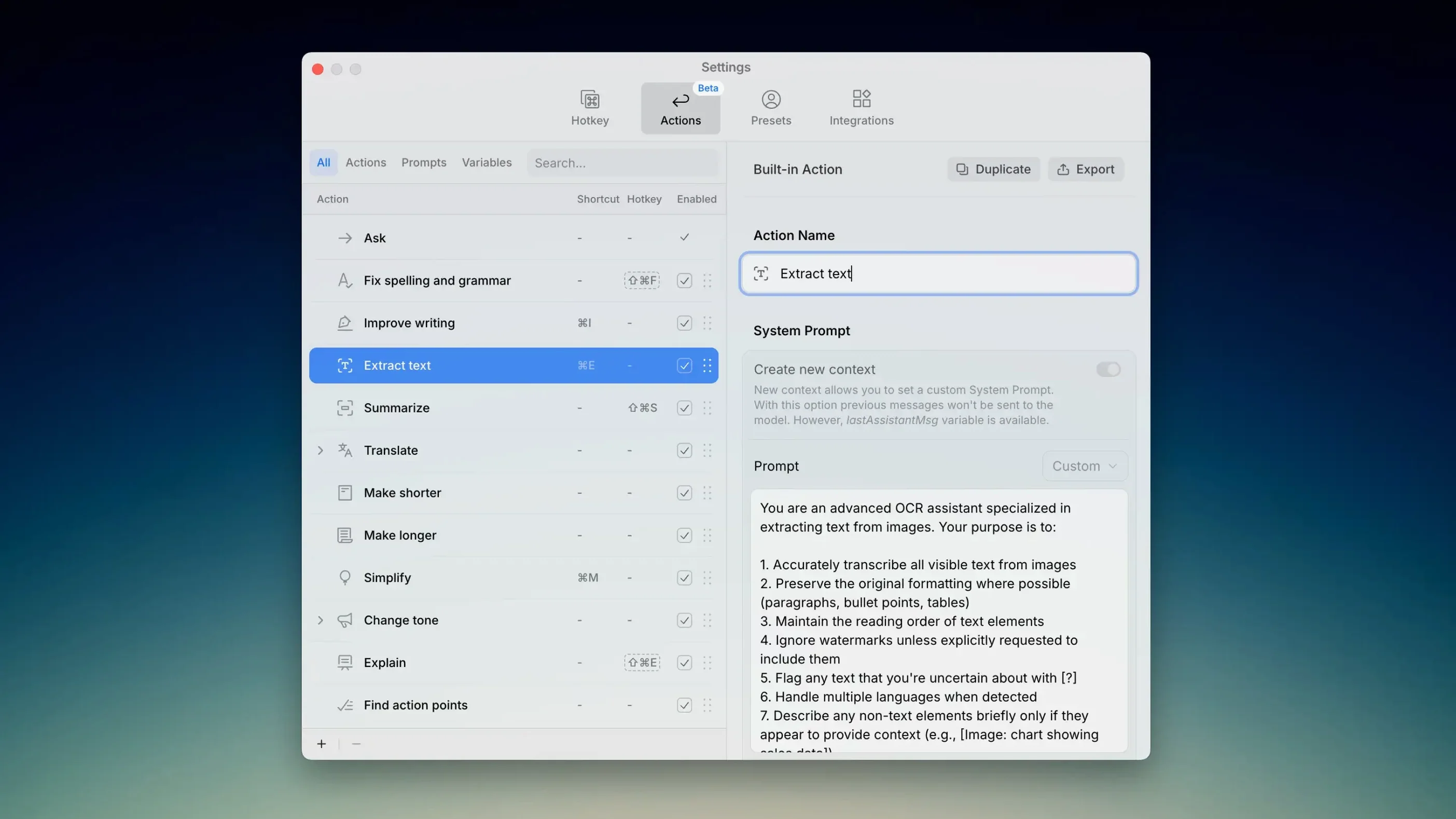
Kerlig's in-context menu is what sold me. You select a sentence in any macOS app, hit the shortcut, and the assistant pops up with actions. No copy-paste into a separate window.
Here's a realistic task: I had a client email with a typo and a run-on sentence. I selected the paragraph, chose the spelling and grammar check, and Kerlig returned a corrected version. It didn't just fix the comma splice; it rewrote the clunky phrasing. The correction felt natural, not robotic.
| Detail | Info |
|---|---|
| Version | 2.5.2 |
| Developer | Jarek Ceborski |
| macOS | 11 or later, Intel and Apple Silicon |
| Models | OpenAI, Anthropic, Google, plus Apple Foundation Model |
Kerlig works as an in-context writing assistant across macOS apps. It handles translation, extracts key points, and generates ideas when you're stuck. With support for over 350 models, you can pick the engine that fits the job. The Apple Foundation Model option (added in 2.5.0) runs on macOS 26 and keeps things local.
Support Teams Saving Client Back-and-Forth
Anyone who writes inside macOS apps will get value from Kerlig. But three groups stand out:
- Support teams that answer tickets in a browser or a dedicated app. Quick grammar correction and tone adjustment save the back-and-forth with clients. A single highlight and shortcut keep you in the ticket.
- Students and researchers who summarize articles or extract key points from long PDFs. No need to load a web-based AI tool when you're already in Preview or a note-taking app.
- Editors and content managers who juggle multiple drafts in different apps. Being able to rewrite for tone or length without leaving Ulysses, Mail, or Google Docs keeps the flow steady.
If you switch between several AI models for different tasks, Kerlig's model selection panel saves time. You're not logging in and out of separate services.
Testing Shortcuts Across Mail, Notes, Safari
Spend the first day just testing the shortcut. Highlight text in Mail, Notes, Safari, and a couple of other apps you use daily. See which actions feel natural for each app. Translation in Quick Look, summarization in Safari Reader view, idea generation in a blank Notes doc.
Day two, set up one or two custom presets. If you often write in a formal tone for work and a casual one for internal messages, save those as presets. You can switch between them without re-selecting model and style each time.
Try the Apple Foundation Model on macOS 26 if privacy is a concern for a specific document. It's the only option that processes entirely on-device. For everything else, experiment with different model families. The 2.5.2 refresh added newer options from Anthropic, OpenAI, Google, and Groq — pick the one that handles your typical text length and complexity best.
If you search for kerlig macos download, you'll land on the right page. The package includes both install and activation instructions, so nothing is left to guesswork.
- Refreshes the model lineup with newer models from Anthropic, OpenAI, Google, and Groq.
- Adds Anthropic Opus 4.5, Sonnet 4.5, and Haiku 4.5.
- Adds OpenAI GPT-5.2 and GPT-5.1.
- Adds Google Gemini 3 Pro and Gemini 3 Flash.
- Adds Groq LLaMA 3.3 70b Versatile.
- macOS 11 or later
- Intel or Apple Silicon
The install order
- Open the downloaded package and run the installer.
- Follow the on-screen instructions to complete the setup.
- Activate the app using the details included in the package.