- Version
- 1.28.0
- Developer
- Laravel
- Languages
- English
- License type
- Included
| macOS range | macOS 12 or later |
|---|---|
| Chip | Apple Silicon, Intel 64-bit |
| Download | 100 MB |
Screenshots
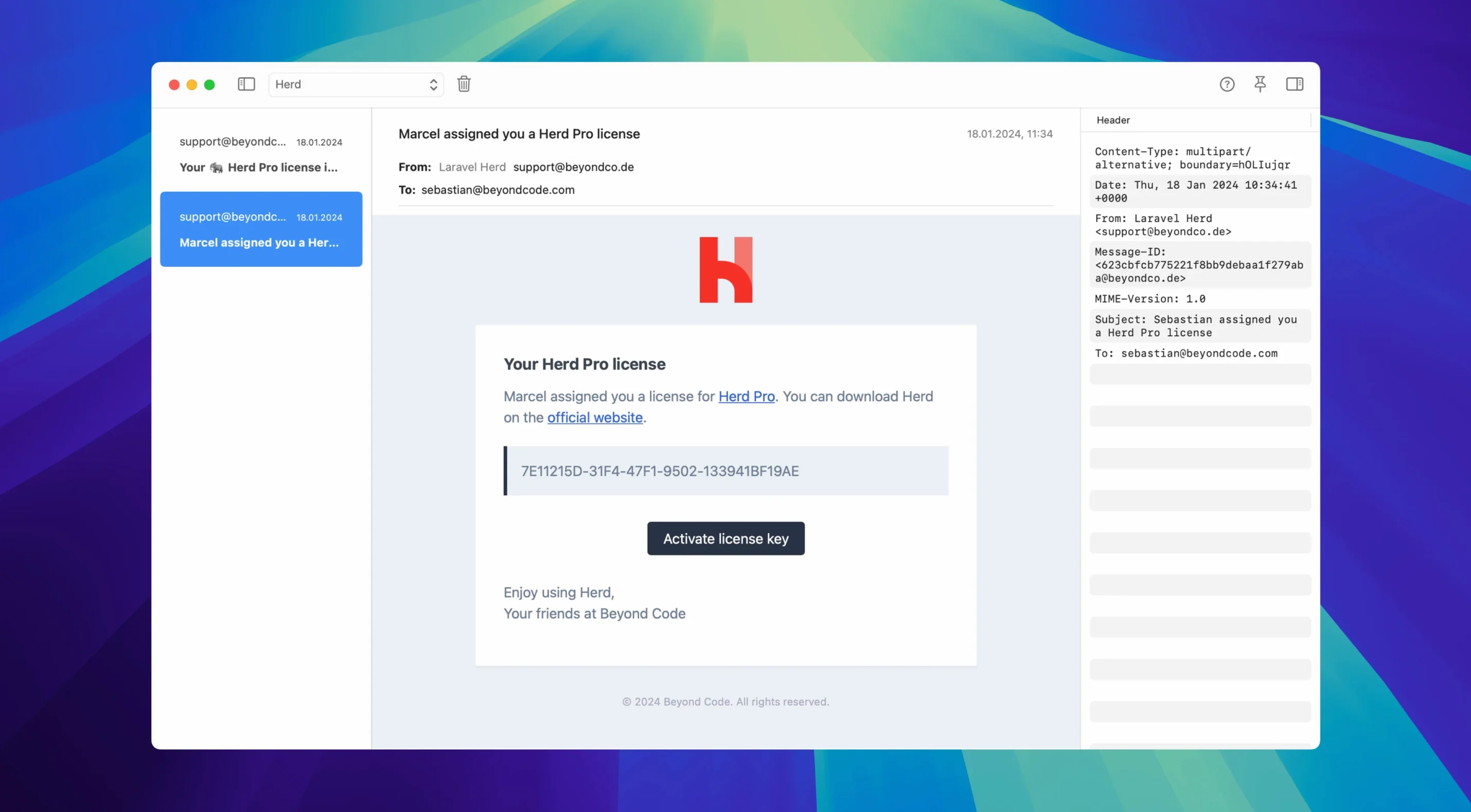
Click a screenshot to see it wider.
Laravel Herd Pro is built for developers who live in the terminal and want a native PHP environment on macOS without wrestling with Homebrew or Docker. The Pro version adds debugging and deployment tools that make it a daily driver for Laravel and plain PHP work.
When you first open it, your sites appear on *.test domains automatically. The first thing to try is switching PHP versions — from PHP 7.4 all the way to 8.5 — right from the menu bar. Pick a version and reload; no service restarts, no config edits.
Next, hit the built-in SMTP server on port 2525. It captures outgoing mail instead of sending it, so you can inspect every message your app queues. Useful for testing password resets and transactional emails.
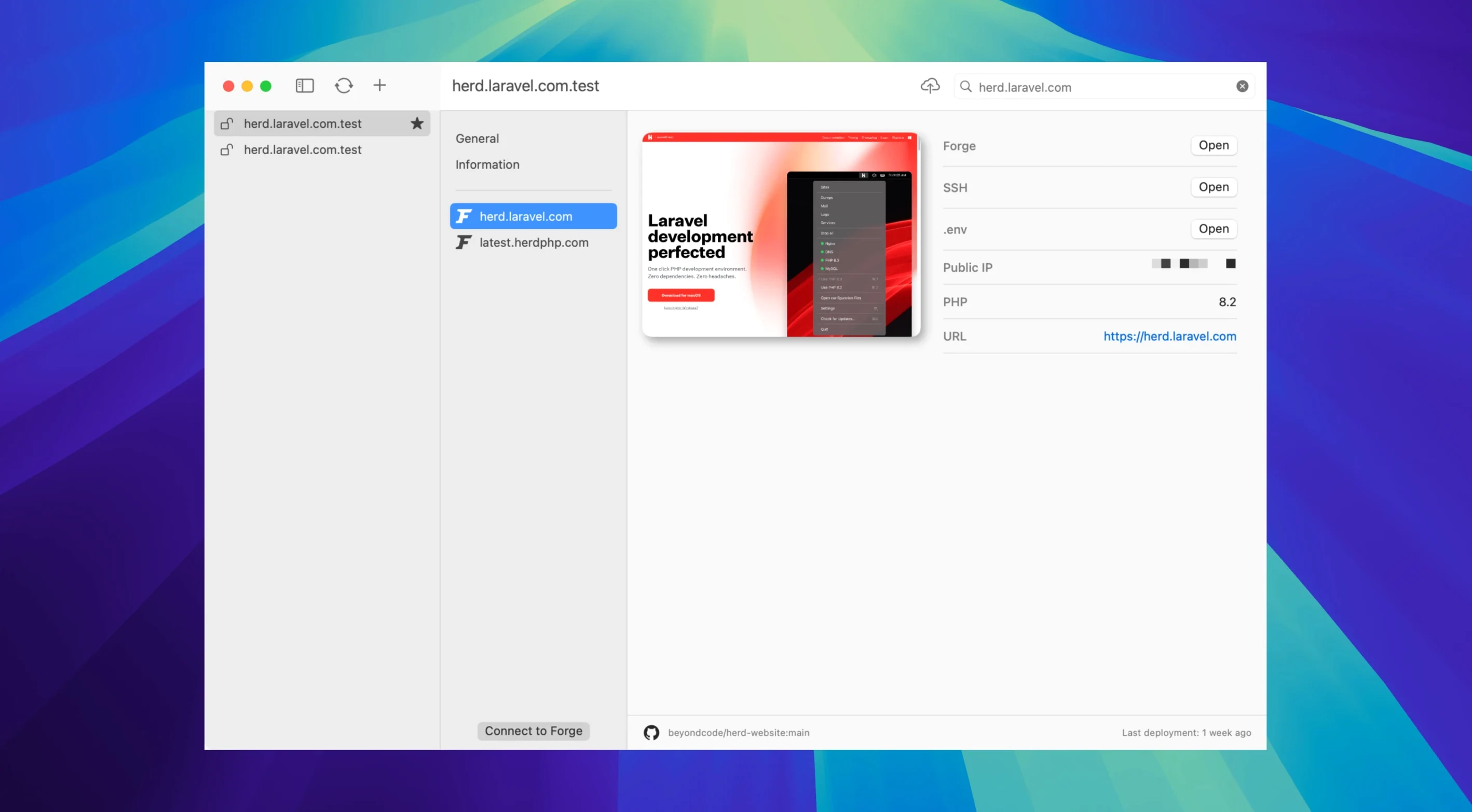
Finally, enable Xdebug. It only kicks in when a debugging request is present, so your dev sites stay fast until you actually step through code. Forge integration sits there too, ready to push local work to a remote server when you are.
Jump-to-Line from Log Viewer
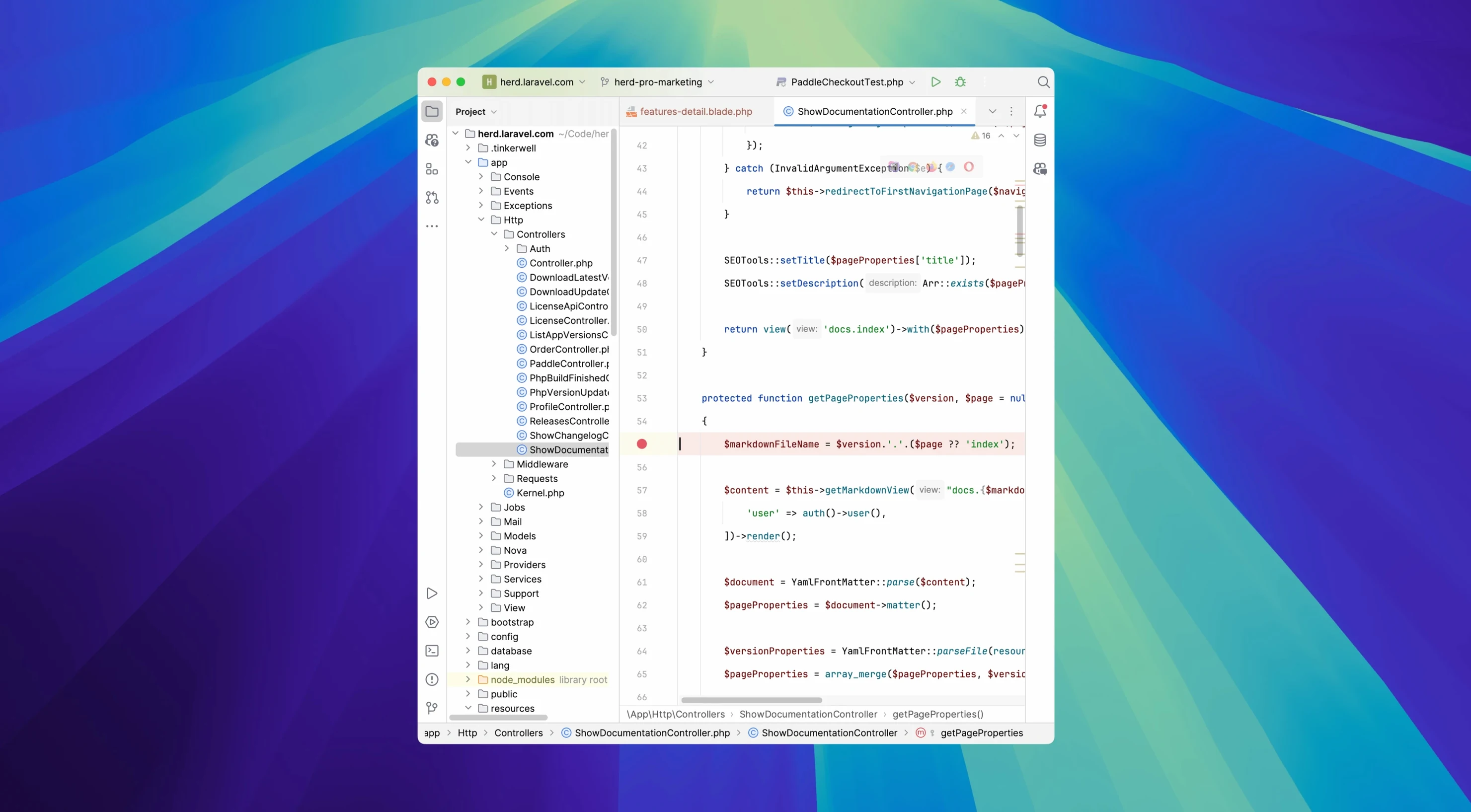
Open the log viewer and click any file path — Herd Pro jumps you straight to that line in your IDE. No searching through project folders by hand. The search bar also filters by project and file, so you only see what matters for the current ticket.
The debugging window intercepts dump() and dd() separately and colors the output. You can filter that output by variables, database queries, jobs, views, logs, or HTTP requests. Each request keeps its own history, so you can go back and compare runs without re-running a test.
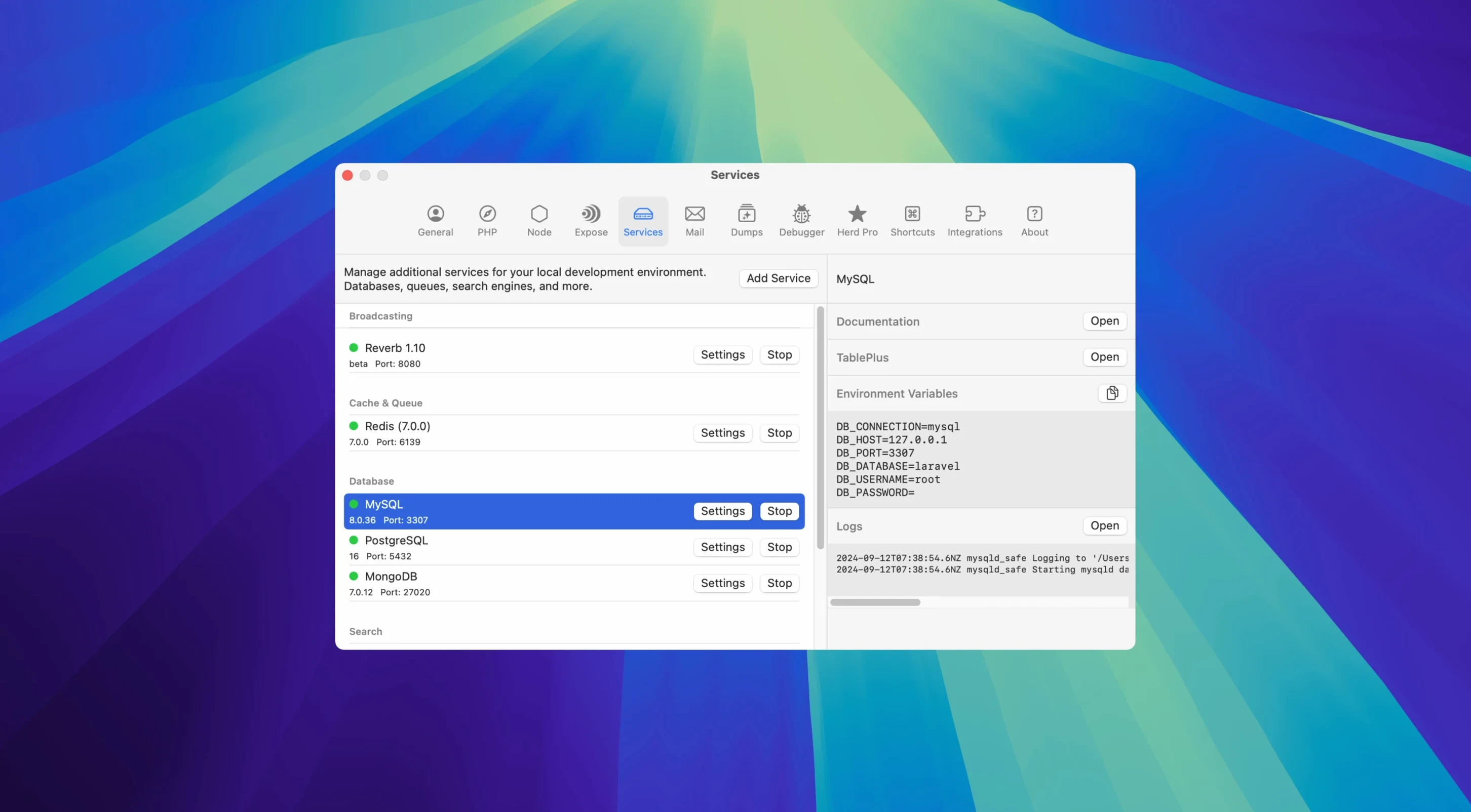
Mail, logs, and debugging all pull from the same SMTP and nginx backends. Start the SMTP server once, and all your apps talk to it. Stop it from the same panel where you toggle MySQL or Redis.
Menu Bar Life with dnsmasq and Valet Migration
Herd Pro lives in the menu bar and uses *.test domains via dnsmasq — no /etc/hosts edits, no port conflicts. It can also pull sites, certificates, and settings straight from Valet if you are migrating.
The same interface manages Node.js versions, starts and stops MySQL, PostgreSQL, MariaDB, Redis, Memcached, Meilisearch, Typesense, MinIO, and Laravel Reverb. Each service lets you configure its port and version. Team settings for PHP version, services, and Forge sit in a file you can commit to the repo, so everybody gets the same environment.
Small Conveniences That Add Up
One detail that makes a difference: Herd Pro can save the debugging history between requests. You don't have to keep a browser tab open or re-run a test to see what happened two requests ago. The filter panel lets you narrow that history to just database queries or just views, so you're not scrolling through noise.
The mail preview shows both HTML and text versions of captured messages, plus attachments and full headers. Handy when you're tweaking an email template and need to see how it renders before it hits a real inbox.
For the PHP version switcher, Herd Pro also gives you command-line access to php, composer, laravel, and node right from the terminal. No extra path configuration needed — it just works after install.
How It Fits with Other Tools
Herd Pro integrates with macOS services you probably already use. The SMTP server, for example, works with any app that sends mail through localhost:2525 — Laravel, Symfony, or a plain PHP script. No changes to your codebase.
The debugging and log viewers are built on top of the same nginx and dnsmasq stack that serves your sites. If you're already running Laravel Valet, the migration tool pulls your existing sites, certificates, and settings in one pass. No need to rebuild your environment from scratch.
For team setups, the project-level config file stores PHP version, enabled services, and Forge deployment settings. Drop it in your repo, and every developer on the team gets the same local environment after a fresh Herd Pro install.
- macOS 12 or later
- Apple Silicon or Intel Mac
- Interface language: English
The install order
- Open the downloaded disk image.
- Drag the app into the Applications folder alias.
- Once the copy finishes, launch Herd Pro from Launchpad.