- Version
- 26.08.3.0
- Developer
- Moneyspire Inc.
- Languages
- English, German, Spanish, Italian, Portuguese, French
- License type
- k'ed by BTCR
| macOS range | macOS 10.15 or later |
|---|---|
| Chip | Apple Silicon, Intel 64-bit |
| Download | 88 MB |
Screenshots
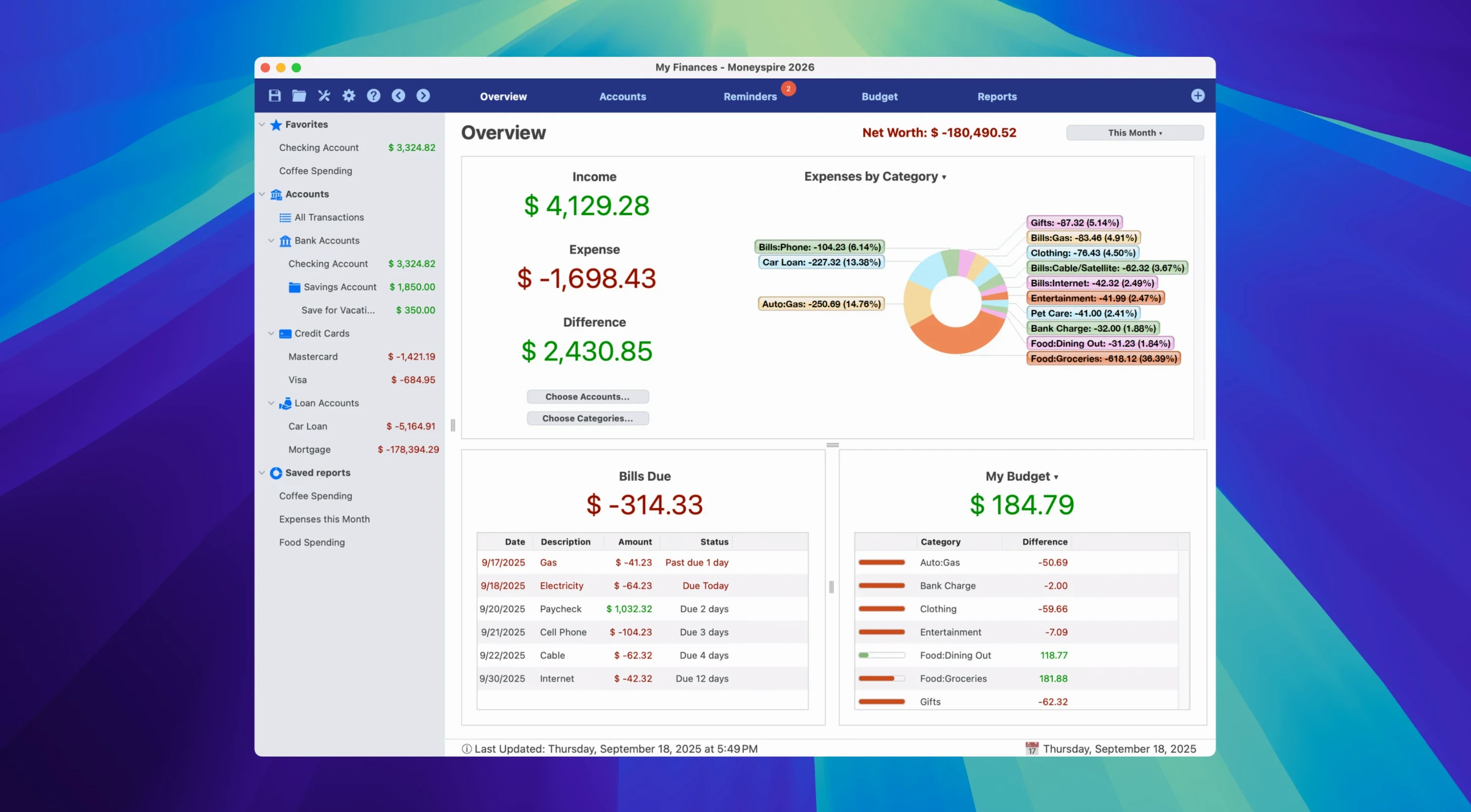
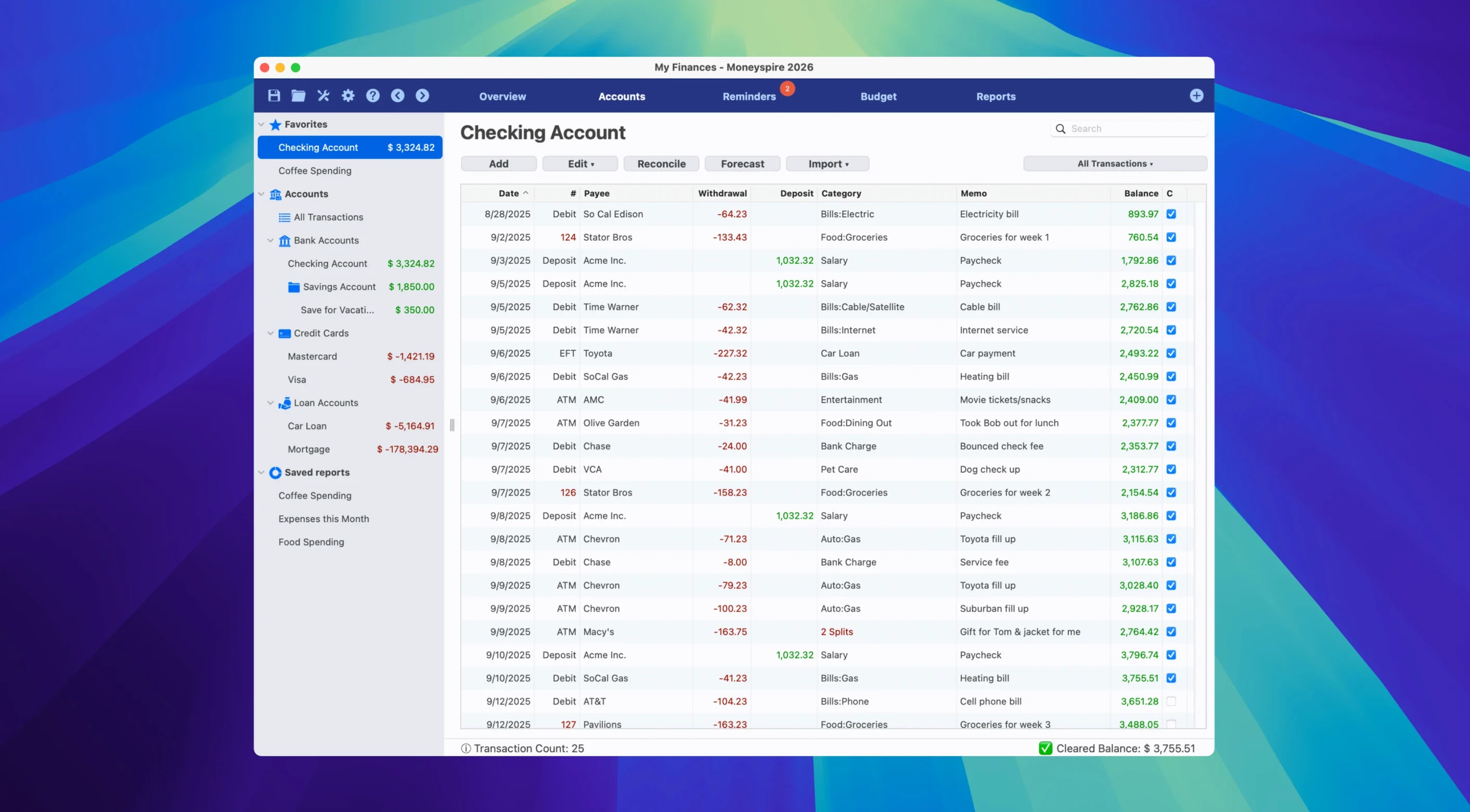
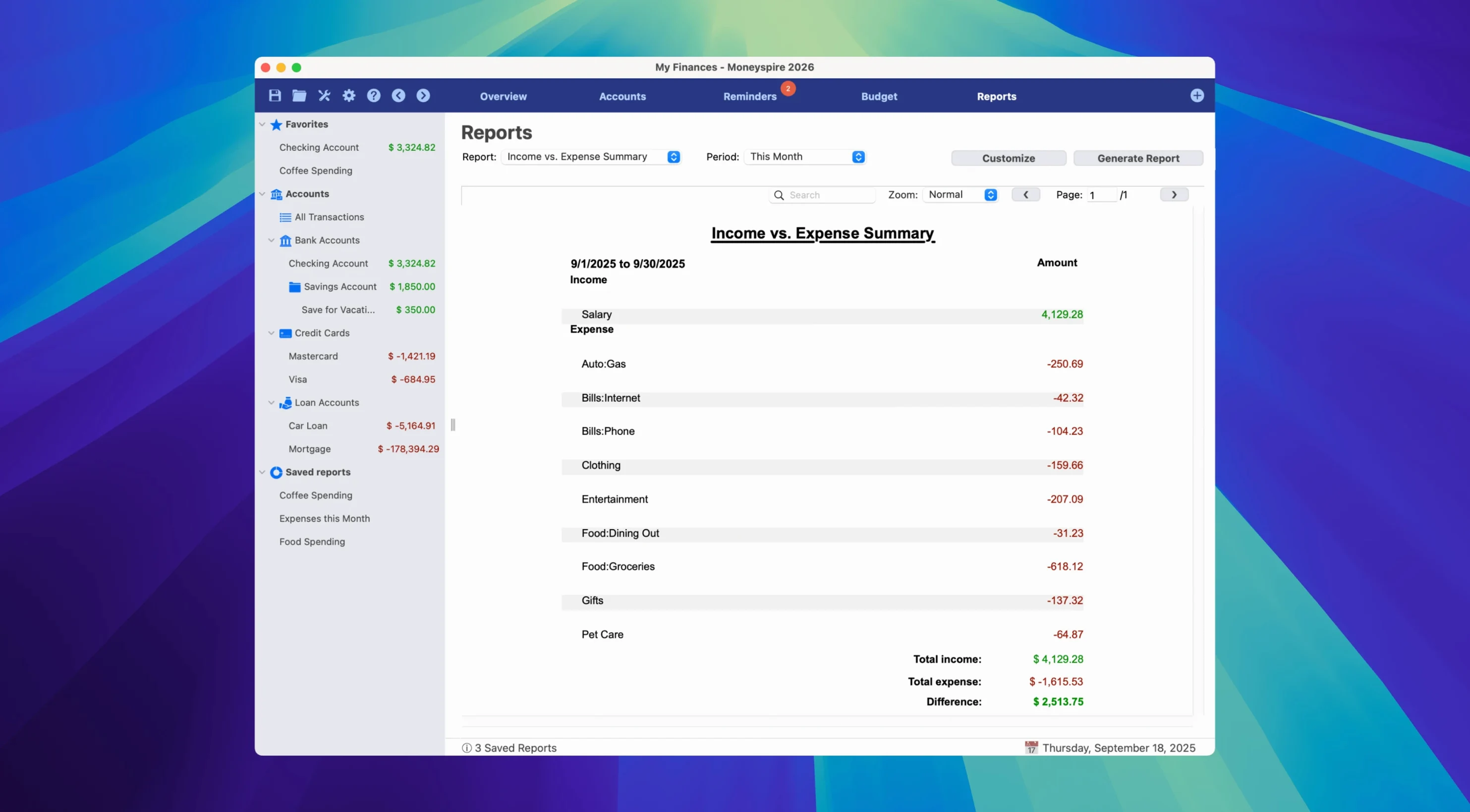
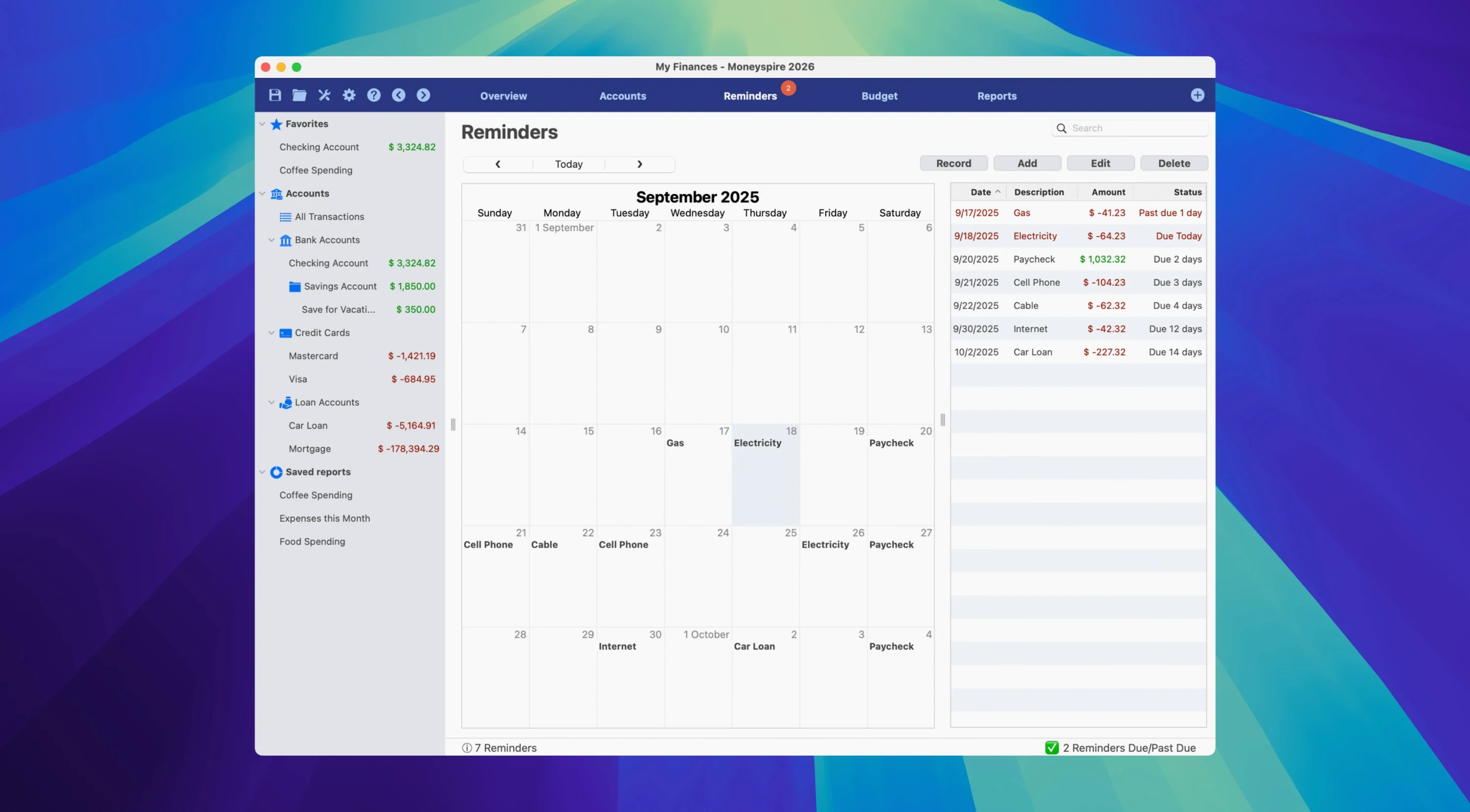
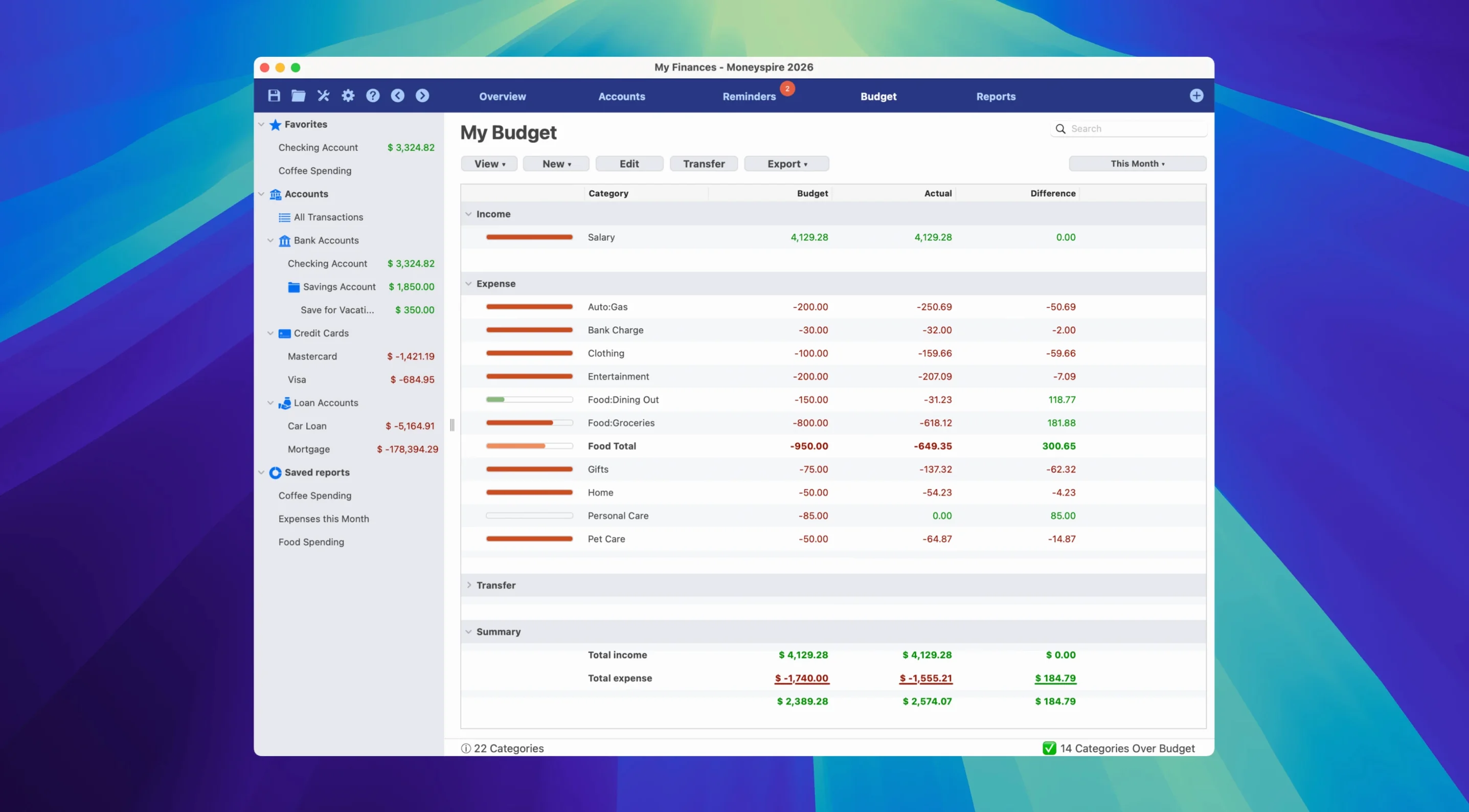
Click a screenshot to see it wider.
If you already use a spreadsheet or a simple notes app to track spending, Moneyspire gives you a dedicated home for that job. It is personal finance software for macOS that handles accounts, budgets, bills, income, and expenses in one place.
Account tracking — Monitor bank, credit, and cash accounts. The optional Cleared Balance column shows what is actually available.
Budgeting — Set monthly limits and see where you stand without digging through transactions.
Bill planning — Schedule payments and set reminders so nothing slips.
Income vs. expense trends — The new bar chart gives a quick visual on cash flow.
Transaction flagging — Mark entries with custom colors and notes for fast review.
Import tools — Bring in data from Quicken or Microsoft Money to switch without losing history.
Cloud sync — Moneyspire Cloud keeps data in sync across devices.
Moneyspire runs on macOS 10.15 and later and is available in English, German, Spanish, Italian, Portuguese, and French. It fits next to the other apps you already use — a straightforward tool for a job that deserves more than a spreadsheet.
Hide register columns you never use
The 2026 update (version 26.08.3.0) touches a few things you see every time you open the app.
- Register columns — You can now hide or show columns in the transaction register. If you never use the Payee field, drop it. Less clutter, less scrolling.
- Dark Mode — The visuals for Dark Mode were improved. If you keep your Mac in dark theme all day, the app now matches better.
- Cleared Balance column — Optional, but worth turning on if you reconcile accounts regularly. Shows only the cleared amount instead of the full balance.
- Income vs. Expense Trend bar chart — A new chart in reports that shows income and expenses side by side over time. Helps spot months where spending outruns earnings.
These are small changes. They do not force you to learn a new layout. The register still works the same way it did before.
Why your register balance doesn't match the bank
A few patterns show up when people start using Moneyspire for the first time.
- Skipping the Cleared Balance column — New users often leave it hidden and then wonder why their register balance does not match the bank. Turn it on if you reconcile.
- Flagging without a system — Custom colors and notes are useful, but using five different colors for the same type of transaction defeats the purpose. Pick one color per category and stick with it.
- Overcomplicating budgets — Setting budgets for every single category on day one leads to abandoned tracking. Start with the top three spending categories and expand later.
- Ignoring cloud sync setup — Moneyspire Cloud sync is optional, but if you use the app on more than one Mac, set it up early. Re-entering data later is tedious.
Moneyspire does what it says on the label. Keep the setup simple and it stays simple.
- macOS 10.15 or later
- Intel or Apple Silicon
Questions I get about this line
Yes, Moneyspire can import data from Quicken and Microsoft Money.
It is available in English, German, Spanish, Italian, Portuguese, and French.
Moneyspire works with macOS 10.15 and later.
The install order
- Mount the downloaded disk image.
- Run the standard installer.
- Activate the app using the key generator.