Free download (97 MB) Previous versions
- Version
- 10.0 [MAS]
- Developer
- Jose Lopez
- Languages
- English, Spanish, Chinese (Simplified)
- License type
- K'ed by TNT team
| macOS range | macOS 10.13 or later |
|---|---|
| Chip | Apple Silicon, Intel 64-bit |
| Download | 97 MB |
| Previous versions | 1 on file |
Screenshots
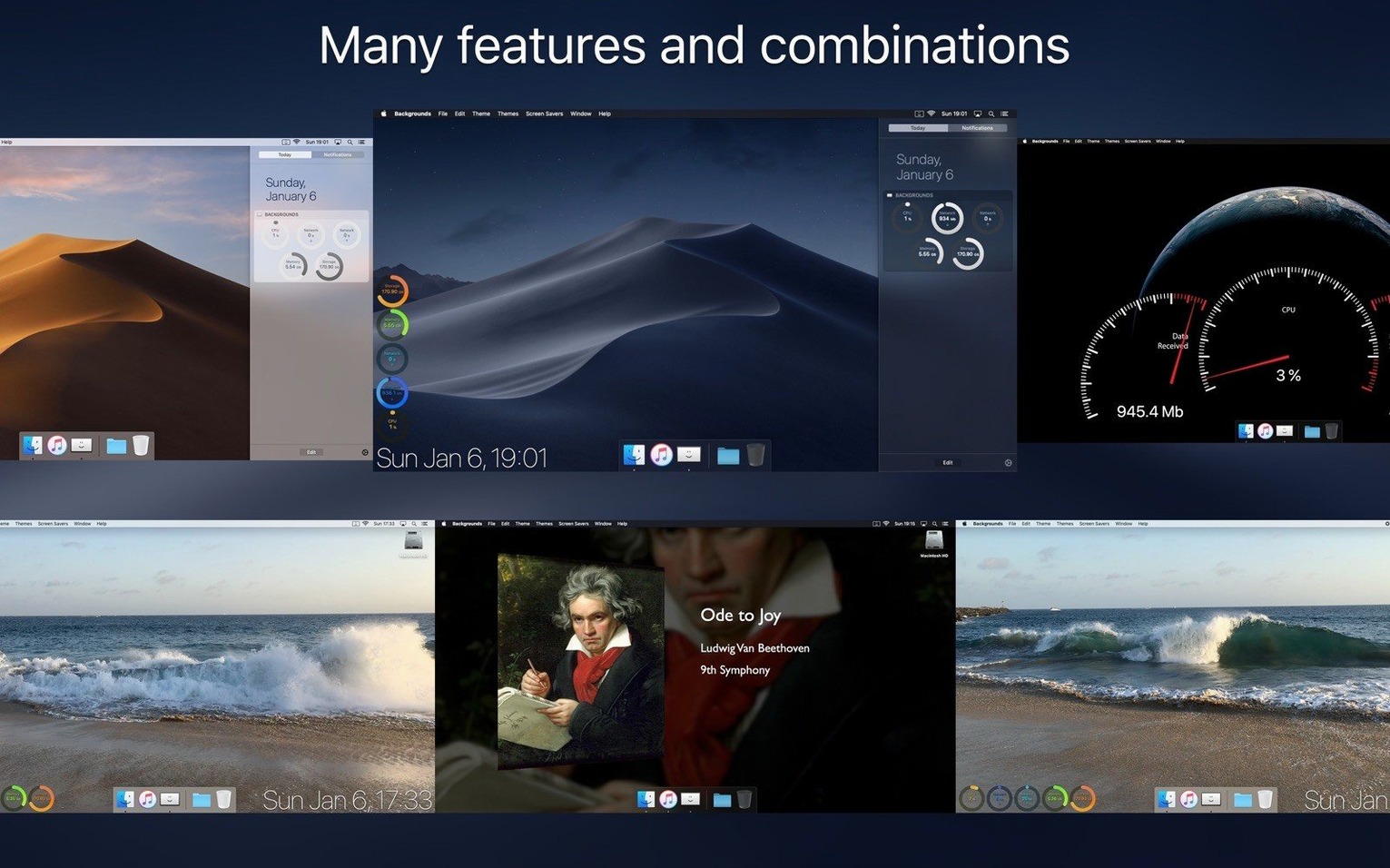
Click a screenshot to see it wider.
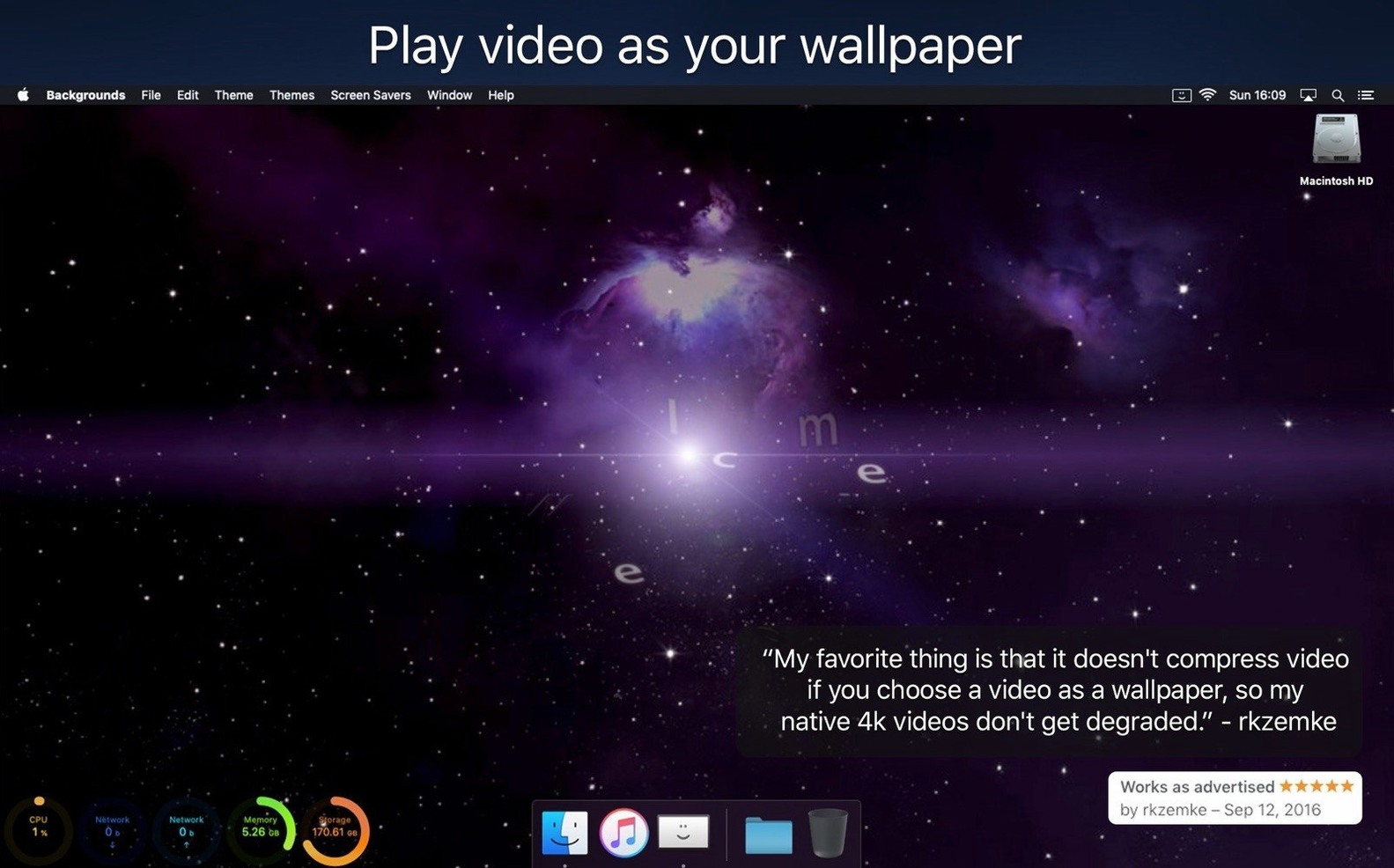
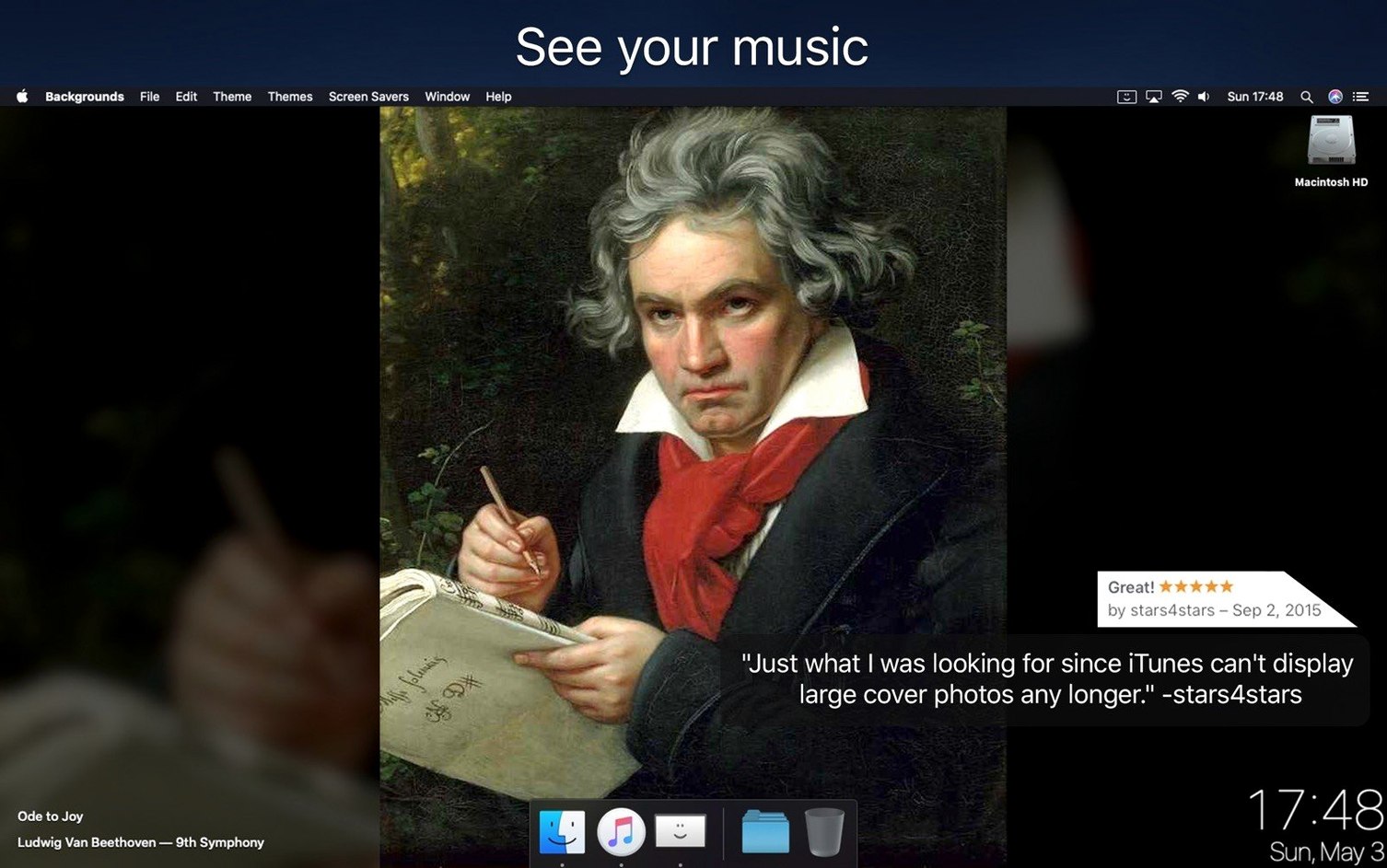
Your desktop wallpaper doesn't have to be static. Backgrounds turns it into a live, useful space. Play any video as wallpaper, show your current iTunes track art, or run a music video in the background. It also adds a Notification Center Today widget for CPU and network monitoring. Parallax backgrounds give the display depth. It works on both Intel and Apple Silicon Macs.
- Play any video file as your desktop wallpaper
- Display current iTunes track artwork automatically
- Show a music video as the background
- Monitor CPU and network usage from Notification Center
- Use parallax backgrounds for a depth effect
- Supports ARM and 64-bit Intel Macs
Workflow: Set Up a Music Video Wallpaper
This takes about two minutes from download to seeing the video play on your desktop.
- Open Backgrounds from Applications. The main window lists the seven themes.
- Click the Video theme. A file picker opens. Navigate to a local MP4 or MOV file.
- Select the file. The video starts playing as your wallpaper immediately.
- Open the Notification Center Today widget — it is part of the same window. Click the icon to expand CPU and network graphs.
- Close the app window. The video and widget keep running in the background.
To stop, reopen Backgrounds and switch to a static theme or quit the app from the menu bar icon.
Small Conveniences Easy to Miss
- The Notification Center Today widget shows CPU and network usage in real time without opening System Monitor. You can resize it from the widget's edge.
- When you switch to the Music theme, Backgrounds automatically picks up the current track artwork from iTunes with no extra setup.
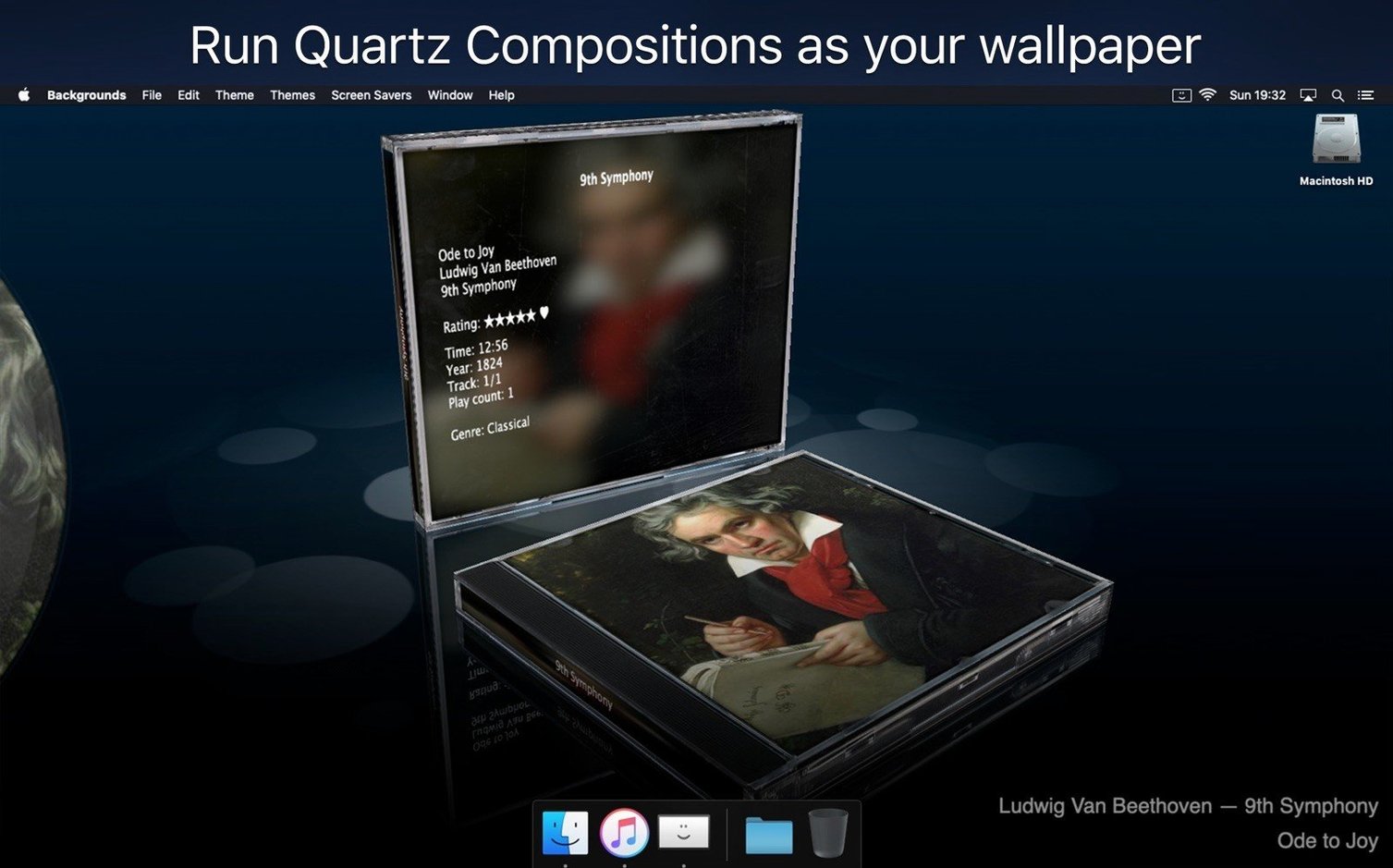
- The Quartz theme lets you load any Quartz Composition file — not a pre-set, but your own source file.
- All themes remember your last choice between launches. No re-selection needed.
- Backgrounds runs on macOS 10.13 and later, covering both Intel and Apple Silicon machines with a single download.
Workflow: Set Up a System Monitoring Desktop with the Clock Theme
This combines live system data with a visible time display. Start to finish takes about three minutes.
- Launch Backgrounds from Applications. You see the theme selector.
- Choose the Clock theme. It places a clock on your desktop background.
- Open the Notification Center Today widget from the same window. It shows CPU and network usage graphs by default.
- Position the widget where it works for you — it stays on top of the wallpaper.
- Switch to the System theme if you want more data instead of a clock. It also uses the Notification Center area.
- Close the app. Everything persists. The clock updates live. The widget refreshes its readings automatically.
To change themes, reopen Backgrounds. The last widget position is remembered.
Switching Between Themes Without Interrupting the Background
You can cycle through Music, Parallax, Video, Quartz, System, Clock, and Web without stopping the wallpaper engine. Each theme loads its content instantly. The Notification Center Today widget stays active across theme changes — your CPU and network data keep updating even when you switch from Video to Parallax. That means you can test different looks without losing your live monitoring.
If you want your Mac desktop to do more than sit there, Backgrounds is a simple way to add motion and live data.
- macOS 10.13 or later
- Intel or Apple Silicon
- English, Spanish, Simplified Chinese
Questions I get about this line
Yes, it can play any video file as your desktop wallpaper. It also supports showing a music video or current iTunes track artwork.
The install order
- Mount the disk image and run Open Gatekeeper friendly.
- Press Enter in Terminal to bypass Gatekeeper.
- Drag the app into Applications.
- The app is ready to use.