Free download (115 MB) Previous versions
- Version
- 10.15.0
- Developer
- iTubeGo
- Languages
- Russian, English, German, Vietnamese, Indonesian, Spanish, Italian, Chinese (Traditional), Chinese (Simplified), Korean, Portuguese, French, Japanese
- License type
- K'ed by TNT team
| macOS range | OS X 10.10 or later |
|---|---|
| Chip | Intel 64-bit |
| Download | 115 MB |
| Previous versions | 2 on file |
Screenshots
Scroll the row, it snaps to each screenshot. Click one to see it wider.
iTubeGo is a Mac utility that pulls video and audio from online sources and converts it into local files.
Paste a link, pick a format, open in QuickTime
It sits alongside your browser as a fetch-and-convert tool. Paste a link, pick a format, and it writes a file to disk that QuickTime, Music, or your editor can open directly.
What can it actually download?
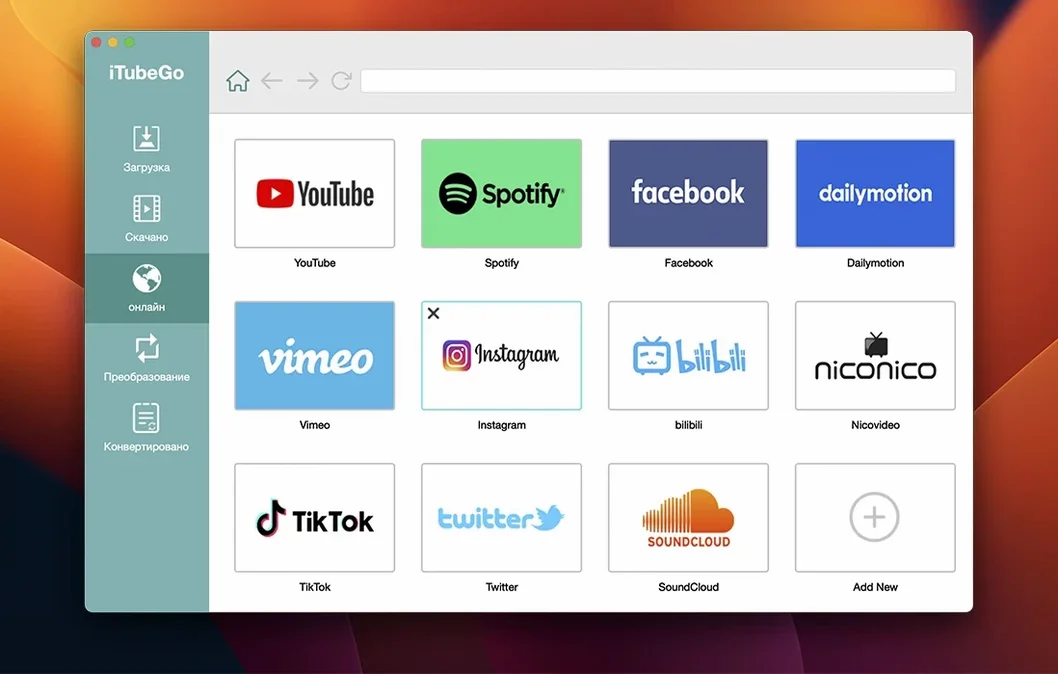
YouTube is the main target, but the same workflow covers Facebook, Instagram, Vimeo, TikTok, Dailymotion, and more — over 10,000 sites total. Video comes out in Full HD, 4K, or 8K, and audio extracts as MP3 up to 320 kbps.
Which Macs run it?
This build is for x86 64-bit Intel Macs running macOS 10.10 or later. Apple Silicon users need a different route.
Working with other macOS tools
Once iTubeGo saves a file, the rest of your Mac handles it natively. MP4 files open in QuickTime without a second app. MP3 tracks land in Music. Drag a finished download into iMovie or Final Cut and you can edit it immediately. The app writes standard containers and codecs, so nothing needs a repack before you use it.
Audio extraction workflow
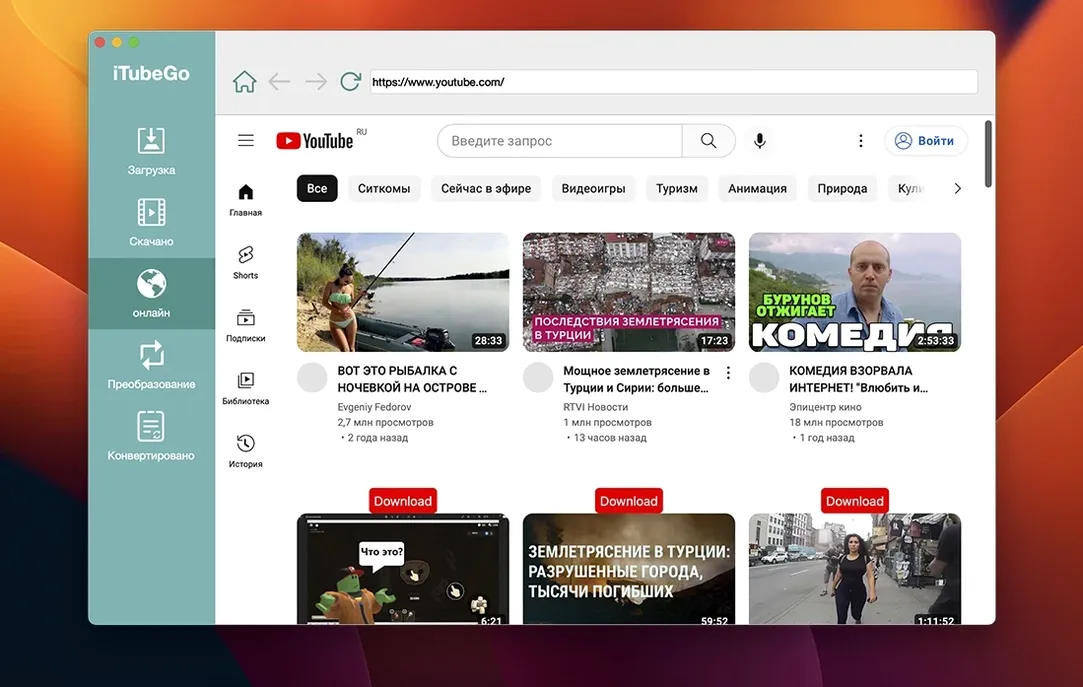
A podcaster who collects interview clips from YouTube and Vimeo can paste each URL, set the output to MP3 at 320 kbps, and let the batch queue run. iTubeGo's built-in browser lets you find the next clip while the current one converts. The finished files land in a single folder, ready to drag into GarageBand for editing. No separate converter or audio ripper needed.
Runs on Intel Macs from 2014
The app runs on any Intel Mac from OS X 10.10 onward — that covers models back to 2014. It installs as a standard macOS application in your Applications folder. The built-in browser is a convenience layer, not a replacement for Safari or Chrome. iTubeGo uses your system's default download location unless you change it in its settings. Language options cover 13 locales, so the interface adapts without extra configuration files.
Using iTubeGo with AirDrop and iCloud
Downloads land as regular files, so you can share them like any other item on your Mac. Select a finished video in Finder, hit the Share button, and send it to an iPhone or iPad over AirDrop. The same files sync to iCloud Drive if you save them inside your iCloud folder. This makes iTubeGo useful for moving content between devices without extra steps.
Batch conversion for a content editor
A video editor working on a multi-source project collects clips from YouTube, Vimeo, and TikTok. Instead of downloading each one separately, they paste all the URLs into iTubeGo's queue, set the output to MP4 at 1080p, and let the app process them in sequence. The built-in browser stays open in another tab so they can keep searching for additional material. When the queue finishes, every clip sits in one folder, already in the right format for Final Cut Pro or DaVinci Resolve. No transcoding, no renaming, just drag and edit.
File structure and organization
iTubeGo names files by their source title by default. You can sort finished downloads by date, size, or format in Finder. The app writes metadata like the source URL into the file's comments field, so you know where each clip came from without keeping a separate log. This is useful when you download a dozen clips from different sites for a single project.
Menus and labels come in English plus a dozen other languages, including Spanish, German, French, and both Chinese variants.
- macOS OS X 10.10 or later
- Intel x86 64-bit architecture
- Interface languages: Russian, English, German, Vietnamese, Indonesian, Spanish, Italian, Traditional Chinese, Simplified Chinese, Korean, Portuguese, French, Japanese
Questions I get about this line
Yes. Extract the audio track and save it as MP3 at up to 320 kbps, which covers most music sites as well.
No. The app is built for x86 64-bit Intel Macs running macOS 10.10 or later.
The install order
- Mount the disk image and run the Gatekeeper-friendly opener.
- Press Enter in Terminal to bypass Gatekeeper.
- Drag the app into the Applications folder.
- Start the app.