Free download (34 MB) Previous versions
- Version
- 5.11.7
- Developer
- Panic Art Studios
- Languages
- English, German, Chinese (Simplified), French, Japanese
- License type
- K'ed by TNT team
| macOS range | macOS 13 or later |
|---|---|
| Chip | Apple Silicon, Intel 64-bit |
| Download | 34 MB |
| Previous versions | 9 on file |
Screenshots
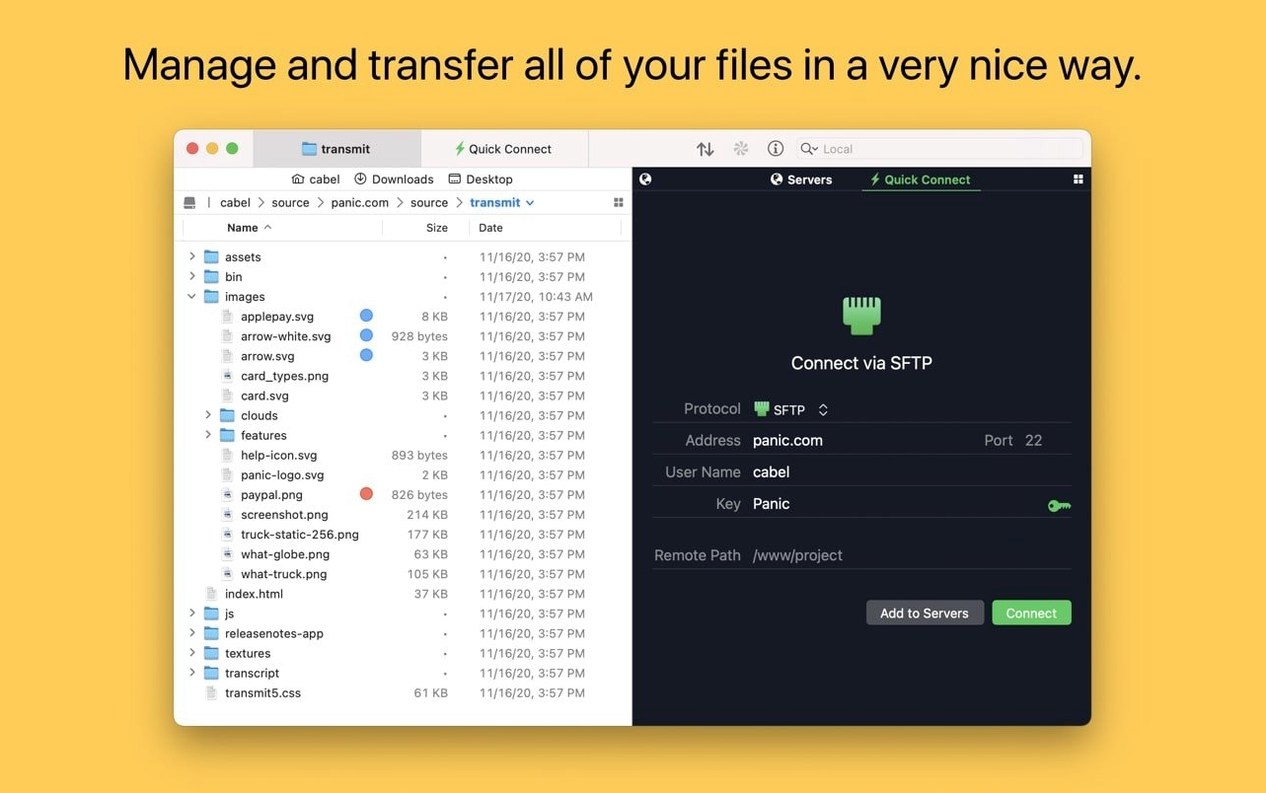
Click a screenshot to see it wider.
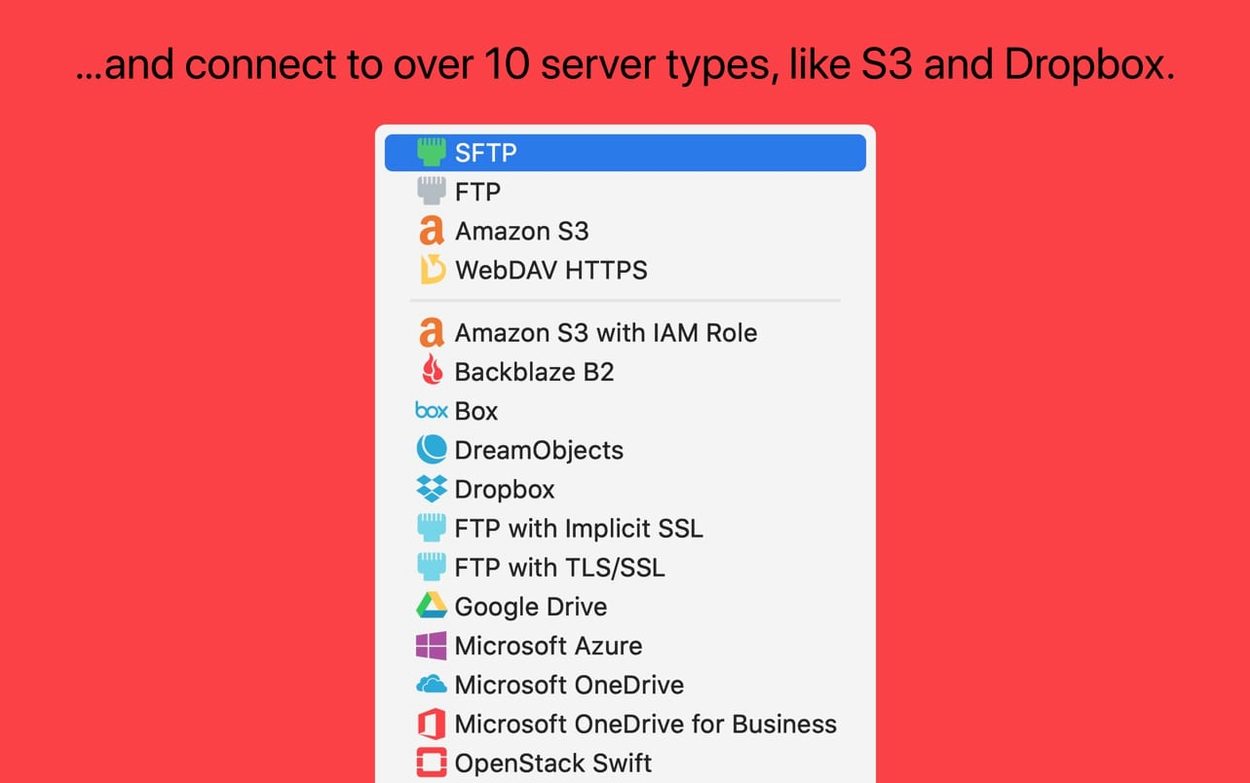
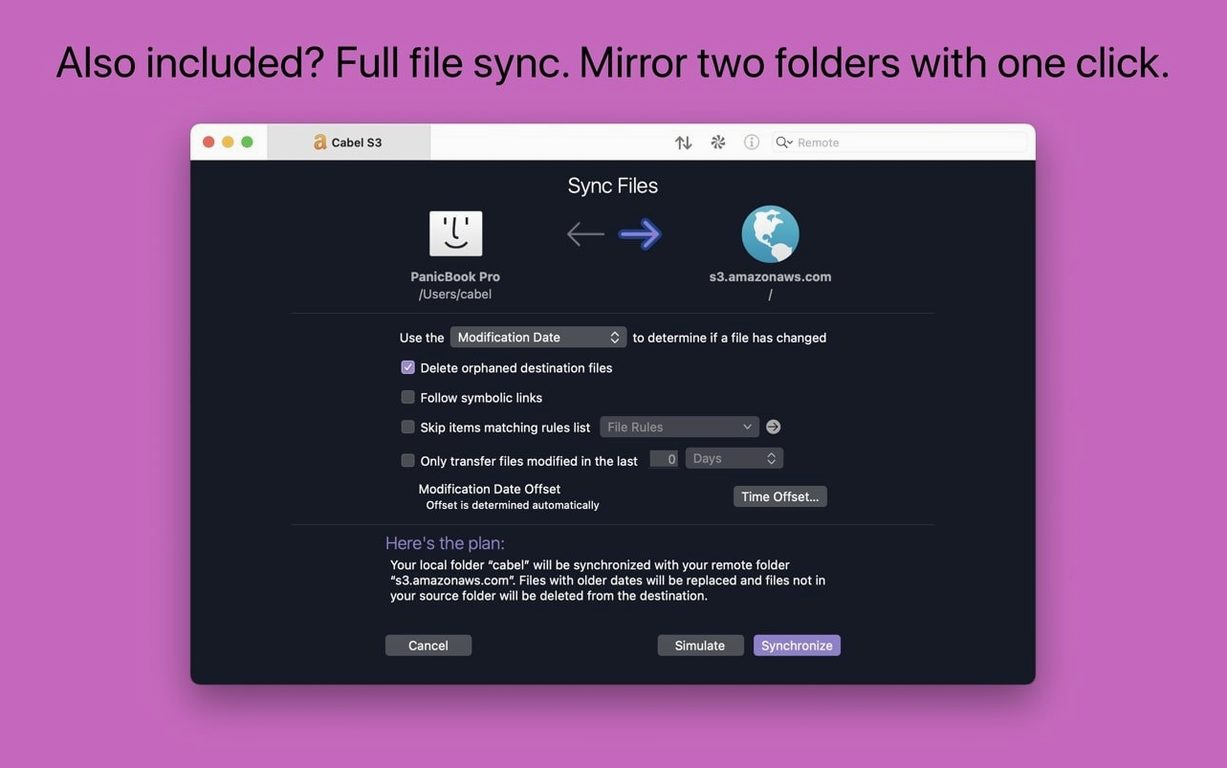
You need to move files between Macs and servers. Transmit handles FTP, SFTP, S3, and WebDAV transfers. It also syncs local and remote folders, supports very large S3 files, and tags your items.
Ventura or Later Required
Transmit 5.11.6 requires macOS 13 Ventura or later. Runs on both Intel and Apple Silicon Macs. Make sure your system meets that before downloading.
Browse and Sync Quickly
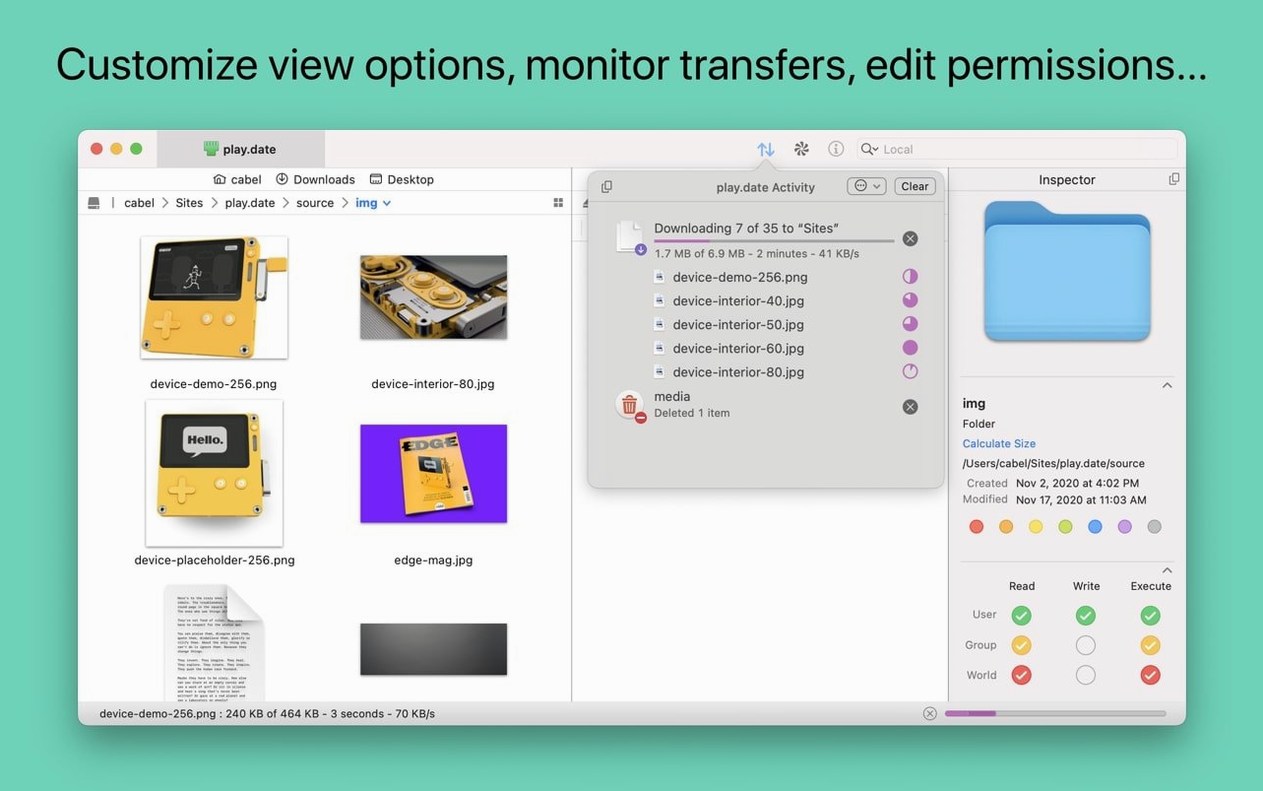
The information sidebar shows file details while you browse. Use the Places Bar for one-click access to favorite folders. Panic Sync keeps your sites in sync across machines.
Upload, Download, Delete
Basic file operations work over any supported protocol. Drag files from Finder or use the toolbar. The Get Info button is active right after launch in this version.
Transmit runs as a native macOS app. It is not a web tool or a terminal-only client. The interface uses standard Mac menus, toolbars, and keyboard shortcuts. You see two panels by default: local on the left, remote on the right.
You manage connections through the Site Manager. Enter server details once, and Transmit saves them. The app supports two-factor login for accounts that require it. You can also generate and manage secure keys inside the app rather than using a separate tool.
Tags are built in. You can apply custom labels to files and filter by them. The batch rename tool works on local and remote items. It handles patterns and numbering.
Real-World Use: A Web Developer’s Weekly Sync
A freelance web developer manages five client sites. Each site lives on a different SFTP server. Some clients use S3 storage for assets. The developer creates a site entry for each server in Transmit. Panic Sync keeps those entries identical on a laptop and an iMac. The developer drags updated HTML and CSS files from local folders directly to the remote directories. No separate sync tool or command-line steps needed. The Places Bar saves shortcuts to the most-used asset folders. The developer also connects one client’s DreamObjects storage to Transmit and treats it like any other remote location.
How Transmit Compares
Transmit competes with a handful of Mac FTP clients. Cyberduck is the main alternative. Both support FTP, SFTP, and S3. Cyberduck is free and open source. Transmit has a more polished interface and includes Panic Sync, batch renaming, and a dedicated tags system. Cyberduck lacks those features.
FileZilla Pro is another option. It supports many protocols and has cross-platform builds. The Mac version feels less native. Transmit integrates better with macOS, including Finder drag-and-drop and the Places Bar.
Forklift is a newer client with a modern interface. It supports S3 and SFTP but has fewer protocol options than Transmit. Transmit adds Backblaze B2, Box, Google Drive, DreamObjects, Dropbox, Microsoft Azure, and Rackspace Cloud Files out of the box. Forklift does not match that range.
For users who manage multiple server types and want native macOS behavior, Transmit remains a solid choice. The version landscape is stable. If you need Transmit 5.10.9 or a similar build, the Transmit 5 torrent archives still circulate. The current release is 5.11.6, which runs unchanged on both ARM and x86 Macs under macOS 13 and later.
- Fixed a crash when dragging files into IntelliJ.
- Improved error reporting when files are too large to upload to S3.
- Get Info toolbar button is now active immediately after launch.
- German File Rename text entry fields are larger.
- macOS 13 Ventura or later
- Intel or Apple Silicon
Questions I get about this line
Transmit 5.11.6 requires macOS 13 Ventura or later. It runs on both Intel and Apple Silicon Macs.
Transmit supports FTP, SFTP, S3, and WebDAV. It can also sync local and remote folders.
The install order
- Open the downloaded disk image.
- Drag the app to the Applications folder alias.
- After the copy finishes, launch the app from Launchpad.