
- Home
- VST Plugins
- Scaler 3

Free download (1.4 GB) Previous versions
- Version
- 3.3.2
- Developer
- Plugin Boutique
- Languages
- English
- License type
- K'ed by MORiA
| macOS range | macOS 10.15 or later |
|---|---|
| Chip | Apple Silicon, Intel 64-bit |
| Download | 1.4 GB |
| Previous versions | 16 on file |
Screenshots
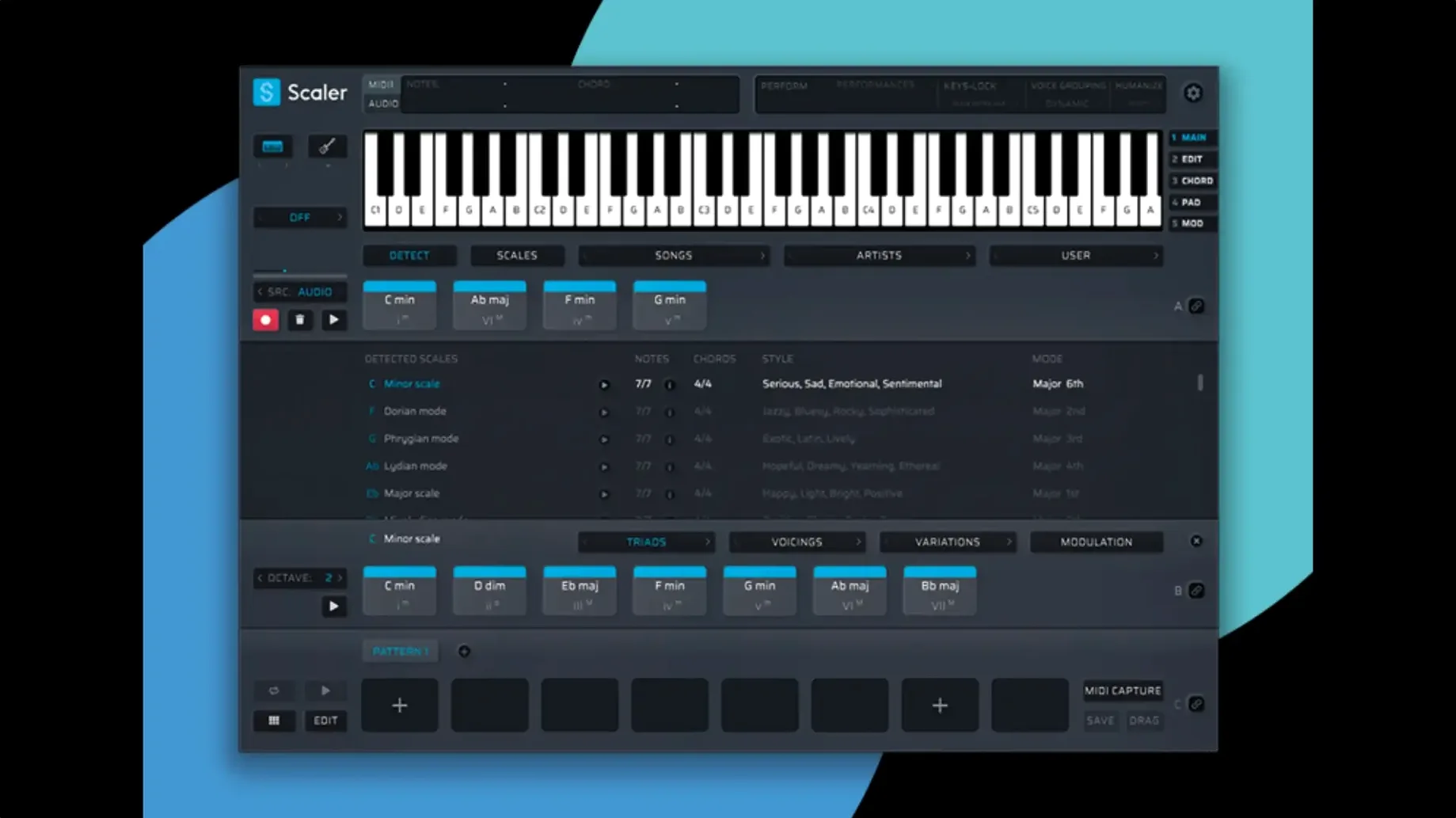
Composers, producers, and anyone working out chord progressions will get use out of Scaler 3. It’s a music theory workstation that handles harmony, composition, and MIDI editing inside a single plugin.
How It Works in a Mix
- Chord suggestions — Pull from a library of presets grouped by artist and genre. Scaler 3 shows you voicings that fit the current key, which can break a writing block fast.
- Multi-Lane Timeline — Separate lanes for chord, melody, bass, and phrase tracks. You can sketch a full arrangement without leaving the plugin.
- Multi-Bind — Links multiple tracks so edits on one lane update the others. Keeps the harmony consistent when you transpose.
- MIDI export — Version 3.3.2 crops empty space at the start of the exported sequence, so your DAW timeline stays clean.
Standalone Mode and Integration
Scaler 3 runs as a plugin or as a standalone application. That means you can use it to sketch ideas before loading a DAW, or stick it on a MIDI track and write in place. The interface is English only, 64-bit, and works on Intel and Apple Silicon Macs running macOS 10.15 or later.
Workflow: Building a Chord Progression from Scratch
- Open Scaler 3 in standalone mode or as a plugin on a MIDI track. Set the key and scale at the top of the interface.
- Open the chord suggestion panel. Browse the preset library by artist or genre until you find a progression that fits the mood. Click one to load it into the chord lane.
- Use Multi-Bind to link the chord lane to a melody lane. Any chord change you make now will automatically adjust the melody lane’s notes.
- Add a bass lane. Use the auto-generation feature to create a bass line in the same key. You can tweak the rhythm and notes by hand afterward.
- Drop a VST or AU instrument on a MIDI section inside Scaler 3 to hear the full arrangement play together. Adjust note lengths and velocities using the Multi-Lane Timeline until it sounds right.
- Export the finished sequence as MIDI. The exported file starts clean because version 3.3.2 crops the leading empty space. Drop the MIDI file into your DAW and continue working.
Apple Silicon Compatibility Confirmed
Will this replace my DAW for composition?
No. Scaler 3 focuses on harmony, chord ideas, and MIDI arrangement. You export the results to your DAW for recording, mixing, and arranging around other tracks.
Can I host my own instruments inside it?
Yes. The plugin and standalone version both support VST and AU plugins on chord and MIDI sections. Load a synth or sampler, route the MIDI from the timeline, and hear the progression with your own sounds.
Setting MIDI Output Channels Per Lane
Yes. Version 3.3.2 runs natively on ARM and 64-bit x86. The minimum macOS is 10.15.
What format should I download for my DAW?
Scaler 3 ships as VST, VST3, AU, and AAX. Pick the format your DAW prefers. The installer includes all formats, so the choice matters only when you scan plugins.
macOS 10.15 Minimum Requirement
- MIDI output channel — Set the output channel for each lane right away. If you plan to send chord, melody, and bass to different tracks in your DAW, assign each lane a distinct channel before you start writing.
- Quantize grid — Turn on the grid snap for the timeline. It keeps note start points aligned to the beat, which matters when you export MIDI and expect tidy timing.
- Multi-Bind defaults — Check which lanes are linked by default. If you only want the chord lane to control the bass lane, unlink the melody lane. That way melody edits don’t shift the harmony.
- Export range — Set the bar range for MIDI export. Scaler 3 crops empty space at the start, but you still control where the export ends. Trim the tail to avoid extra silence.
- Fixed MIDI Editor display issues that could cause missing notes, incorrect chord representations, and unwanted blank space before chords.
- Exported MIDI now automatically crops empty space at the start of the sequence.
- macOS 10.15 or later
- 64-bit only
- Intel or Apple Silicon
Questions I get about this line
It fixes MIDI Editor display issues that could cause missing notes, incorrect chord representations, and unwanted blank space before chords. Exported MIDI now also crops empty space at the start of the sequence.
The install order
- Mount the downloaded disk image.
- Run the standard installer.