- Home
- VST Plugins
- Sononym

Free download (237 MB) Previous versions
- Version
- 1.5.6
- Developer
- Sononym
- Languages
- English
- License type
- K'ed by TEAM HCiSO
| Chip | Apple Silicon, Intel 64-bit |
|---|---|
| Download | 237 MB |
| Previous versions | 2 on file |
Screenshots
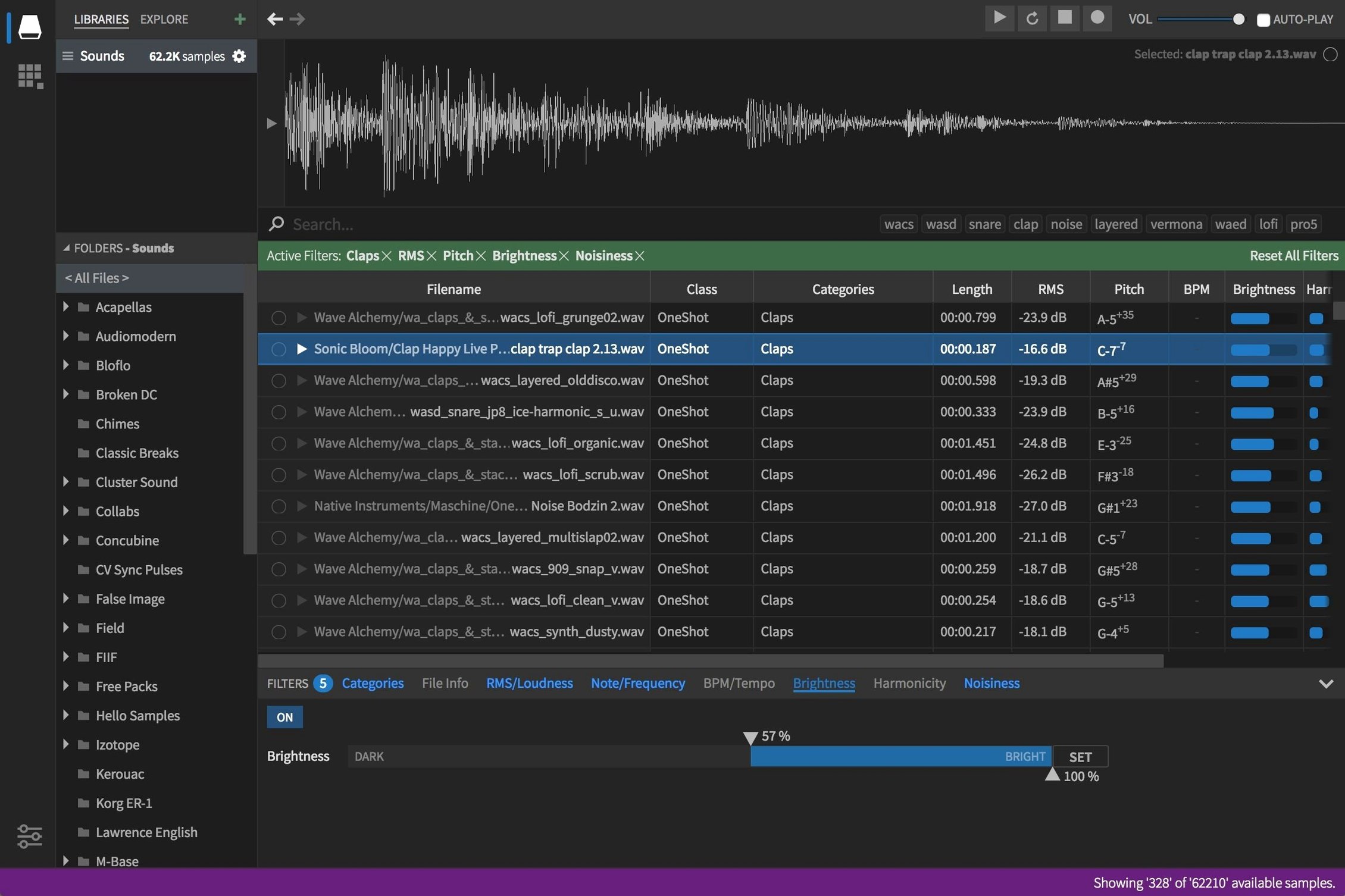
If you have spent hours digging through folders of drums, loops, and one-shots, Sononym is the tool that finally puts that chaos in order. It sits next to your DAW, not inside it, acting as a dedicated browser for your sample collection. You point it at a folder, it analyzes each file, and then you can search by similarity instead of by name.
Matches Timbre Without Manual Tagging
- On a track: find a snare that matches the timbre of the kick you already picked.
- On a bus: locate a pad that shares the same harmonic content as your bassline.
- General sessions: search across your whole library by pitch, tempo, or noise level, with weights on what matters most.
The Machine Learning Angle
Sononym extracts tempo, pitch, noise level, and harmonic content from every file, then uses machine learning to categorize what it finds. Similarity searches can be tuned toward pitch or timbre, so you can dig out sounds that feel related without knowing their names. Projects export automatically to a chosen folder, keeping your workflow tidy.
Analyzes Audio, Not Metadata
Compared to a straight file browser or a tagged database, Sononym works differently. Apps like BaseHead and AudioFinder rely on metadata you tag yourself. Sononym analyzes the audio first, so you don't have to tag anything before you can search. The similarity engine also sets it apart: instead of exact-name searches, you get results that sound related. Sononym is the only one here that uses machine learning to categorize and group samples into looped vs. one-shot automatically. That saves a lot of manual sorting.
Bookmark-and-Export in One Step
The combined bookmark-and-export workflow is easy to miss. You bookmark files, tag them, rename them, and the project auto-exports to a folder you set. No extra steps. The default category set works for electronic music, so the initial categorization often hits what you need. The similarity search lets you weight one aspect over another, which is a neat way to find a brighter crash without changing your kick search.
How It Compares: BaseHead, AudioFinder, and Sononym
If you already use BaseHead, you know it's built for large libraries and heavy metadata work. It's fast, but you have to tag everything yourself before search is useful. AudioFinder is a solid option for quick preview and drag-to-DAW workflows, but it leans on a traditional file-tree and tag system. Neither one analyzes audio content the way Sononym does. Sononym extracts pitch, tempo, noise level, and harmonic content without you touching a tag field. That makes it better for those times you need a sound that feels like another sound, not one that has the same filename. The similarity search with weighted sliders for pitch or timbre is something neither competitor offers in the same way.
Small Conveniences Worth Noting
- The default category set is tuned for electronic music, so drums, bass, pads, and fx land where you expect them. That's one less setup step.
- Sononym classifies samples as looped or one-shot automatically. You don't have to audition each file to know its type.
- The bookmark-and-export workflow combines tagging, renaming, and folder export in a single flow. No separate export step after you decide what to keep.
- You can weight similarity search toward specific aspects like pitch or timbre, which is useful when you want a brighter hi-hat but don't want to change the tempo of your current loop search.
For a sononym macos download, version 1.5.6 works on both Intel and Apple Silicon, so it's ready for whatever Mac you're on. It runs as a standalone browser next to your DAW, not inside it, so it doesn't add plugin overhead during sessions.
- macOS (version not specified)
- Apple Silicon or Intel
The install order
- Mount the downloaded disk image.
- Run the standard installation procedure.