
- Home
- VST Plugins
- Superior Drummer
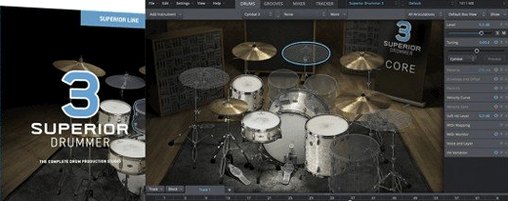
Free download (625 MB) Previous versions
- Version
- 3.4.4
- Developer
- Toontrack
- Languages
- English
- License type
- k'ed by Team V.R
| macOS range | macOS 10.13 or later |
|---|---|
| Chip | Apple Silicon, Intel 64-bit |
| Download | 625 MB |
| Previous versions | 4 on file |
Screenshots
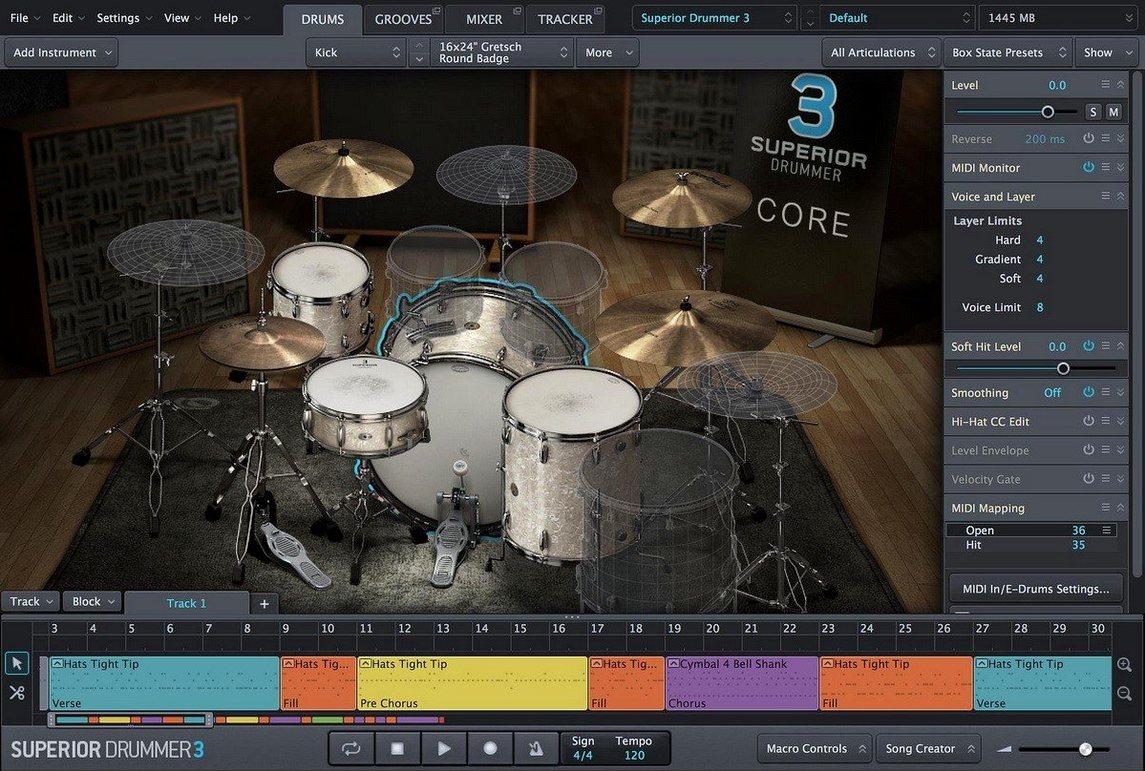
Superior Drummer 3 is a virtual drum production plugin that turns your Mac into a full-featured drum studio.
Good for:
- Producing realistic drum tracks for any genre.
- Bridging acoustic and electronic drum production with a single tool.
- Converting drum audio to MIDI for further editing.
- Mixing drums directly inside the plugin using built-in mixer effects.
- Working with an extensive drum library that includes 7 kits.
Keep in mind:
- It is a 64-bit plugin, so your host must support 64-bit plugins.
- It runs on macOS 10.13 and later.
- It supports both ARM and x86 architectures.
- The interface is in English.
- Installation uses a standard step-by-step installer.
Frequently Asked Questions Before Installing
Runs in Any 64-Bit DAW
Superior Drummer 3 is a 64-bit plugin. It loads in any DAW that supports 64-bit VST, AU, or AAX plugins. That covers Logic Pro, Cubase, Pro Tools, Ableton Live, Studio One, and most others. If your DAW is 64-bit and runs on macOS 10.13 or later, you are set.
230 GB Library Lives on Your Drive
The download package is a disk image. Once you have the files on your drive, all samples are local. No streaming, no constant connection required. The 230 GB library lives on your system storage.
Native on Apple Silicon M1-M4
Yes. The plugin supports both ARM (Apple Silicon) and x86 (Intel) architectures. It runs natively on M1, M2, M3, and M4 Macs without emulation layers.
What about my existing drum MIDI patterns?
Superior Drummer 3 reads standard MIDI files. You can drag in your own patterns or use the included ones. The audio-to-MIDI conversion also works on existing audio tracks, so you can convert a live drum recording into MIDI and swap sounds.
Start with One of 7 Included Kits
You open your DAW and create a new instrument track. You load Superior Drummer 3 as the plugin. The main interface appears with the default kit loaded.
First, you pick a kit. You browse the 7 included kits by clicking through the library browser. Each kit has a name and a short description. You select one that fits the track you are working on.
Next, you start building the drum part. You have a few options. You can draw MIDI notes directly in your DAW's piano roll, drag in existing MIDI patterns, or use the Tap-to-Find feature to trigger sounds from a MIDI controller. For this session, you import a basic rock beat from a folder of MIDI loops.
The beat sounds good but needs more punch. You open the built-in mixer. It shows 35 mixer effects. You add a compressor to the kick channel and a reverb to the snare. You adjust the faders to balance the kit.
You also have a recorded live drum track from an earlier session. You drag that audio file onto the Superior Drummer 3 interface. The audio-to-MIDI conversion runs, and within seconds you have a MIDI version of the original performance. You play it back through the new kit. The timing and feel stay true to the original track.
Finally, you fine-tune the mix. You adjust the room mics and overheads in the mixer. The session ends with a drum track that fits the arrangement without needing a full live recording setup.
No Extra Bridging Software Needed
Superior Drummer 3 behaves like any other AU or VST plugin. It shows up in your DAW's plugin list after installation. No extra bridging software is needed.
On macOS, you can route audio between apps using built-in tools. If you use a standalone host like REAPER or a modular environment like Bidule, the plugin appears there too. The 64-bit requirement is the only condition.
The disk image format means you can mount the installer directly from Finder. No extra mounting utilities required. After installation, you manage the plugin like any other macOS application: move it in Finder, remove it with the standard uninstaller.
For workflow integration, you can use macOS virtual desktop features to keep the mixer panel on a separate screen while your DAW stays on the main display. The interface resizes well on Retina displays.
Save Mixer Presets and Convert Audio to MIDI
- The built-in mixer allows you to save and load mixer presets. This is useful if you have a go-to drum sound you use across projects.
- The audio-to-MIDI conversion works on individual hits and full performances. You do not need to slice the audio first.
- The 7 kits cover different genres. One is a classic rock kit, another is a modern metal kit, and a third is a jazz kit. You can switch between them without reloading the plugin.
- The 35 mixer effects include compressors, EQs, reverb, delay, and distortion. They are designed for drum processing, so the default settings are usually close to usable.
- The plugin reads MIDI files from other Toontrack products. If you own EZdrummer or Superior Drummer 2, those MIDI patterns work here.
- Version 3.4.4 is now available.
- Version 3.4.0 is required for support of Superior Drummer 3 products released from Q2 2025 onward.
- macOS 10.13 or later
- 64-bit host support
- Both Intel and Apple Silicon supported
The install order
- Open the downloaded disk image.
- Run the standard installer and follow the prompts.