
- Version
- 2.4.7
- Developer
- HitPaw
- Languages
- Russian, English, German, Spanish, Italian, Korean, Portuguese, French, Czech, Japanese
- License type
- K'ed by TNT team
| macOS range | macOS 10.13 or later |
|---|---|
| Chip | Intel 64-bit |
| Download | 290 MB |
Screenshots
Scroll the row, it snaps to each screenshot. Click one to see it wider.
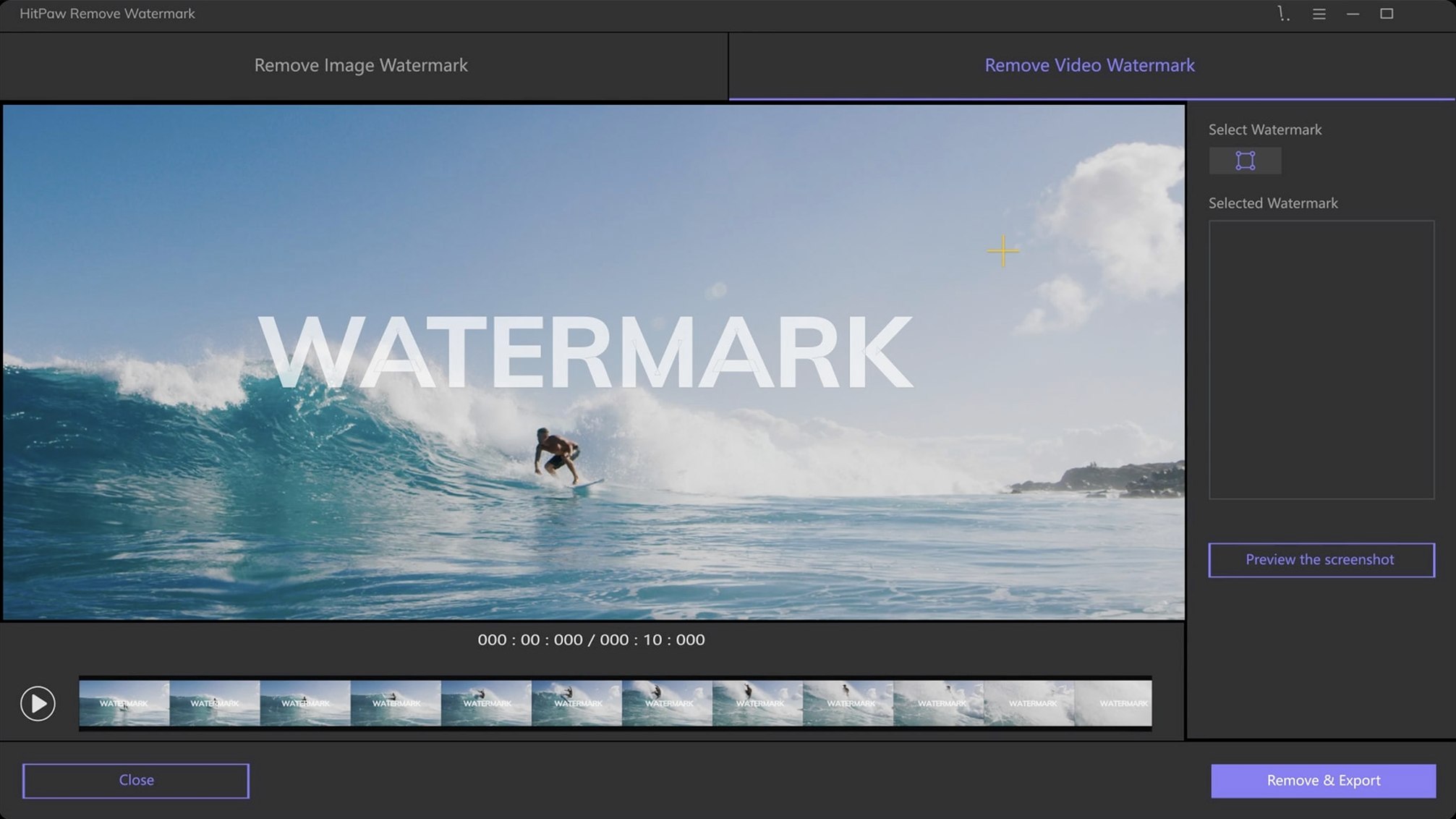
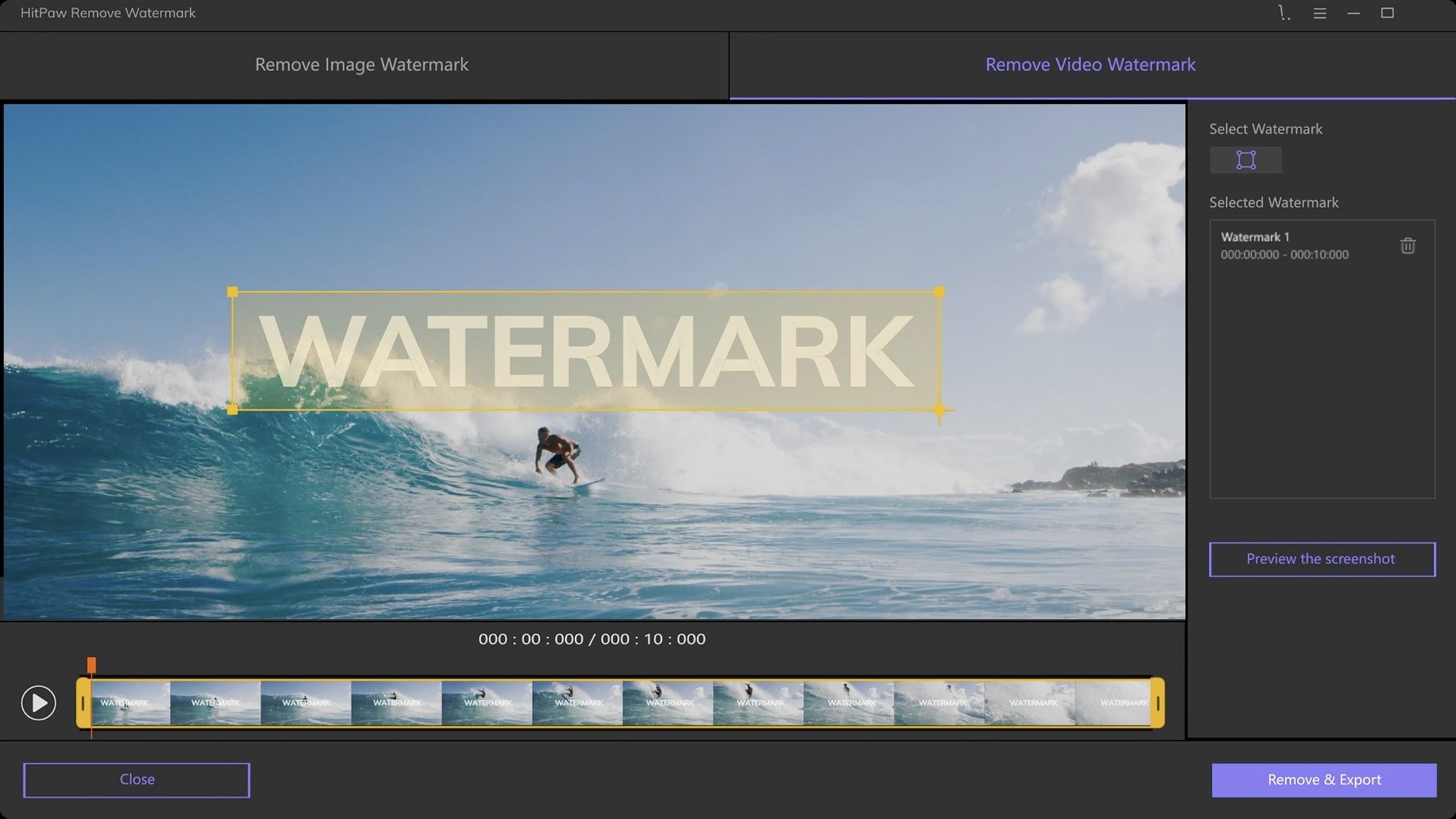
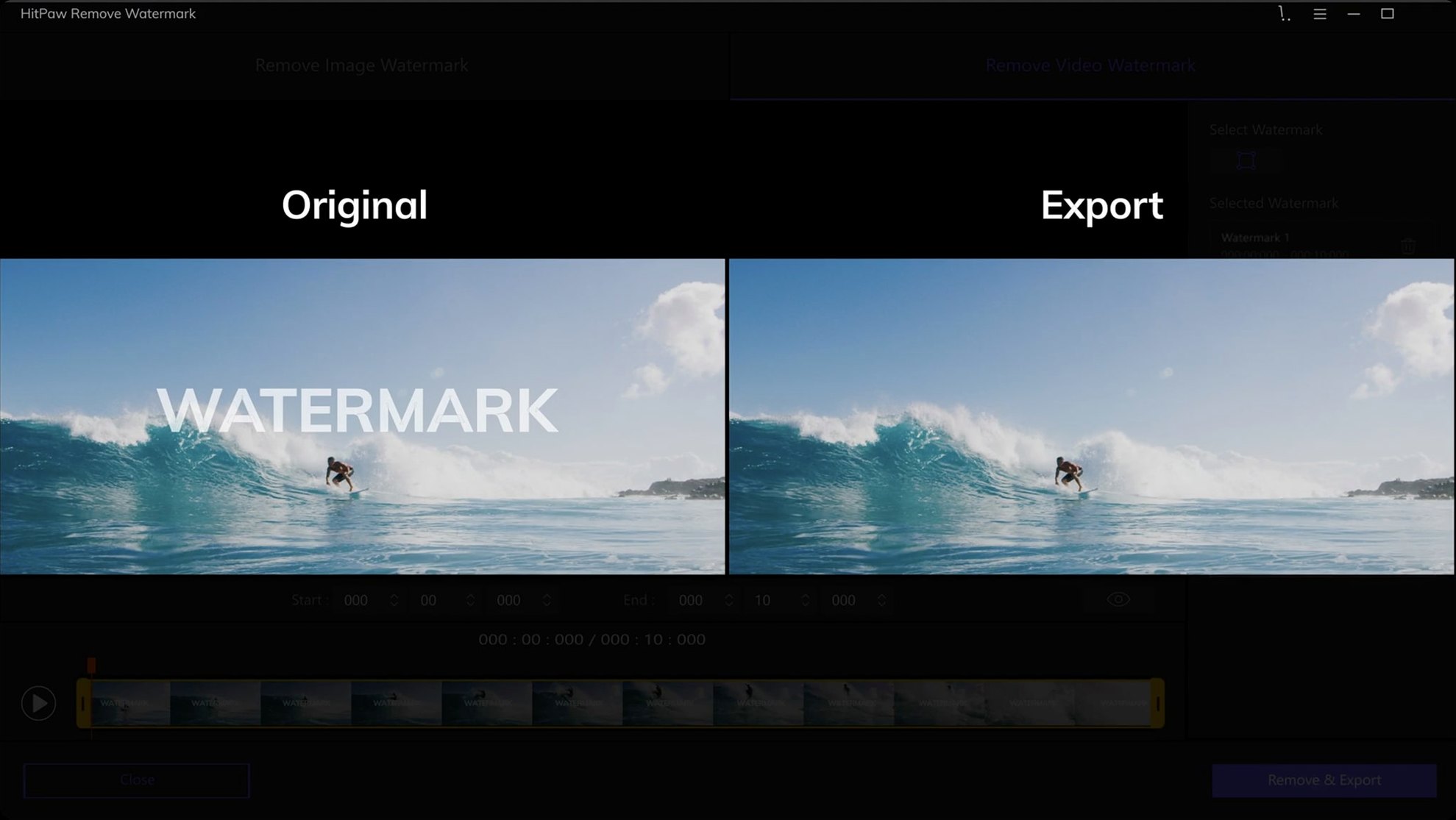
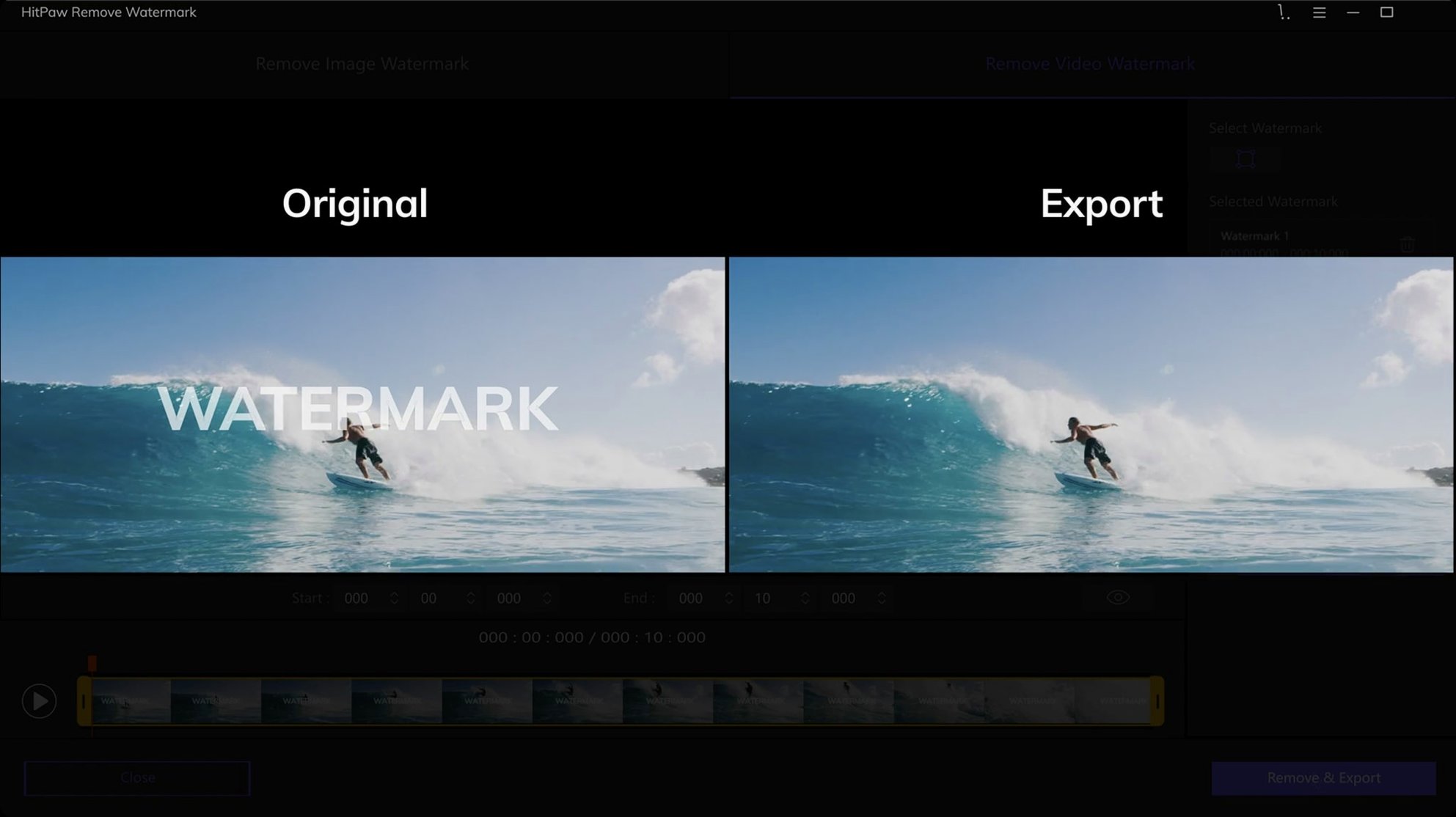
The rectangle selection tool is where you’ll spend most of your time. Click and drag around a logo or timestamp, and HitPaw Watermark Remover 2.4.7 fills the area. When the watermark isn’t box-shaped, the freeform or triangle tools handle it.
Client-ready image cleanup
- Cleaning up images before client presentations.
- Removing logos or captions from video clips you’ve licensed.
- Batch-style work where you need quick results without a steep learning curve.
Intel-only Mac build
- This Mac build runs on Intel processors only.
- Video support covers MP4, MOV, AVI, MKV, and many other formats.
- Drag-and-drop import saves steps when you’re processing multiple files.
Licensed stock footage editors
Video editors who work with licensed stock footage will use HitPaw Watermark Remover the most. You pull a clip from a site like Pond5, it has a timestamp overlay, and you need that gone before it goes into the timeline. Rectangle selection, a one-second render check, and the clip is clean. That workflow repeats all day.
Social media managers and content creators processing downloaded reference clips also benefit. You grab a YouTube clip with a channel watermark, drop it in HitPaw Watermark Remover on a Mac, select the logo area, and export. No opening After Effects or Final Cut for a single overlay removal.
Photographers who receive watermarked reference images from vendors or collaborators get value too. Drag-and-drop a batch of JPEG or PNG files, use triangle selection on angled logos, and the texture repair mode preserves the background better than a simple blur in Photoshop.
Mac alternatives for watermark removal
Apowersoft Watermark Remover
Apowersoft covers the same video and image formats but uses a brush-based selection model. HitPaw Watermark Remover offers rectangle, triangle, and freeform shape tools. If you prefer picking a precise area rather than painting over it, HitPaw is quicker for square or straight-edged watermarks.
Wondershare UniConverter (watermark removal module)
UniConverter bundles watermark removal inside a larger video toolbox. That works if you already need conversion and compression features. HitPaw Watermark Remover is a standalone tool, so you launch it, remove the watermark, and close it. No navigating through menus of features you do not use. For a dedicated watermark job, it saves time.
Mac-specific workflow advantage
HitPaw Watermark Remover for Mac uses the familiar macOS drag-and-drop behavior and opens via a standard disk image install. The interface follows Mac conventions, so it does not feel like a ported Windows app. If you run an all-Mac clinic or post-production office, it fits without friction.
Scenario: cleaning demonstration videos for a dental training library
I build training videos for a small chain of dental clinics. The raw footage comes from a team member's laptop, and many clips have a screen-recording app watermark in the corner. Opening Final Cut Pro for each clip is overkill. I drop the MP4s into HitPaw Watermark Remover on the clinic's Mac mini, use rectangle selection on the timestamp logo, and export. The edge filling mode keeps the background gradient intact. The same workflow works for before-and-after patient photos that arrive with a stock photo watermark across the lower third.
If you search for hitpaw watermark remover mac or hitpaw torrent, this version 2.4.7 build runs on Intel Macs with macOS 10.15 or later. Keep a copy on a download drive for quick access when clients send watermarked assets.
- macOS 10.13 or later
- Intel Mac
The install order
- Mount the disk image and launch Open Gatekeeper friendly.
- Press Enter in the Terminal window to bypass Gatekeeper.
- Drag the app to the Applications folder.
- Open the app when installation is complete.