- Version
- 4.8.0.2871
- Developer
- Athentech
- Languages
- English
- License type
- K'ed by TNT team
| macOS range | macOS 10.15 or later |
|---|---|
| Chip | Intel 64-bit |
| Download | 200 MB |
Screenshots
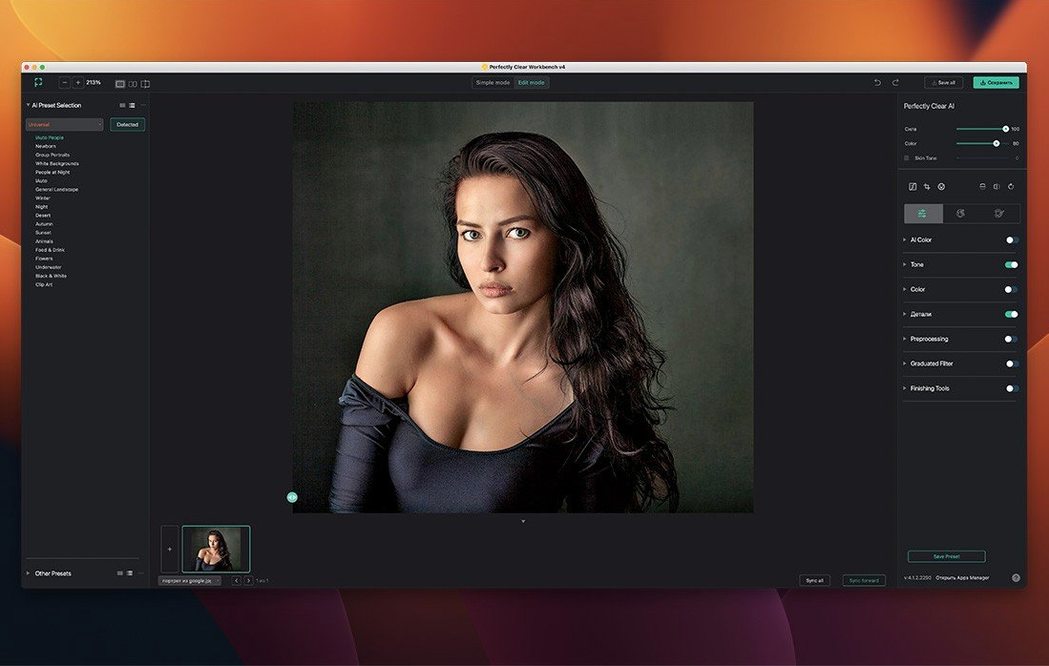
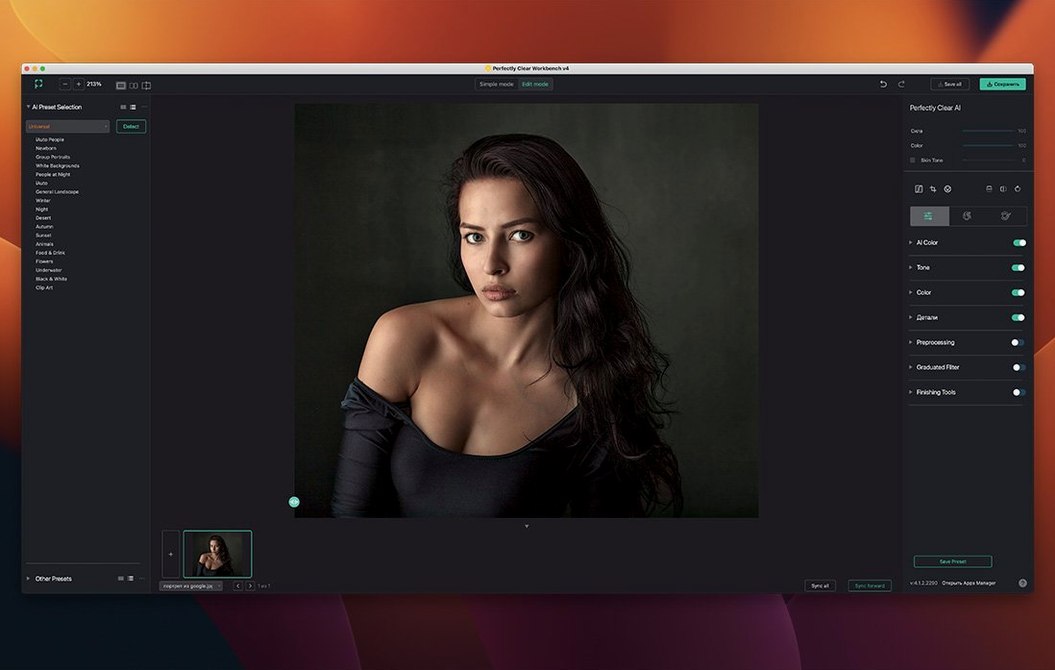
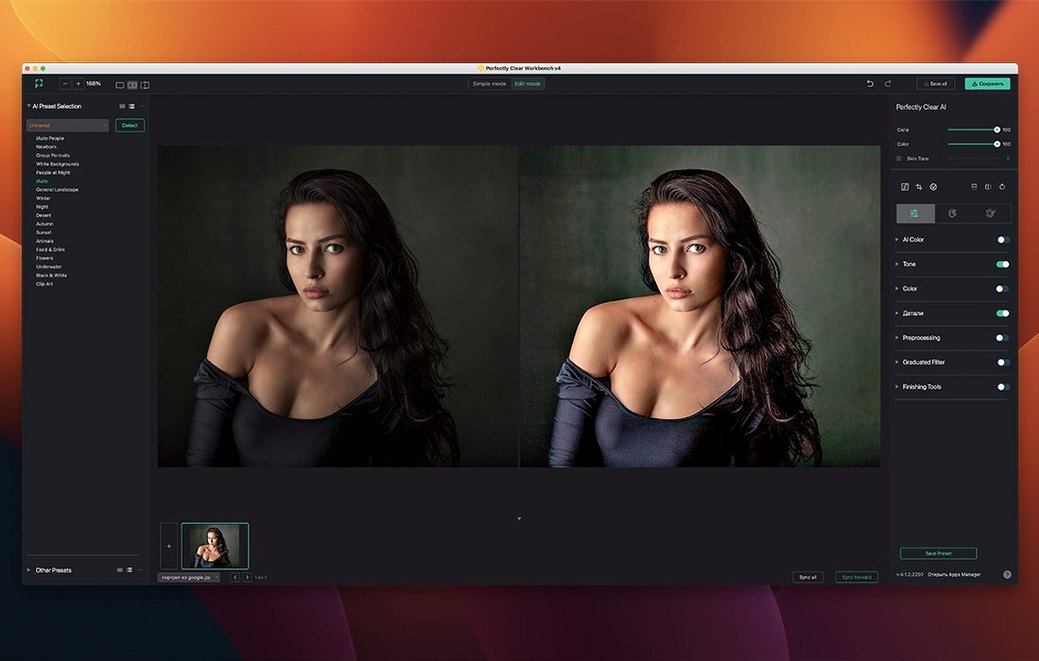
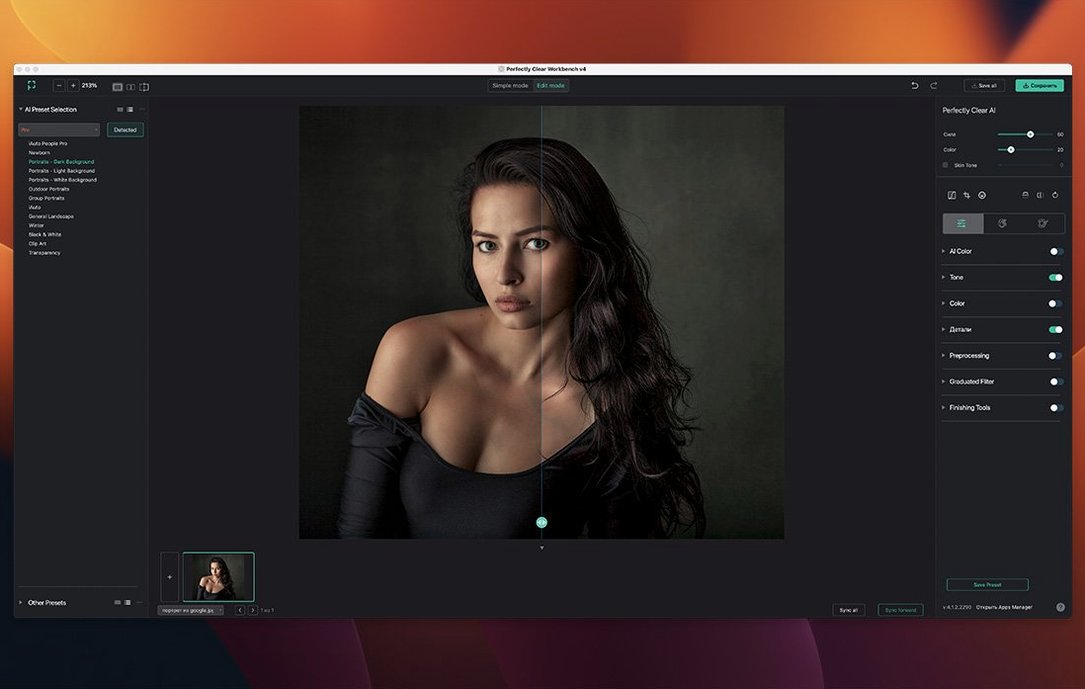
Click a screenshot to see it wider.
Perfectly Clear WorkBench 4.8.0 processes RGB images at 8-bit or 16-bit depth. It exists to demonstrate the Perfectly Clear image correction libraries and let you export processing settings for reuse in your own workflow.
Evaluate the Histogram and Face-Aware Exposure
The new histogram gives you a direct read on color and luminance before you commit. Face Aware exposure automatically corrects exposure on portraits and group shots. You can also change face regions manually to fine-tune corrections.
Refine Presets and Input Looks
Preset management is significantly improved in this version. The pre-processing section now handles Input Looks and manual exposure correction. The old Brightness control was renamed Color Restore. Sky and foliage enhancements are separate tools you can toggle.
Export Settings for the SDK
Quick export of your processing settings lets you move corrected parameters into the Perfectly Clear image correction SDK. This is the core workflow: dial in the look here, then apply it programmatically elsewhere.
Use an 8-Bit or 16-Bit RGB Test Image on First Launch
After you drag the app to Applications and bypass Gatekeeper, launch it with an 8-bit or 16-bit RGB test image — not a RAW or CMYK file (those won't load here). Open a portrait or a landscape shot to see Face Aware exposure and the sky/foliage sliders in action right away. Keep a second display handy if you have one; the histogram and the tool panels benefit from extra screen space.
This confirms your SDK pipeline path works before you spend time on fine corrections. The export function writes API-ready text, so you can paste it directly into your development environment.
Color Brightness Adjusts Intensity Without Shifting Hue
- Color Brightness and Color Restore. The Color Brightness control adjusts intensity without shifting hue. Color Restore (formerly Brightness) pulls detail back in areas that look washed out.
- Black Point tool. A quick way to set true blacks in underexposed areas without dragging other sliders.
- Skin tone and blush color pickers. Click directly on a face region to sample a skin tone, then adjust the blush separately. The improved pickers make this one-click work.
- Scaled face regions. Change individual face region boundaries for group photos — useful when faces overlap or are partially cropped.
- Face recognition library. Runs automatically; no extra setup needed. It detects faces in the image and feeds data to Face Aware exposure and the face tools.
Quick Checks After Your First Export
Once you have an API-ready text file from the export function, load it into a test project that uses the Perfectly Clear SDK. Compare the processed image against the WorkBench preview. If the output matches, you know your preset pipeline is ready for production images.
Delete the test image when you are done. The app does not save preview cache files on its own, but keeping a clean workspace avoids confusion between test exports and real corrections later.
Small Conveniences That Are Easy to Miss
- Input Looks in the pre-processing section. You can apply one before you touch any correction sliders. This changes the starting point for exposure, color and contrast — useful when you process images from different cameras or lighting conditions.
- Strength sliders for Light Diffusion and Vibrancy. These are independent controls, not tied to any other adjustment. Light Diffusion softens harsh highlights; Vibrancy lifts muted colors without oversaturating skin tones.
- One-click face scaling. After the face recognition library detects faces, click on a face region and adjust its size without entering a sub-menu. Handy for group shots where one face is significantly smaller than the rest.
- Improved preset management. You can save, rename and delete presets directly from the preset panel. No need to browse the file system to clean up old configurations.
All these tools work with the same 8-bit or 16-bit RGB source images. If you plan to process a batch of files, set up one preset per lighting scenario using the Input Looks and the sliders above, then export each preset as a separate API-ready file.
- New interface.
- New image correction tools added.
- Existing tools received improvements.
- Histogram added.
- Preset management significantly improved.
- macOS 10.15 or later
- Intel-based Mac (no Apple Silicon support)
- RGB images with 8-bit or 16-bit color depth
Questions I get about this line
It requires RGB images with 8-bit or 16-bit color depth.
No, it requires an Intel-based Mac running macOS 10.15 or later.
The install order
- Mount the disk image and run Open Gatekeeper friendly.
- Press Enter in Terminal to bypass Gatekeeper.
- Drag the app to the Applications folder.
- Launch the app.