
- Version
- 2025.1.8239
- Developer
- Camera Bits
- Languages
- English
- License type
- Not required
| macOS range | macOS 13 or later |
|---|---|
| Chip | Apple Silicon |
| Download | 64 MB |
Screenshots
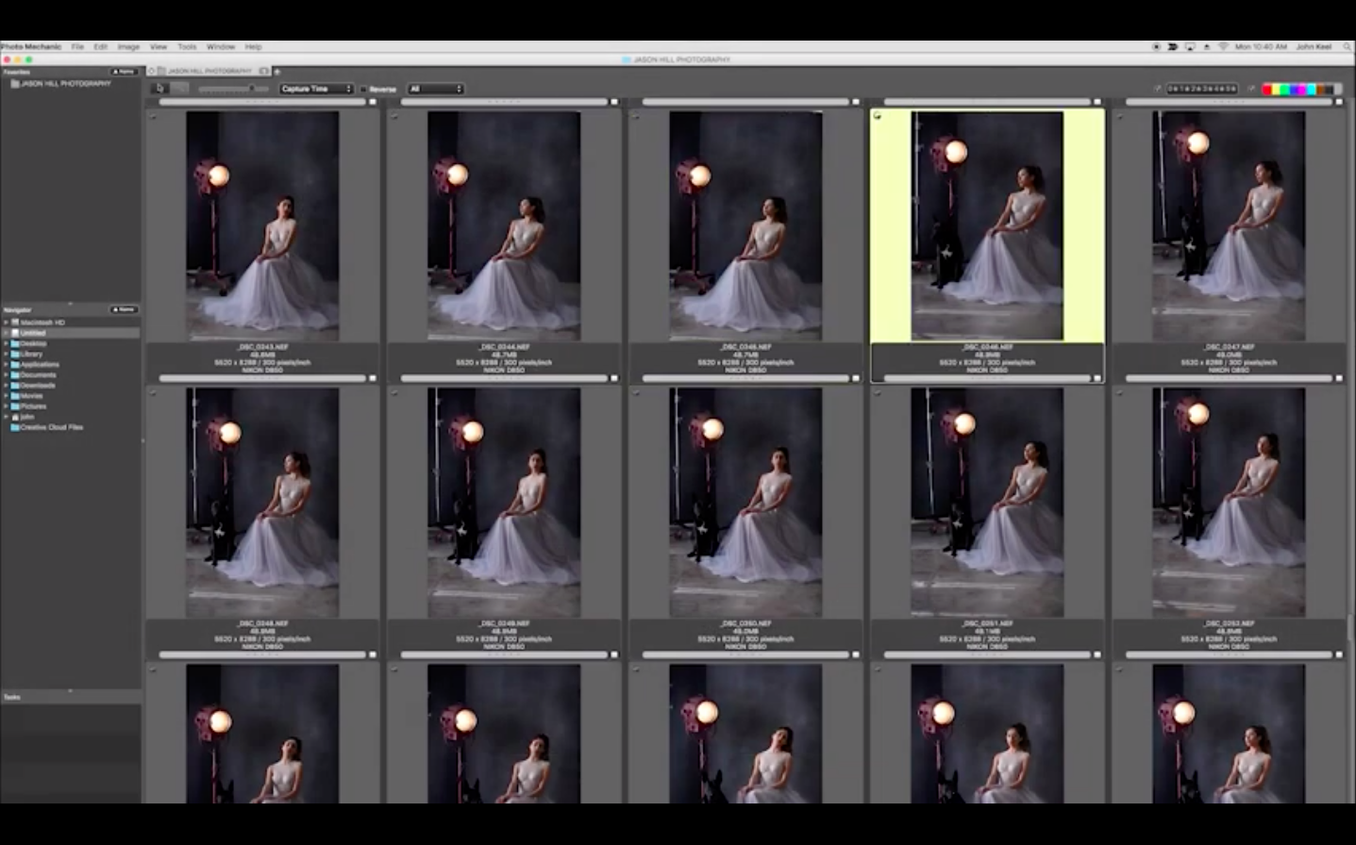
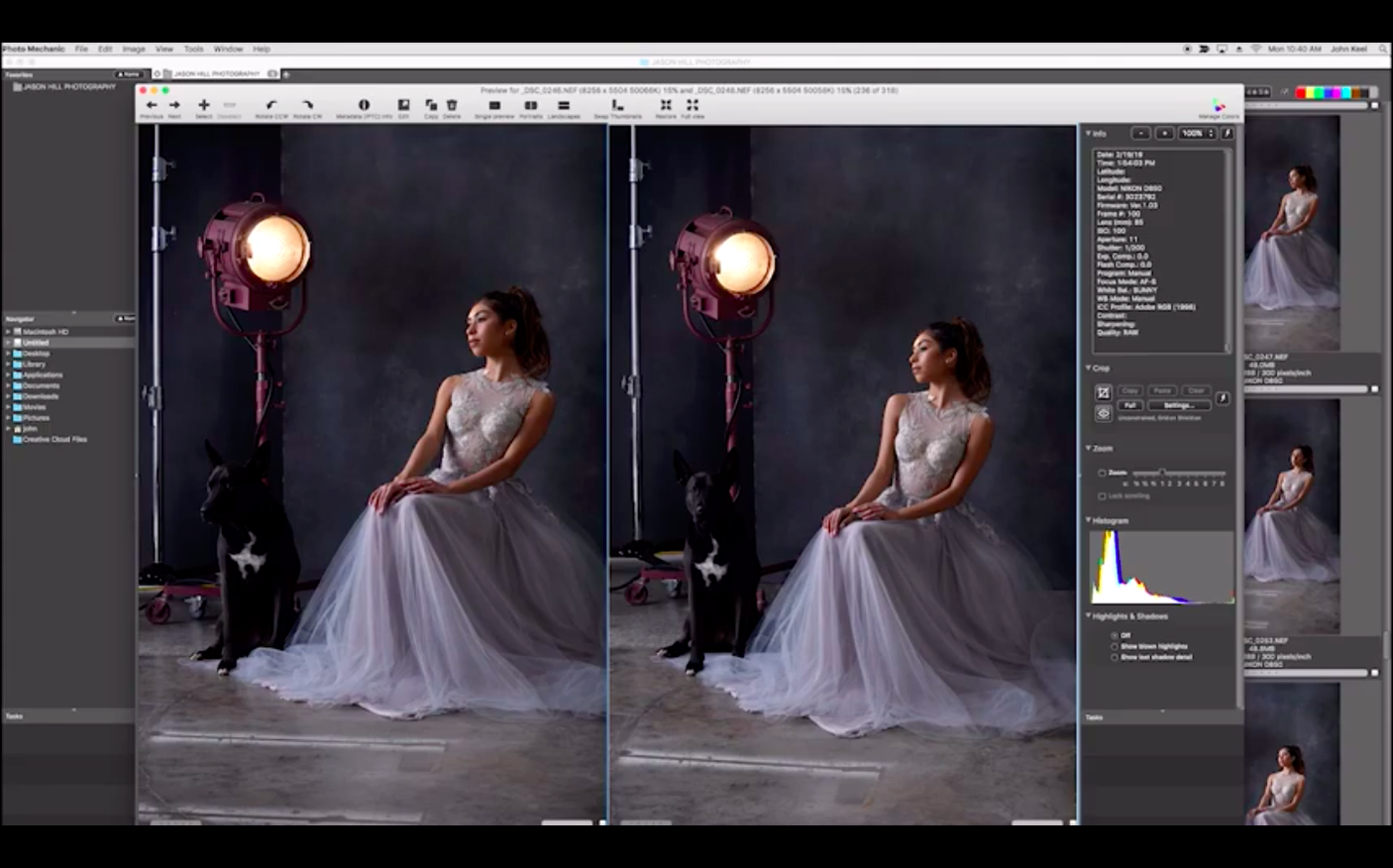
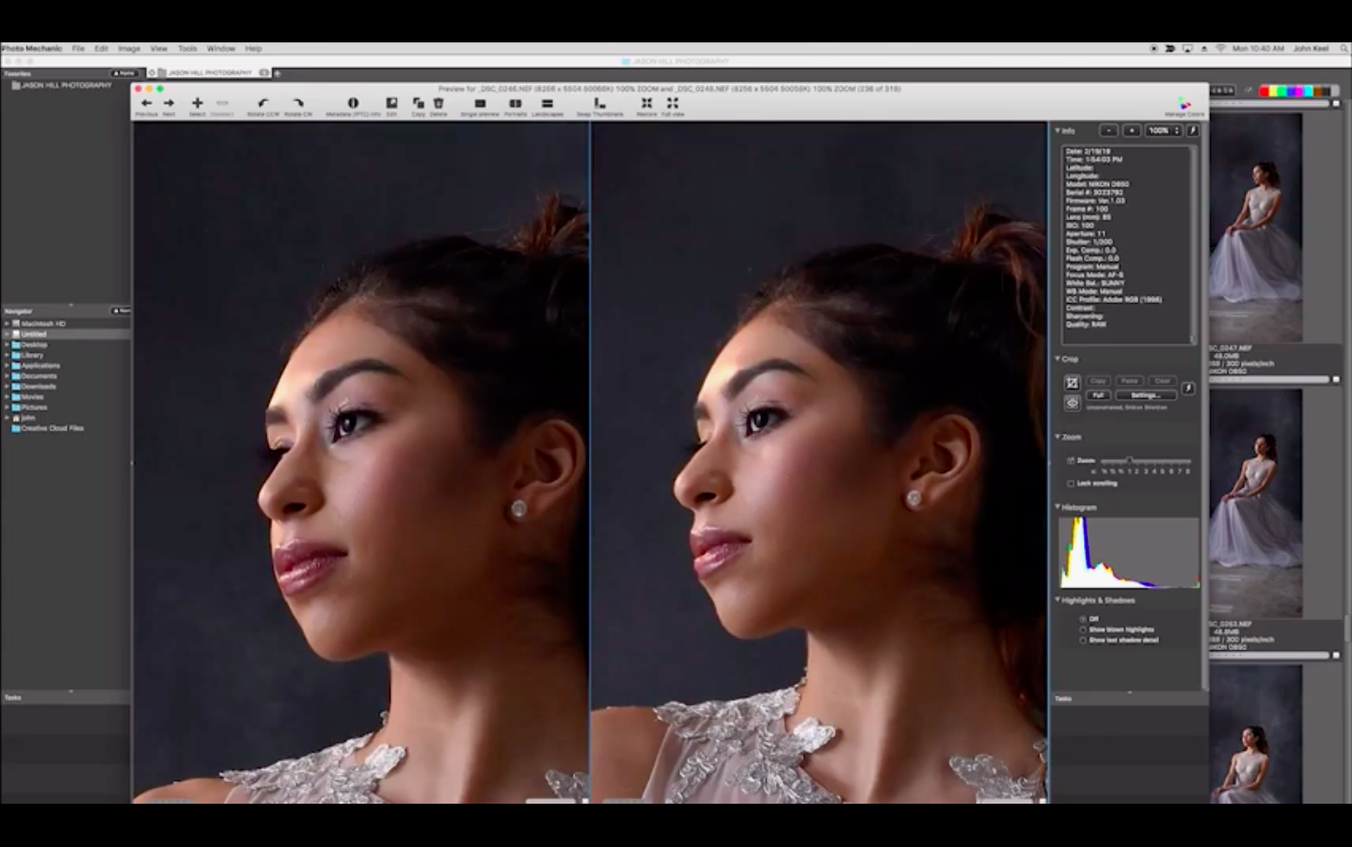
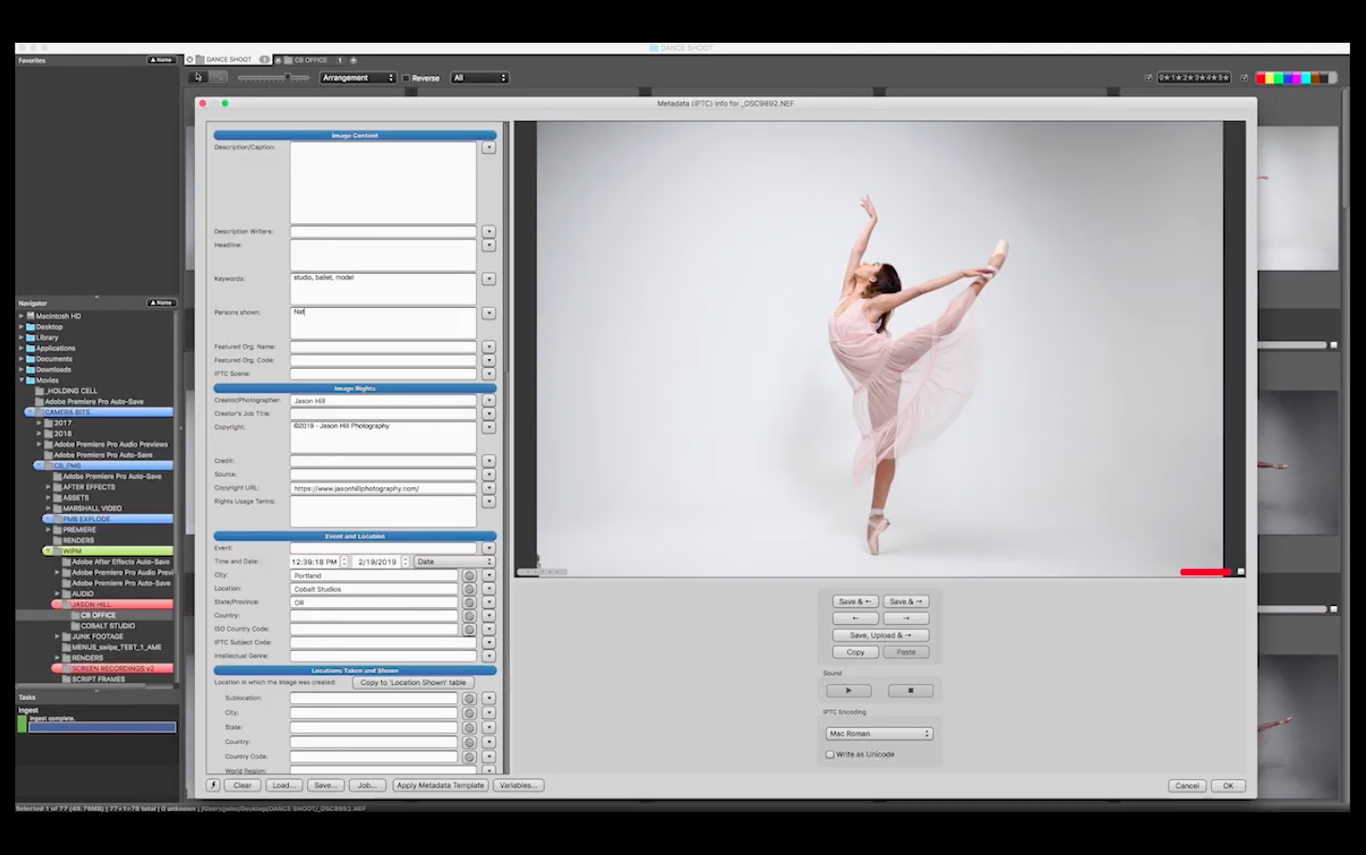
Scroll the row, it snaps to each screenshot. Click one to see it wider.
Sorting through thousands of photos after a shoot eats up time you could spend editing. Photo Mechanic is built to get that job done fast. It’s a media browser for viewing, organizing, managing, and exporting digital photos, aimed at photographers who need speed over fancy previews.
Rate and tag a contact sheet
Open a folder and you get a contact sheet of thumbnails. Click stars to rate, hit a key to color-mark, or add tags in the metadata panel. The whole thing stays responsive even with large collections, so culling goes quickly.
Compare and pick the keeper
When two frames look almost identical, use the side-by-side view. Zoom into both at once and see which one holds up. Mark the winner and move on.
Upload selects straight to FTP
No need to switch apps. Pick your selects, enter the server details, and Photo Mechanic pushes them over FTP. That’s handy for delivering proofs right after a job.
Treating the browser as a raw editor
New users often treat Photo Mechanic like Lightroom or Capture One. That causes frustration. Photo Mechanic is a browser, not a raw editor. It reads metadata and displays previews from the embedded JPEG inside the raw file. It does not apply permanent exposure or color corrections. If you expect sliders for white balance and contrast, you will look in the wrong places.
Another mistake: skipping the metadata template setup. Without a template, every photo imports with blank fields for copyright, caption, and keywords. Typing those into each frame wastes the whole point of the app. Set up a template once, and every ingested file gets your name, copyright notice, and basic keywords automatically.
Ignoring the color-class system is common too. Photo Mechanic supports color marking — red for rejects, green for picks, yellow for maybes. Beginners click stars but forget the color labels. After a few thousand photos, going back to figure out which five-star shots made the final edit is slower than using both systems together.
Finally, users sometimes rename files after culling instead of during ingest. Renaming a batch of 500 images inside the browser works fine, but the original file names are already baked into metadata and folder structures elsewhere. Rename during the ingest step, and everything stays consistent from the start.
Native Apple Silicon build eliminates emulation lag
Photo Mechanic 2025.1.8239 runs on macOS 13 or later. The build is native for Apple Silicon, so no Rosetta translation layer is used. That means it opens thumbs and switches between views without waiting for Intel-to-ARM emulation. The installer is a disk image. Mount it, drag the app to the Applications folder alias, and launch after the copy finishes. No activation step is required.
The interface stays in English. If your workflow involves a lot of non-English metadata, you can type it in manually; the app does not localize its menus or dialogs.
Large libraries work, but the app reads and writes metadata into the files themselves. If you have a folder of 50,000 images from several years, the first scan takes a moment while the app indexes. After that, sorting and filtering are fast.
Blocky zoom from small embedded JPEG previews
Thumbnails not showing for certain raw formats. Photo Mechanic relies on the camera-generated JPEG preview inside each raw file. Some cameras embed a very small preview. When you zoom in, the image looks blocky. This is not a bug. Generate larger previews in-camera, or use the app's built-in preview-generation tool (if available in your version) to rebuild previews for a whole folder at once.
Metadata changes not saving. If you edit a caption or keyword and the field resets when you click the next photo, the file might be on a read-only volume — a locked SD card or a network drive without write permissions. Copy the files to a local folder first, make changes, then move them back.
FTP upload fails partway through. Large batches over FTP can time out if the server has a small timeout window. Split your selects into groups of 50 or 100. Also check that your FTP server accepts passive mode; Photo Mechanic uses passive by default, and some older servers require active mode.
Renaming a batch mixes up sort order. When you rename files, the sort order can shift if you use a custom naming scheme that changes the alphanumeric sequence. Before renaming, sort by capture time, not file name. That keeps the chronological order intact.
Color marks disappear after exporting. Color labels and star ratings are stored inside the file's metadata. Some image editors strip that metadata on export. Keep a backup folder with the original files, and export copies. Your ratings survive in the originals.
For anyone searching for photo mechanic free download for mac or photo mechanic mac torrent, these are the real-world issues you will hit after you get it running.
Search, sort, and filter are all there too. For organizing and pre-editing work, Photo Mechanic on Mac does the heavy lifting without dragging.
- macOS 13 or later
- Apple Silicon
The install order
- Mount the downloaded disk image.
- Drag the app into the Applications folder alias.
- Launch Photo Mechanic after the copy finishes.