- Version
- 26.1.3 fix
- Developer
- Nick Kallen
- Languages
- Russian, English, German, Spanish, Italian, Chinese (Traditional), Chinese (Simplified), Japanese
- License type
- Included
| macOS range | macOS 10.14 or later |
|---|---|
| Chip | Apple Silicon |
| Download | 256 MB |
Screenshots
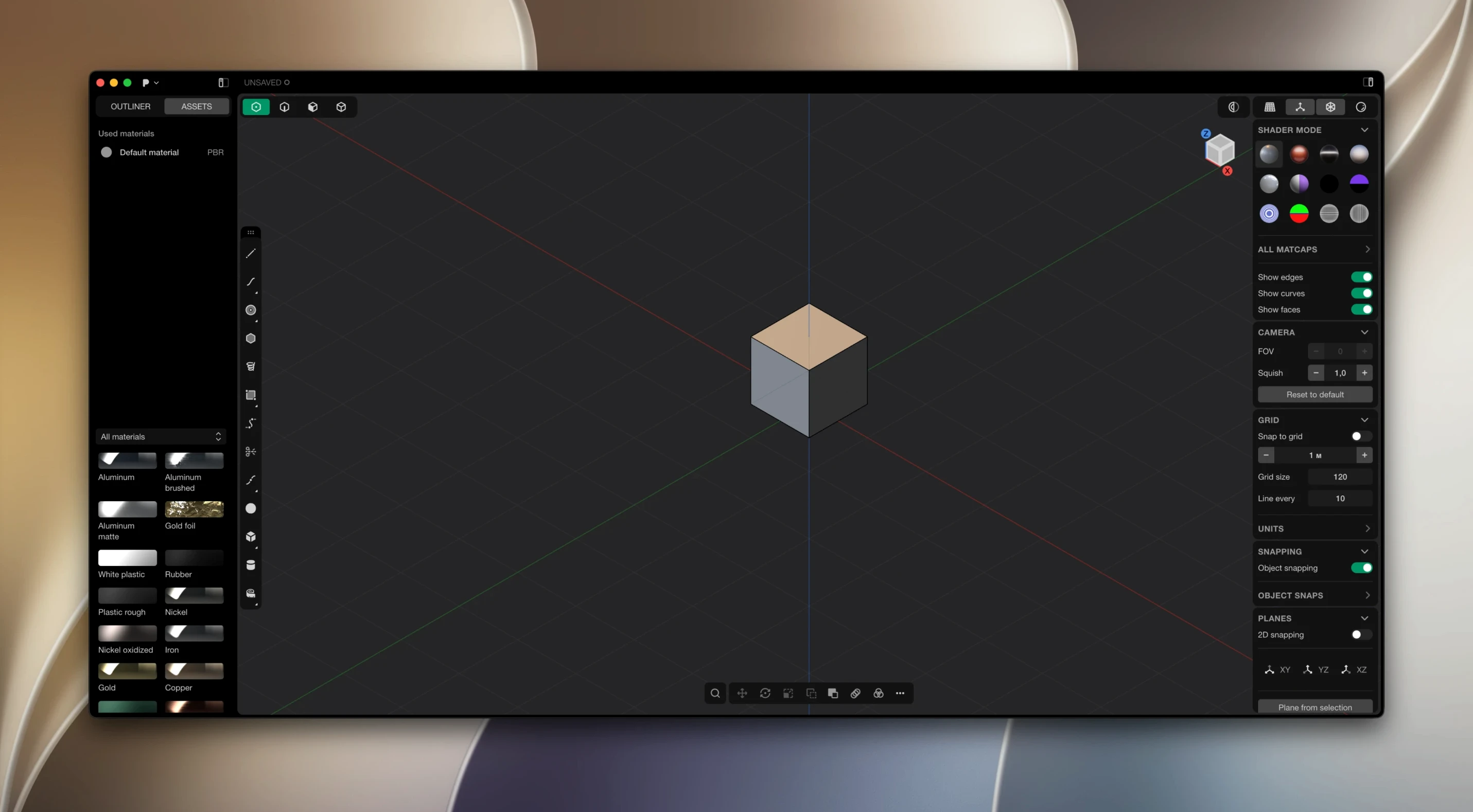
Click a screenshot to see it wider.
Plasticity 26.1.3 ships with PolySplines for Studio users. XNURBS Surface blending gives you G2-continuous surfaces. Boolean operations produce watertight results. Direct editing means no history tree to manage — you just push and pull geometry. Live dimensions update the model as you type. Precise fillets are built in.
Install Checklist
- Download the package from the site.
- Open the disk image and copy Plasticity to your Applications folder.
- Run the patcher from the Patcher folder. If it fails, move the Patcher folder to your desktop and try again.
- Launch Plasticity and start modeling.
Plasticity handles solid and surface modeling for Mac users on macOS 10.14 or later. Apple Silicon native. Interface in English, Russian, German, Spanish, Italian, Traditional Chinese, Simplified Chinese, Japanese.
I talked with a freelance industrial designer who works on consumer electronics concepts. She switched from a history-based modeler because her workflow was mostly iterative surface tweaks — adjusting radii, blending curves, pulling faces. Plasticity’s direct editing let her skip the undo/redo chain of parametric trees. She opens a saved part, grabs a face, types a new dimension, and the fillet updates in place. No rebuild, no waiting. For someone doing client revisions on a lunch break, that saves time. She also uses Export Hidden Line to generate SVG technical callouts for client PDFs, skipping the illustrator step.
Apple Silicon Native
Plasticity 26.1.3 runs on macOS 10.14 or later. Apple Silicon native — no Rosetta overhead. The interface loads in English, Russian, German, Spanish, Italian, Traditional Chinese, Simplified Chinese, or Japanese. Language switching is done in the app settings. Updates are manual; download the new version and replace the old one in Applications. No auto-updater running in the background.
The package includes the patcher. If you get a permissions or launch error, move the Patcher folder to your desktop and run from there. That usually resolves it.
Industrial Designers and Sculptor-Like Modeling
- Industrial designers who need direct surface editing without a history tree. Plasticity’s live dimensions and XNURBS blending suit iterative form development.
- 3D artists working on concept models or props. The direct style matches a sculptor’s approach — push geometry, check it, push again.
- Engineers doing quick solid prototypes. Watertight booleans and precise fillets keep models production-ready for export.
- Studio users get PolySplines and expanded CAD translation. If you do commercial surface work or need to exchange files with other CAD tools, the Studio edition is where those features live.
What a Plasticity Mac Torrent Install Looks Like for a New User
A 3D artist I know does concept work for a small toy design studio. He used to bounce between Blender for sculpting and Fusion 360 for clean solids — two apps, two workflows, constant file conversion headaches. He downloaded a Plasticity mac torrent to try direct modeling on his own time. After the install (patcher on the desktop, launch, done), he opened a rough concept shape he had in OBJ format. Within a session he had rebuilt it as a clean solid with live dimensions and a G2 surface blend. The Export Hidden Line feature let him send a technical SVG to the fabrication team the same day. No history tree, no param rebuilds. He told me it cut his concept-to-export time by a noticeable margin for iterative client work.
On Your Mac
Plasticity 26.1.3 requires macOS 10.14 or later. Apple Silicon native. No Rosetta needed. The app is a single binary — no background services or auto-updaters. You download the new version, replace the old one in Applications, and you are current. Language selection is in the settings: English, Russian, German, Spanish, Italian, Traditional Chinese, Simplified Chinese, Japanese.
If the patcher gives you trouble on first run, move the Patcher folder to the desktop and launch from there. That is the standard workaround documented in the package. After that, Plasticity opens without extra steps. The interface is clean — direct modeling tools in the main viewport, live dimension fields, XNURBS and boolean operations in the menus. No hidden panels to hunt for.
Plasticity is a direct 3D modeling tool for designers who prefer NURBS-based workflows over polygon meshes. It includes PolySplines for Studio users and Export Hidden Line for SVG technical drawings. The build is stable for daily modeling work on an Apple Silicon Mac.
- macOS 10.14 or later
- Apple Silicon or Intel