Free download (16 MB) Previous versions
- Version
- 1.1.21
- Developer
- DK CONSULTING
- Languages
- English, German, Danish, Spanish, Italian, Chinese (Traditional), Chinese (Simplified), Korean, Malay, Dutch, Norwegian, Portuguese, Ukrainian, French, Hindi, Swedish, Japanese
- License type
- Included
| macOS range | macOS 10.12 or later |
|---|---|
| Chip | Apple Silicon, Intel 64-bit |
| Download | 16 MB |
| Previous versions | 5 on file |
Screenshots
Click a screenshot to see it wider.
How does Project Office Pro fit with your existing Mac tools?
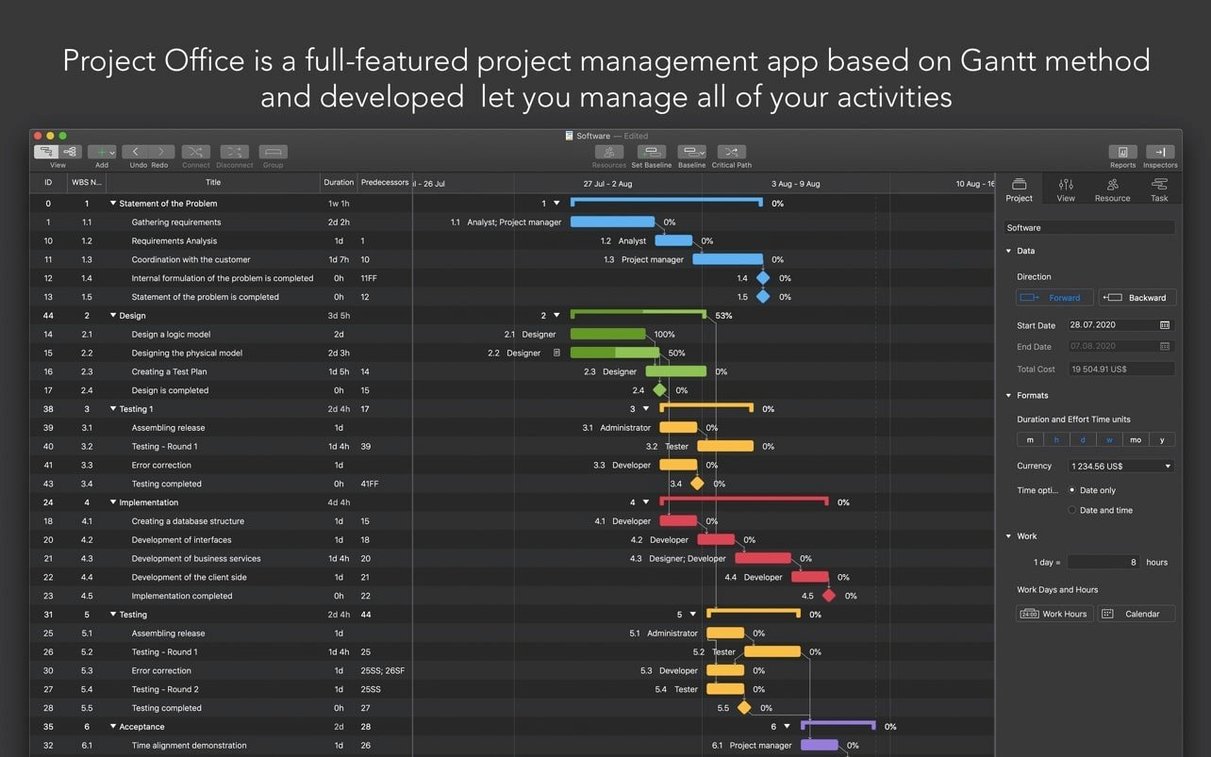
If you already use apps like Numbers for task lists or Calendar for deadlines, Project Office Pro takes that further. It’s a full-featured project management app that brings Gantt charts and resource tracking into one place, so you can move from simple scheduling to real project control without leaving your Mac.
Edit tasks directly on the timeline
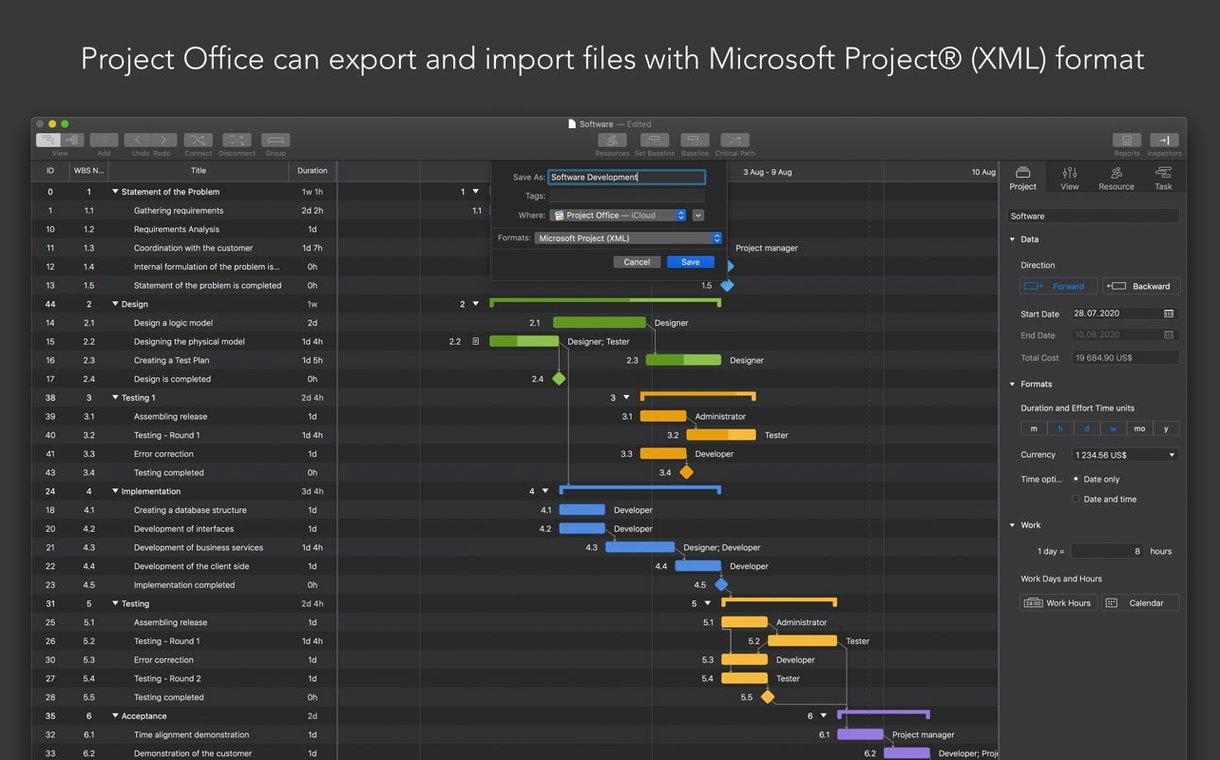
The Gantt chart view lets you edit tasks directly on the timeline. You can also see the critical path, which shows which tasks directly affect your finish date. Baseline tracking compares planned versus actual progress, so you know if you’re slipping.
How do you share project data?
Share a full project file with colleagues, or export a PDF report of the Gantt chart. Task and resource reports can also be exported as HTML, making it easy to hand off status updates.
What about languages and compatibility?
The interface supports 17 languages, including English, German, Spanish, and Traditional Chinese. It runs on both Apple Silicon and Intel Macs, requiring macOS 10.12 or later.
Set work hours before the Gantt chart calculates
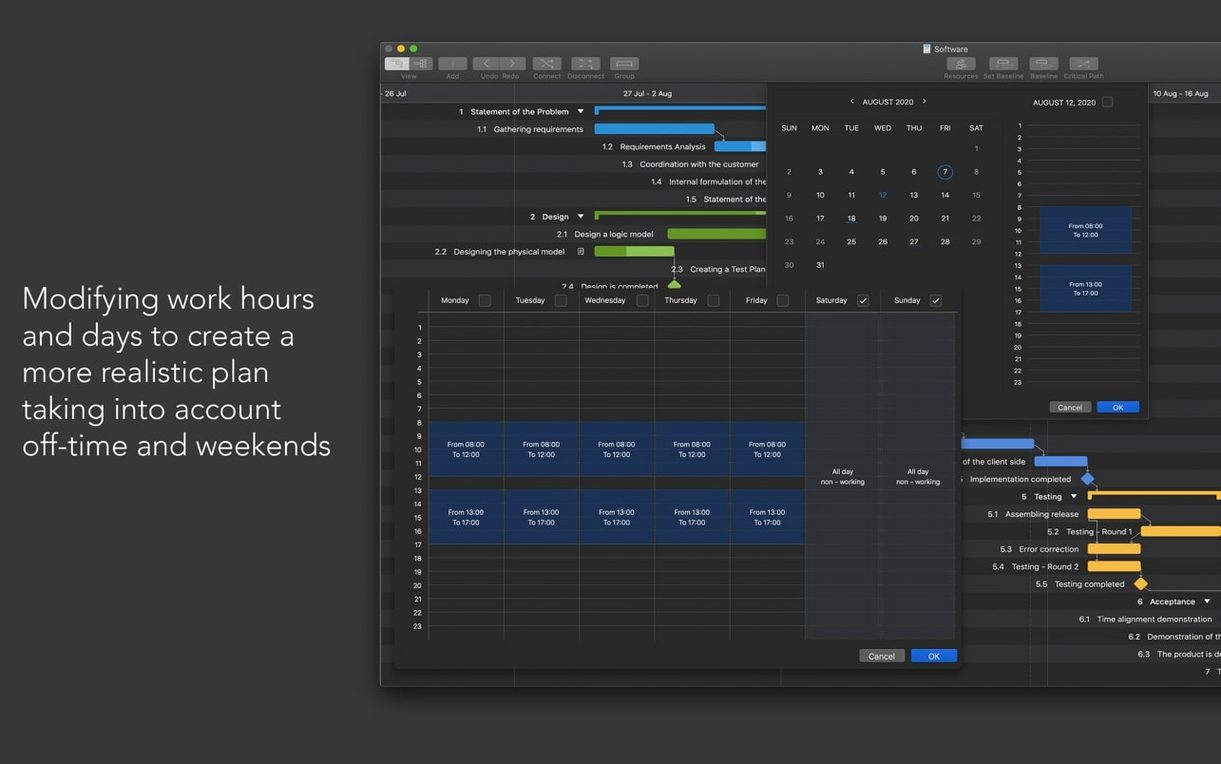
Open the calendar settings before starting a project. Set your work hours, overtime rules, and weekend schedule. That way the Gantt chart calculates task durations against your real working days, not the default calendar.
Smart filter hides completed tasks and resource assignments
- The smart filter can hide completed tasks or tasks assigned to a specific person. This keeps the Gantt chart readable when projects get large.
- Resource management covers both people and materials. Assign a laptop or a contractor as a resource the same way you assign a team member.
- iCloud backup is built in. Enable it from the app settings so your project files are stored off your machine automatically.
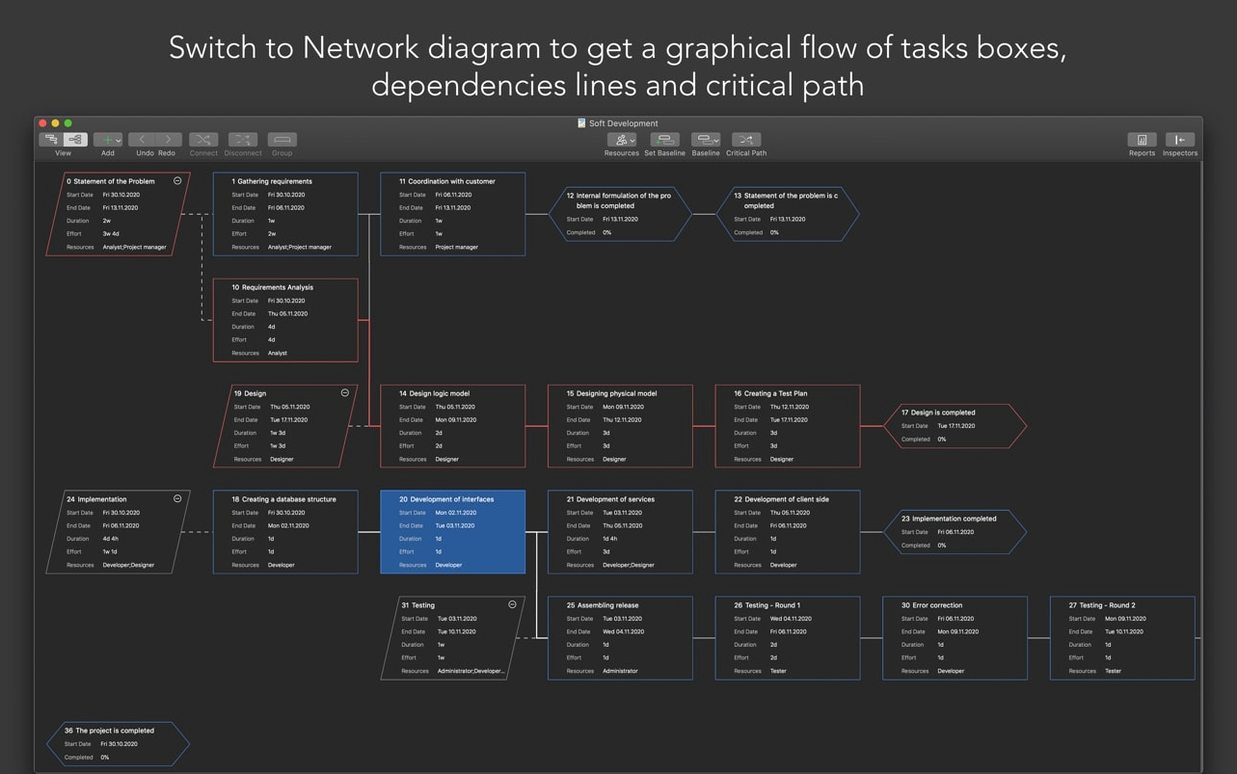
- The network diagram view shows how tasks connect. It is a different way to spot dependencies compared to the Gantt bar view.
If you share project office pro macos download links with colleagues, the full project file format preserves all these settings. A PDF export of the Gantt chart works for read-only distribution.
Settings worth changing first
After the initial install, open Preferences and adjust these before starting your first project. The customizable calendar is the one that matters most — set your work week, overtime rules, and holidays first. If you skip this, the Gantt chart calculates against a generic 5-day schedule that likely does not match your actual work pattern.
- Enable baseline tracking from the start. You cannot compare planned versus actual progress on a project that is already underway without a baseline saved early.
- Turn on iCloud backup under the file settings. It runs in the background after that, no further action needed.
- Check the default work hours and overtime settings. The app uses these for resource cost calculations, not just scheduling.
Small conveniences that are easy to miss
The smart filter is not just for hiding completed tasks. You can also filter by assigned resource or by task name, which helps when you are reviewing a specific team member's workload across a large project.
The Gantt chart allows direct editing of task duration, start and finish dates, and completion percentage right on the timeline bars. You do not need to open a separate dialog for quick updates.
Resource management treats people and materials the same way. A rented tool or a subcontractor is added as a resource, tracked against the project calendar and budget.
Exporting task and resource reports as HTML gives you a plain-text format that opens in any browser. This is useful for sharing status with stakeholders who do not have the app.
- macOS 10.12 or later
- Apple Silicon or Intel 64-bit
Questions I get about this line
Yes, Project Office Pro includes baseline tracking, so you can compare your original plan to what actually happened.
The install order
- Move Project Office X 1.1.14 to the Applications folder.
- Use CORE Keygen to activate it.
- Block the app's internet access before first use, or disable it at launch.