
- Version
- 2.3 [MAS]
- Developer
- AppYogi Software
- Languages
- Russian, English, German, Vietnamese, Greek, Danish, Indonesian, Spanish, Italian, Chinese (Traditional), Chinese (Simplified), Korean, Malay, Norwegian, Portuguese, Thai, Turkish, Finnish, French, Swedish, Japanese
- License type
- K'ed by TNT team
| macOS range | macOS 10.12 or later |
|---|---|
| Chip | Apple Silicon, Intel 64-bit |
| Download | 12 MB |
Screenshots
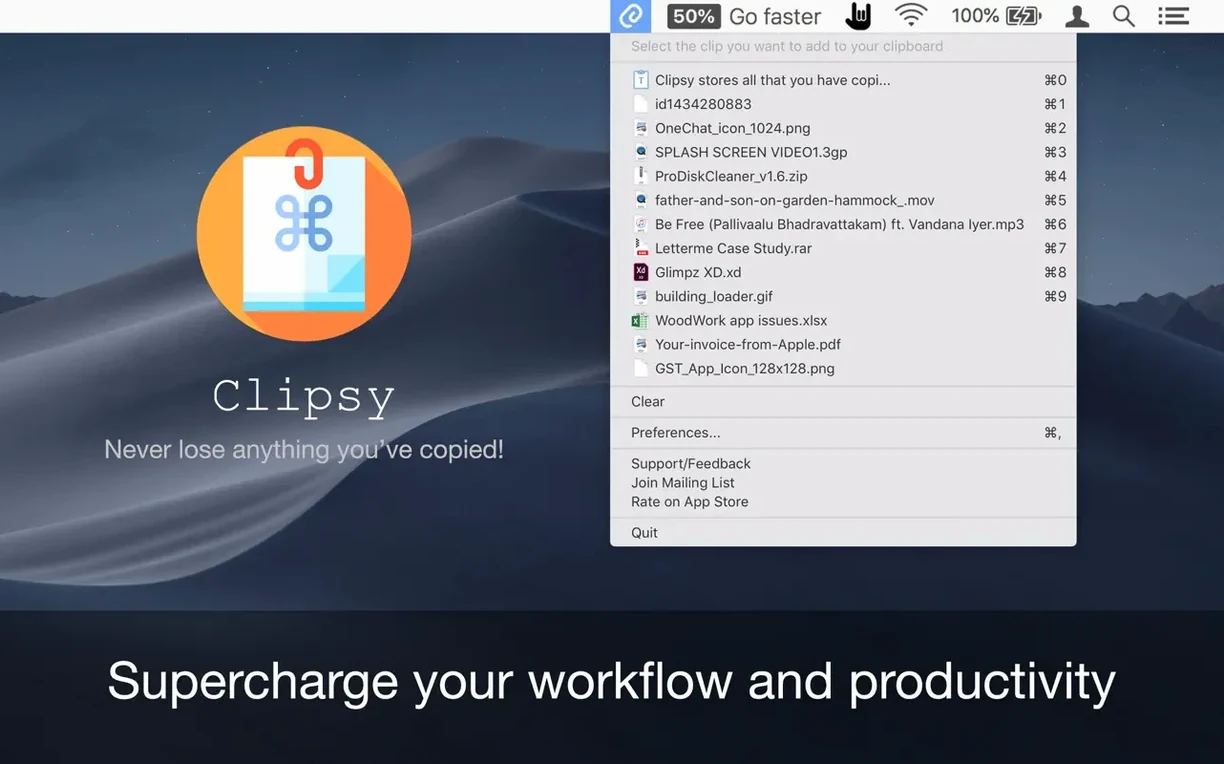
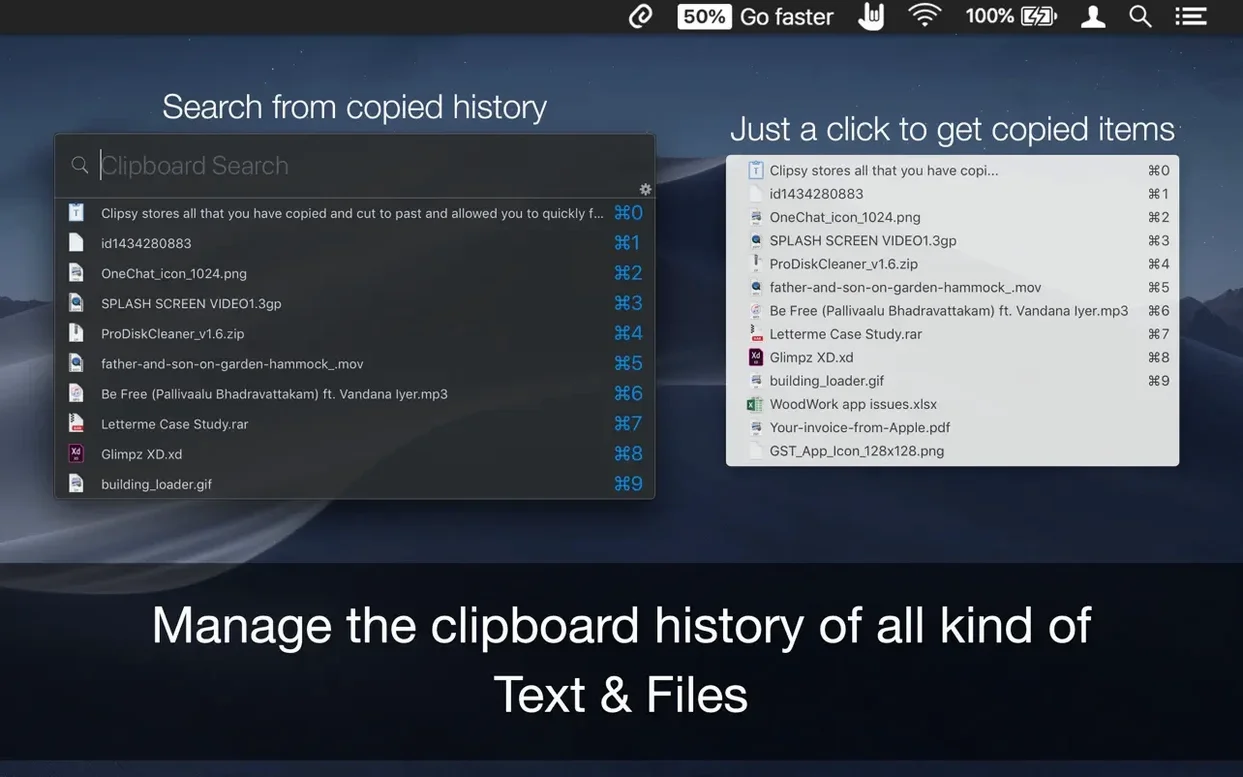
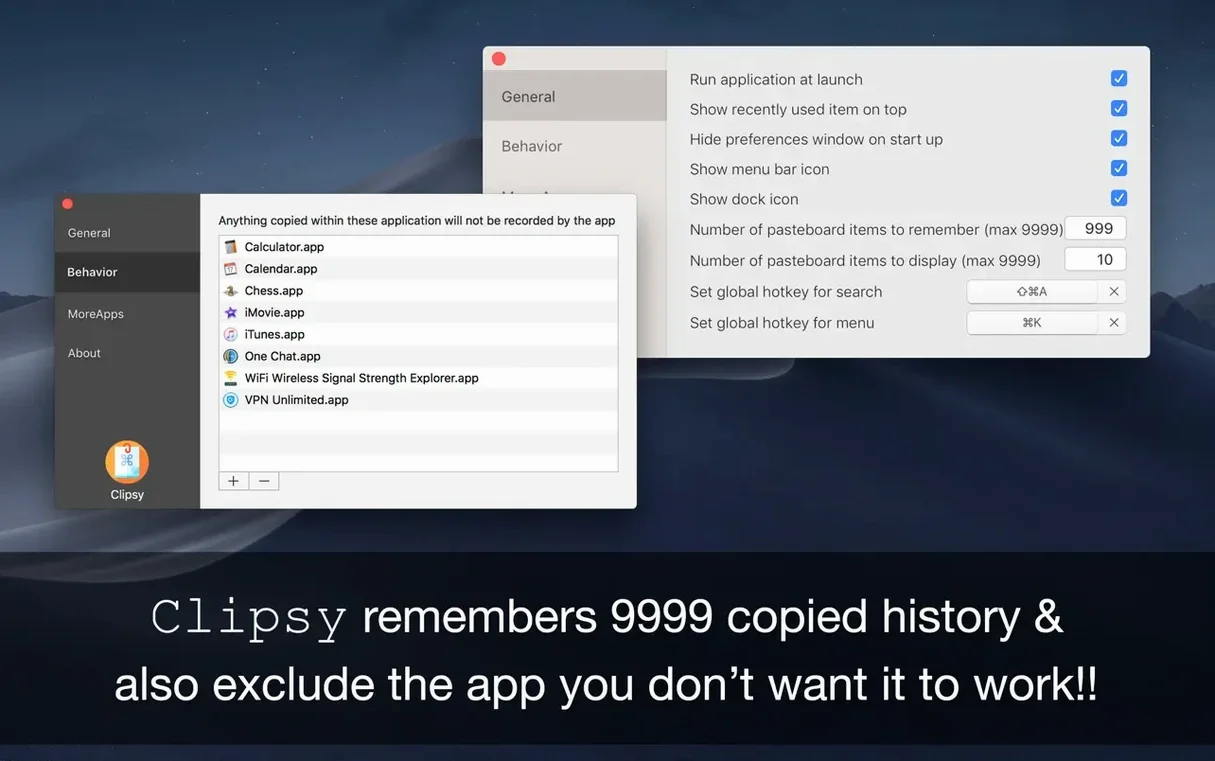
Click a screenshot to see it wider.
Clipsy 2.3 runs on macOS 10.12 or later, Intel and Apple Silicon. It lives in the menu bar and stores up to 9,999 clipboard entries.
How does it handle different file types?
Clipsy records text, images, links, and screenshots. You can search through them and paste anything later.
Can you edit clipboard items?
Yes. Select a text or URL entry in the menu bar and edit it directly before pasting.
How do you recall history quickly?
A typical work session with Clipsy
Open it from the menu bar once you install. It sits there, recording everything you copy. No setup needed for basic use.
Start by copying a URL from a browser. Clipsy logs it. Later you need that link again. Press the keyboard shortcut, and the history list drops down. Type a word from the URL in the search bar. The list narrows. Click the entry, and it pastes.
Copy a block of text from a document. Clipsy stores it. Later you realize the text needs a small edit. Open the history list, select the entry, and edit it in the menu bar. No need to go back to the document.
Copy an image from a design app. Clipsy saves it as a thumbnail. Search for it later by file type. The thumbnail helps you spot the right one fast.
Exclude an app like a password manager if you do not want its copies recorded. Set that in preferences. Clipsy ignores those copies from then on.
Exclude apps and history limit first
Open Clipsy preferences from the menu bar icon. Two settings matter right away.
- Exclude apps – Add password managers, chat apps, or anything else that copies sensitive data. Clipsy stops recording from those apps.
- History limit – The default is fine for most, but you can lower it if you prefer a shorter list. The max is 9,999 entries.
That is it. The rest of the settings are optional. The keyboard shortcut works out of the box, so you can start using Clipsy right after changing those two.
A typical work session with Clipsy
Open it from the menu bar once you install. It sits there, recording everything you copy. No setup needed for basic use.
Start by copying a URL from a browser. Clipsy logs it. Later you need that link again. Press the keyboard shortcut, and the history list drops down. Type a word from the URL in the search bar. The list narrows. Click the entry, and it pastes.
Copy a block of text from a document. Clipsy stores it. Later you realize the text needs a small edit. Open the history list, select the entry, and edit it in the menu bar. No need to go back to the document.
Copy an image from a design app. Clipsy saves it as a thumbnail. Search for it later by file type. The thumbnail helps you spot the right one fast.
Exclude an app like a password manager if you do not want its copies recorded. Set that in preferences. Clipsy ignores those copies from then on.
Block sensitive apps and cap history
Open Clipsy preferences from the menu bar icon. Two settings matter right away.
- Exclude apps – Add password managers, chat apps, or anything else that copies sensitive data. Clipsy stops recording from those apps.
- History limit – The default is fine for most, but you can lower it if you prefer a shorter list. The max is 9,999 entries.
That is it. The rest of the settings are optional. The keyboard shortcut works out of the box, so you can start using Clipsy right after changing those two.
A session from start to finish
Morning starts with research. Copy two paragraphs from a web page, then a chart image from a report. Clipsy logs both. Mid-morning you draft an email. Need the chart. Press the shortcut, scroll to the image thumbnail, click. It inserts. No switching browser tabs.
Afternoon you work on a spreadsheet. Copy three customer IDs from an internal app. Clipsy records them. Later you paste them into a form. One ID has a typo. Open the history list, select the text entry, edit the character, paste. Done.
Late afternoon you clean up. Right-click the menu bar icon and clear the entire history. Clipsy starts fresh for tomorrow.
Quick-start settings
- Set the automatic shortcut – Clipsy assigns one automatically. Check it in Preferences. If it conflicts with another app, reassign it.
- Enable search – Already on. No extra step.
- Turn off recording for apps you do not use – Exclude those apps now. Saves you from cleaning irrelevant entries later.
That takes two minutes. After that, Clipsy just works in the background.
Use an automatic keyboard shortcut to open the history list. Click an entry, and it pastes where your cursor is.
- macOS 10.12 or later
- Intel or Apple Silicon
The install order
- Mount the disk image and launch Open Gatekeeper Friendly.
- Press Enter to bypass Gatekeeper in Terminal.
- Drag Clipsy to the Applications folder.
- Open the app from Applications.