- Home
- VST Plugins
- Mario Nieto Harmony Bloom
Free download (57 MB) Previous versions
- Version
- 1.3.5
- Developer
- Mario Nieto
- Languages
- English
- License type
- K'ed by TEAM HCiSO
| macOS range | macOS 10.14 or later |
|---|---|
| Chip | Apple Silicon, Intel 64-bit |
| Download | 57 MB |
| Previous versions | 2 on file |
Screenshots
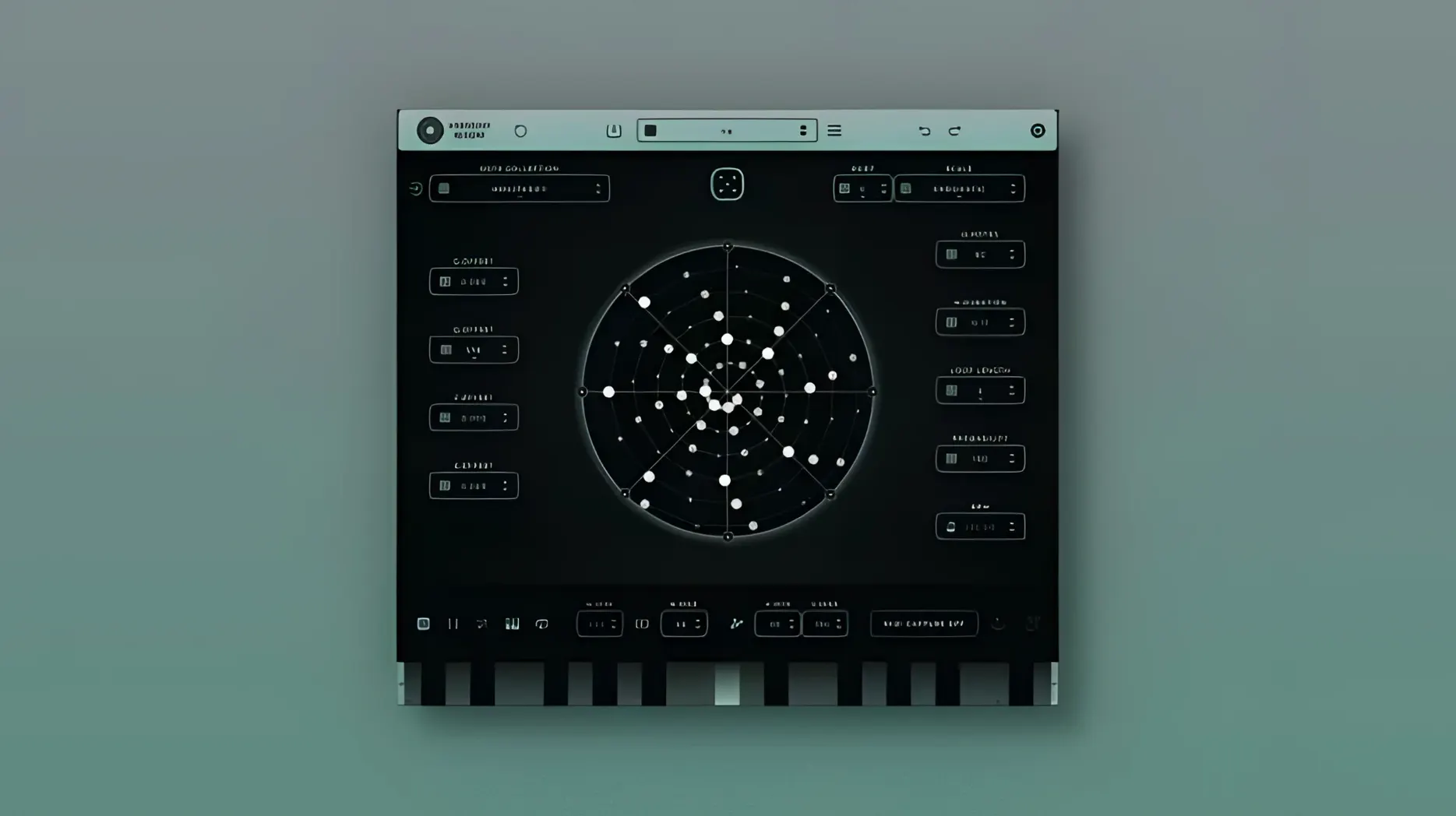
Composers and producers who need generative MIDI patterns use Harmony Bloom as a realtime source of polyrhythmic ideas. It sits on a MIDI track, outputting directly to a virtual instrument or hardware synth. You can also route it to multiple tracks via a bus, letting one pattern drive several sounds at once.
Layering Harmony Bloom via MIDI Track or Bus
- MIDI Track — Insert Harmony Bloom on a track, load an instrument after it, and the plugin sends note data live as you play.
- Bus or Group — Route its output to a bus to layer instruments or apply effects uniformly across the generated pattern.
- Automation Lane — Its parameters (note density, velocity, gate length) are automatable, so you can shift the pattern over a section.
- MIDI Keyboard Control — Play chords or notes on a MIDI controller to influence the generator in real time.
Pattern Engine and Workflow
The plugin includes 57 note collections and supports preset creation and sharing. The Global Random button randomizes all settings at once, useful when you want a fresh starting point. Version 1.3.5 fixes crashes in Studio One and FL Studio 25, and improves server management and pack handling.
AU vs. VST3 Compatibility for macOS 10.14+
Harmony Bloom runs as VST3, AU, or standalone on macOS 10.14 and later. If you use a DAW that loads AU plugins (Logic Pro, Digital Performer), that format works. For Cubase, Studio One, or FL Studio, use VST3. The standalone version generates MIDI without a host DAW — route its output to a synth or sampler via your system's MIDI setup. No extra drivers needed for basic use.
Can you use it without a MIDI keyboard? Yes. The keyboard mode is optional. You can trigger patterns from the plugin's interface directly. A connected MIDI controller adds realtime note-based control and transposition, but it is not required.
Exporting Presets and Note-Based Sequence Toggle
- Preset sharing — Export a preset and send it to another user. Only the plugin's internal data is saved, no audio files to manage.
- Note-based sequence control — A MIDI note can activate or deactivate the sequence. Another note can transpose it. This works alongside the keyboard mode, giving two ways to shape the output without touching the mouse.
- Global Random button — One click randomizes every setting. Useful when you hit a creative block and need a new pattern fast.
Questions That Come Up Before Installing
Does it work as a standalone app without a DAW? Yes. The standalone version generates MIDI output that you can route to any synth or sampler on your Mac. You do not need to open Logic or Studio One to start building patterns.
Can you run it on an older Mac? macOS 10.14 is the minimum, and the plugin runs on both Intel and Apple Silicon machines. No special configuration is needed for either architecture.
Does it replace a step sequencer or arpeggiator? Not exactly. Harmony Bloom generates polyrhythmic patterns from note collections, not simple up-and-down arpeggios. If you need layered, shifting rhythms across multiple octaves, it covers that. If you need a straight one-octave arpeggio, a basic sequencer might be faster.
Can you share presets between Mac and Windows? The preset file format is the same across platforms. Export from the Mac version, transfer the file, and import it on Windows. The same applies to iPad presets.
Small Conveniences That Are Easy to Miss
- Keyboard mode — Turn this on and the plugin responds to notes from a MIDI controller. The generated sequence follows the chords or single notes you play, not just the internal pattern.
- Note-based deactivation — Send a specific MIDI note to turn the sequence off. Send another to turn it back on. This keeps your hands on the keyboard, not the mouse.
- Transposition via MIDI note — A separate note shifts the entire sequence up or down. Combine this with the deactivation note for live arrangement changes without stopping playback.
- Preset editing — Load a preset, tweak any parameter, and save the changes under the same name or a new one. No separate save dialog for each tweak.
- Global Random button — It randomizes every setting at once, including note collections and pattern parameters. One click gives you a completely different starting point.
- Enhanced server management and communication.
- Improved handling of packs within the plugin.
- Resolves crashes in some DAWs, including Studio One and FL Studio 25.
- macOS 10.14 or later
- Intel 64-bit or Apple Silicon
Questions I get about this line
macOS 10.14 or later. The plugin runs on both Intel and Apple Silicon Macs.
The install order
- Mount the downloaded disk image.
- Run the standard installation procedure.