- Home
- VST Plugins
- reFX Nexus

Free download (72 MB) Previous versions
- Version
- 5.5.21
- Developer
- reFX
- Languages
- English
- License type
- k'ed by Team V.R
| macOS range | macOS 10.15 or later |
|---|---|
| Chip | Apple Silicon, Intel 64-bit |
| Download | 72 MB |
| Previous versions | 36 on file |
Screenshots
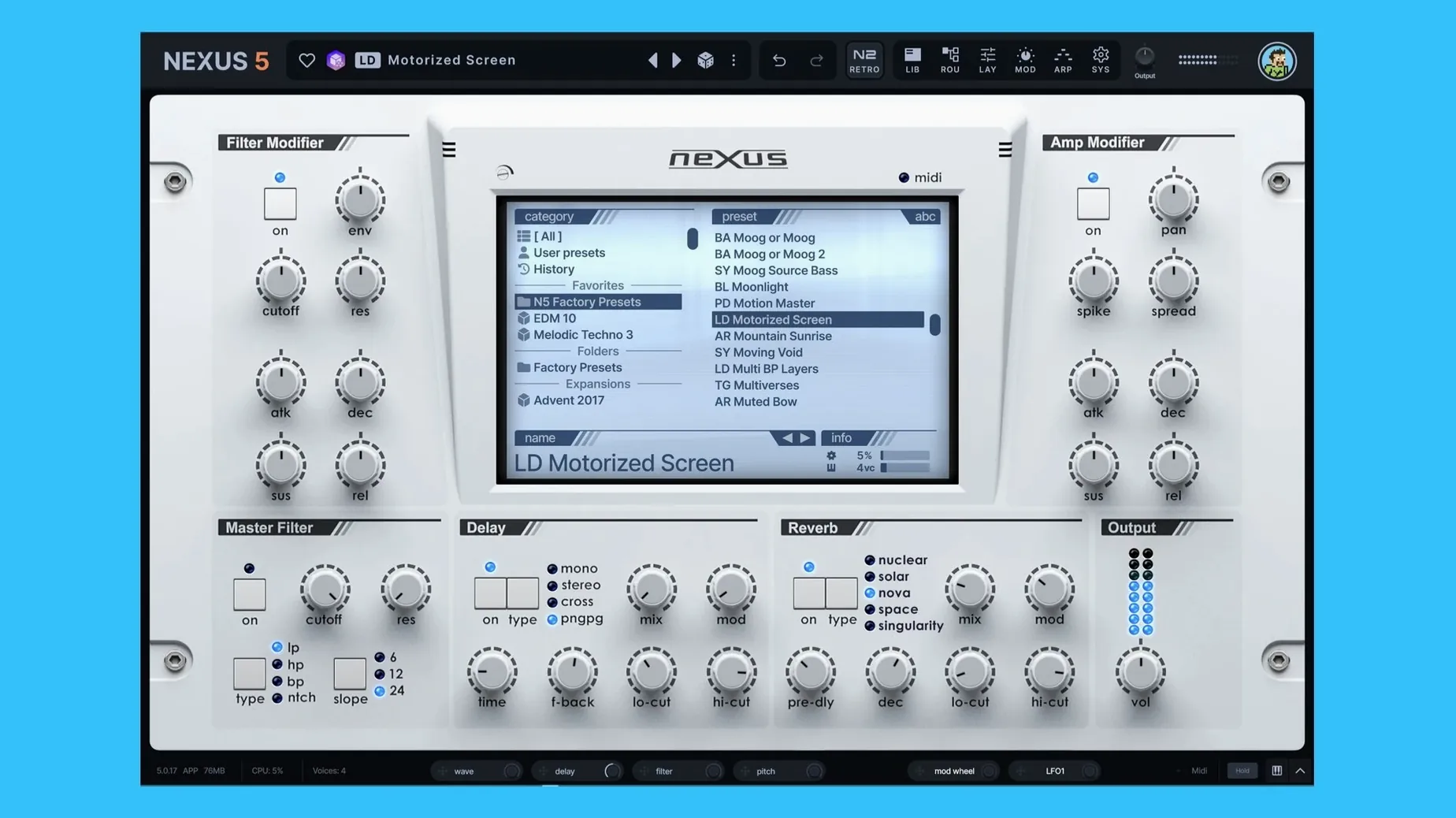
16 voices per unison layer, a new Clipper effect, and a skin editor that lets you re-skin the UI. That is what version 5.5.12 brings to reFX Nexus, a sample-based plugin built for preset-heavy production and sound design.
Controls That Shape the Mix
The effects section sits right inside the plugin — no need to chain external processors. The new Clipper effect rounds peaks before they hit the master, keeping the mix clean without extra compressors. The Ducker now has a keyzone trigger, so you can duck specific note ranges instead of the whole signal. Unison goes up to 16 voices, giving you thicker pads and wider leads from a single oscillator. The skin editor is cosmetic, but it changes how you work: match the interface to your DAW theme and reduce visual fatigue on long sessions.
Sample Editing and Modulation
Load your own WAV or AIFF files, then slice, loop, and crossfade them inside the plugin. Modulation destinations now include oscillator phase min and max, which lets you fine-tune the attack character of each sample layer. The arp pattern can double as the initial sequencer pattern, so your rhythmic ideas sync up faster. Preset previews match the host tempo automatically, cutting out the guesswork when you browse through expansions.
How Nexus Compares With Similar Plugins
Nexus sits in the sample-based synth space alongside Kontakt and Falcon. Kontakt is deeper on scripting and instrument building, but its browser is slower when you flip through presets during a session. Falcon offers similar oscillator types — wavetable, granular, FM — and a modular routing matrix, but its library of expansions is smaller than what reFX and third-party developers have built for Nexus over the years.
Where Nexus pulls ahead is the preset workflow. The BPM readout on the SYS page and the automatic tempo match mean you audition expansions at the right speed without tapping a tempo button first. The skin editor is unique — neither Kontakt nor Falcon lets you change the UI colors without replacing skin files manually. If you work fast and switch presets often, the Nexus layout keeps you in the flow.
Workflow: Building a Pad From a Vocal Sample
Drag a vocal phrase onto the main sample slot. Slice it to isolate the sustain, then crossfade the loop points until the loop breathes without clicks. Layer a wavetable oscillator underneath — set it to a soft saw wave and route its output to the same amplifier as the sample.
Enable the Clipper effect on the master bus and set the threshold so the vocal peaks stay below the pad body. Pull up the Ducker and assign the keyzone trigger to the lowest C range — that way the vocal layer pulls back only when you play bass notes, not during the melody line. Turn on unison and set it to eight voices for the saw layer. The pad fills up without eating the vocal clarity.
Save the whole thing as a custom preset. Next session you can load it and swap the vocal sample for a different recording without rebuilding the routings. That is the point of Nexus — build once, reuse across projects.
- Unison overhaul with up to 16 voices.
- Added Clipper FX.
- Added a skin editor.
- macOS 10.15 or later
- Intel or Apple Silicon
- English interface language
Questions I get about this line
Version 5.5.12 adds a new Clipper effect to the built-in effects section, along with a keyzone trigger for the Ducker.
Yes. You can load, edit, slice, loop, and crossfade custom audio files directly inside the instrument.
The install order
- Run the update first.
- Follow the standard installation procedure.
- Use the installation and activation instructions included in the package.
- Open the VR.nfo file for instructions.